
Odoo Community vs. Enterprise: the guide to deciding for your business
If you are considering Odoo for your business, you have probably wondered: Odoo Community vs. Enterprise, which one should I choose? They share the same core, but with differences that affect cost, functionalities, and support. In this guide, we explain it clearly, without jargon, so you can decide with confidence.
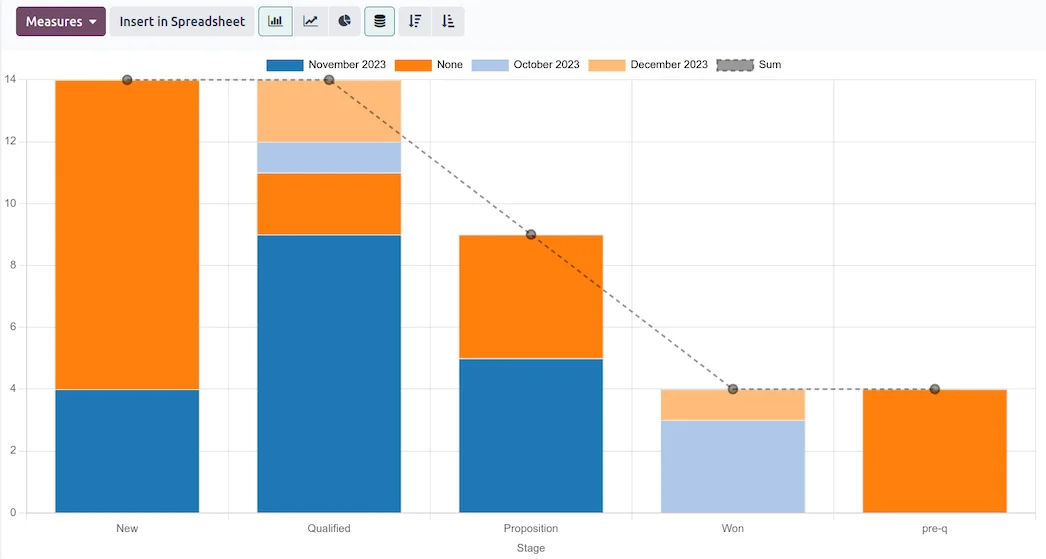
Odoo CRM reports and sales dashboard · Nextdoo, Official Odoo Partner
What is Odoo Community and what does it include
Odoo Community is the free, open-source version. You can download it, install it on your own server, and use it without paying a licence fee. It includes the base modules for managing essential business areas: sales, invoicing, inventory, contacts, purchases, or projects, among others.
It is a very solid option if you have internal technical knowledge or a partner to help you set it up and maintain it. Being open, it offers total freedom to customise it, but it also means you assume responsibility for hosting, updates, and incident resolution without official Odoo support.
What is Odoo Enterprise and what does it add
Odoo Enterprise is the paid subscription version. It shares the same core as Community but adds advanced functionalities, additional applications, and productivity improvements that are not in the free version: more complete accounting, electronic signature, customisation studies, native mobile applications, and bank connections, to name a few.
It also includes official Odoo support, guaranteed updates between versions, and the option of managed cloud hosting. For many SMEs, this translates into fewer technical headaches and having someone behind you when something goes wrong.
Community vs. Enterprise: the differences that really matter
In the debate between Odoo Community and Enterprise, the key differences are summarised in four points: cost, functionalities, support, and maintenance. Community has no licence cost but requires its own technical resources. Enterprise has a fee, although it includes extra functionalities and professional backing.
In terms of functionalities, Community covers the essentials competently; Enterprise covers more demanding cases (advanced accounting, detailed reports, automations). And in support, the difference is significant: with Enterprise, you have an official guarantee, while with Community, you depend on the community or your partner.
Who each version is suitable for
Community usually fits projects with a very tight budget, businesses with their own technical team, or those who want to start and experiment before taking a bigger step. It is also common in companies with simple needs that do not require advanced functionalities.
Enterprise fits better when the business grows, accounting becomes more complex, you need mobility, integrations, or simply the peace of mind of knowing there is official support. Many SMEs value that backing over initial savings, because their team's time also costs money.
How to decide without making a mistake
The decision is not "free versus expensive", but which version best solves your real situation. Make a list of what you need today and what you will need in two years. If your processes are simple and you have technical strength, Community may be enough for you. If you are looking to grow with support, Enterprise usually pays off.
Regarding the budget, Enterprise is billed by subscription according to users and applications, and varies in each case; any figure you see is a reference estimate, not binding. You can review the factors that influence the cost on our Odoo 2026 pricing page, in our Odoo 2026 pricing guide, before deciding.
The next step with Nextdoo
As an Official Odoo Partner specialising in retail, at Nextdoo we help you choose between Odoo Community and Enterprise according to your real processes, without selling you more than you need. We analyse your operations, your team, and your objectives, and propose the most cost-effective route.
If you want to see it with your own eyes, you can start with a free Odoo trial and see how it works. And if you prefer to have someone by your side from the beginning, our Odoo Consulting team advises you step by step, from Cunit (Tarragona) and throughout Spain.
Frequently asked questions
Is Odoo Community totally free?
Yes, Odoo Community has no licence cost and is open source. That said, you will have to take care of hosting, updates, and maintenance yourself. The software is free, but setting it up and maintaining it requires technical resources, either your own or from a partner.
What does Enterprise have that Community doesn't?
Enterprise adds advanced functionalities such as more complete accounting, electronic signature, native mobile applications, or bank connections, in addition to official Odoo support and guaranteed updates. Community covers the essentials; Enterprise is designed for more demanding needs and for those seeking professional backing.
Can I start with Community and upgrade to Enterprise later?
Yes, it's a common path. Many companies start with Community to test the waters and, when they grow or need more functionalities and support, they migrate to Enterprise. A partner can help you make that transition smoothly, preserving your data and adapting the configuration to the new version.
How much does Odoo Enterprise cost?
Enterprise is paid by subscription and depends on factors such as the number of users and active applications, so the price varies in each case. Any indicative amount is a reference estimate, not binding. The best thing is to analyse your specific situation to get a realistic figure.
Which one suits me if I'm a small SME?
It depends on your needs. If your processes are simple and you have technical support, Community may suffice. If you want to grow with official support, mobility, and straightforward integrations, Enterprise usually pays off. Analysing your operations with a partner prevents you from paying too much or falling short.
Related resources
Official information: Official Odoo documentation.
Explore Odoo by sector and by module
Choose your sector, discover Odoo modules, or compare with other solutions. Everything connected, in a single system.