

Projects and tasks dashboard in Odoo · Nextdoo, Official Odoo Partner
Three pains that disappear
The problem
You don't know the real profitability per project
How we solve it
Timesheets versus budget in real-time. Margin per project and per consultant.
The problem
Overassigned resources
How we solve it
Capacity view per person and week. Overassignment detection.
The problem
Invoicing hours is a nightmare
How we solve it
Timesheet → automatic invoice. Manager's approval + client's signature.
Real Odoo Projects
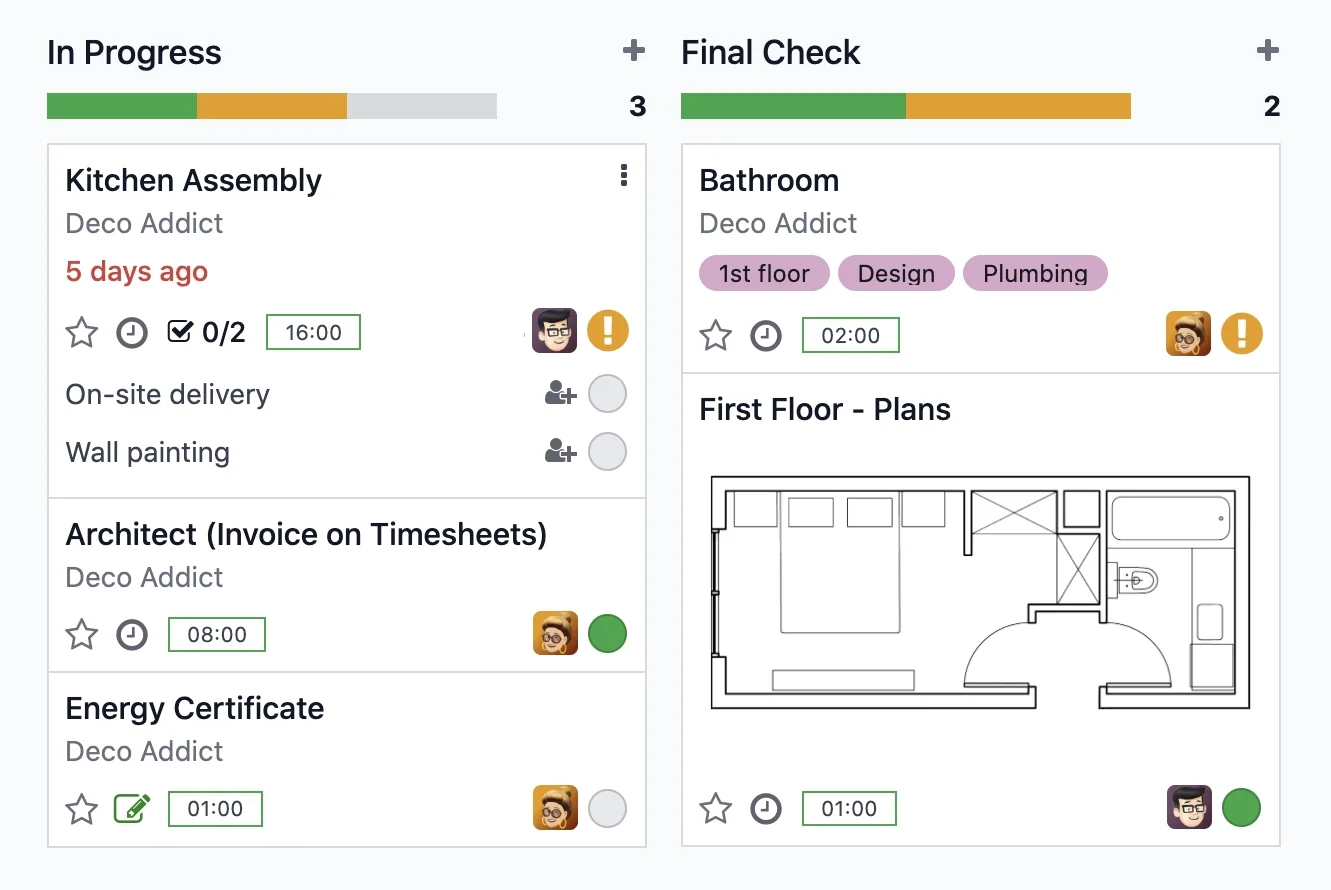
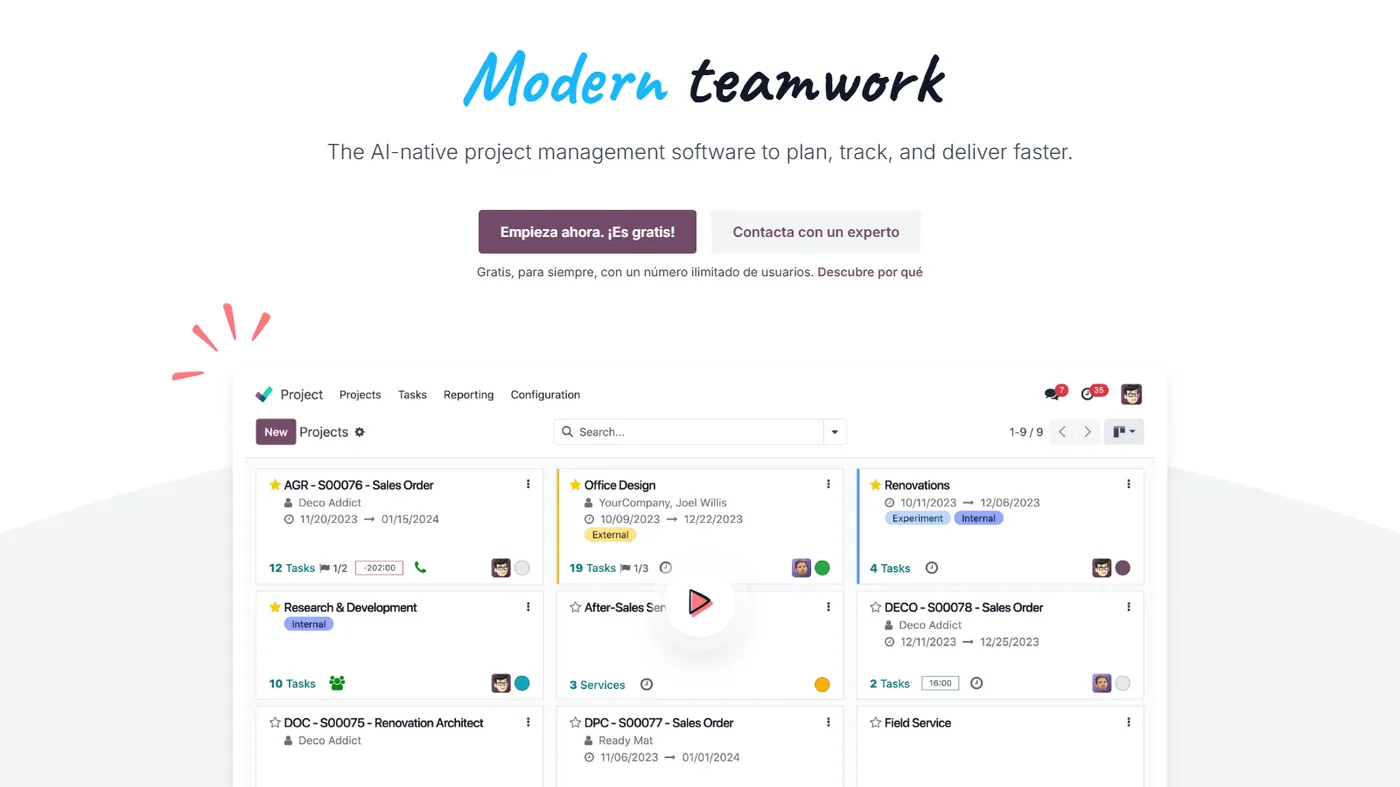
Real screenshot of Odoo. This is what your team will see every day.
How businesses like yours use it
Real case
Consultancy with billable hours
Each client project has tasks and time tracking. Rate per consultant or per activity type. Monthly invoice generated from approved timesheets.
Real case
Multi-client marketing agency
Client accounts with parallel campaigns. Client visibility: what is being worked on, capacity utilised, deadlines. Reusable templates per service.
Real case
Internal team with sprints
Departments with fortnightly sprints. Task Kanban per sprint, planning poker, monthly retrospective. Velocity and blockage reports.
What it includes
Kanban / Gantt / List
Change view as needed. Filters by tag, assignee, and deadline.
Billable timesheets
Time tracking with rate per consultant or type. Connected with Sales.
Capacity forecasting
Capacity per person, week, and department. Overload alerts.
Reusable templates
Template project with predefined tasks. Save configuration for each new client.
Subtasks and dependencies
Multi-level hierarchy, task dependencies, and automatic deadlines.
Helpdesk connection
Convert a ticket into a task. Client continuity → support → development.
Four phases. Zero surprises.
We understand your current operations, the systems you use, the teams involved, and your priorities. Result: a written fixed scope and a milestone plan.
We configure the module in your Odoo: fields, views, automations, and integrations with neighbouring modules. We iterate with you in one week.
If you are coming from another system, we migrate your data in a test environment. We validate balances, reconciliations, and records point by point before go-live.
Your team learns in practical sessions with your real data. After implementation, you move to monthly support with an SLA and hours for improvements.
Questions frequently asked questions about Odoo Projects
Does it support subtasks and dependencies?
Yes. Multi-level hierarchy, dependencies between tasks (B cannot start until A finishes) and automatic deadlines.
Are hours invoiced automatically?
Yes. Rate per consultant or per activity type. Approved hours → monthly invoice generated. The client signs online.
Is there a Gantt view?
Yes, with dependencies, milestones and critical path. Kanban, List, Calendar and Gantt views — change as you need.
Can I plan capacity per person?
Yes, with the Planning module. Capacity view per person/week, over-allocation alerts and drag & drop to adjust.
Integrates with the rest of your Odoo
No duplicate data. No broken synchronisations.
Complementary modules
Swipe to see more → or click on any



Why manage projects with Odoo
Odoo Projects organises tasks, deadlines, and hours per project, with a clear view of what each person is working on. Planning no longer lives in scattered spreadsheets.
By connecting with Sales and Invoicing, the hours you dedicate can be invoiced without recounting them, and the margin of each project is visible.
For service companies, it's the way to control profitability and deadlines in one place. We adapt it to your methodology.
See the profitability of each project
Many service companies don't know which projects leave them a margin and which don't. With Odoo Projects, by recording hours and linking them to invoicing, the profitability of each job is visible without manual calculations. At Nextdoo, we configure the phases, tasks, and hour allocation according to your methodology, so that planning and invoicing stop being two separate worlds.
Related resources and links
Official information: Official Odoo documentation.
One Odoo, all modules connected
Each module fits with the rest. Explore the other parts of Odoo and the sectors where we implement them.