

Warehouse and inventory management in Odoo · Nextdoo, Official Odoo Partner
Three pains that disappear
The problem
Theoretical stock ≠ physical stock
How we solve it
Cycle counts, location adjustments and automatic discrepancy alerts.
The problem
Expiries are missed on the shelf
How we solve it
Batches with expiry dates, notifications for upcoming ones and automatic FIFO picking.
The problem
Paper-based picking with errors
How we solve it
Tablet app with barcode reader. Picking guided by optimised route. Zero paper.
Real Odoo Inventory
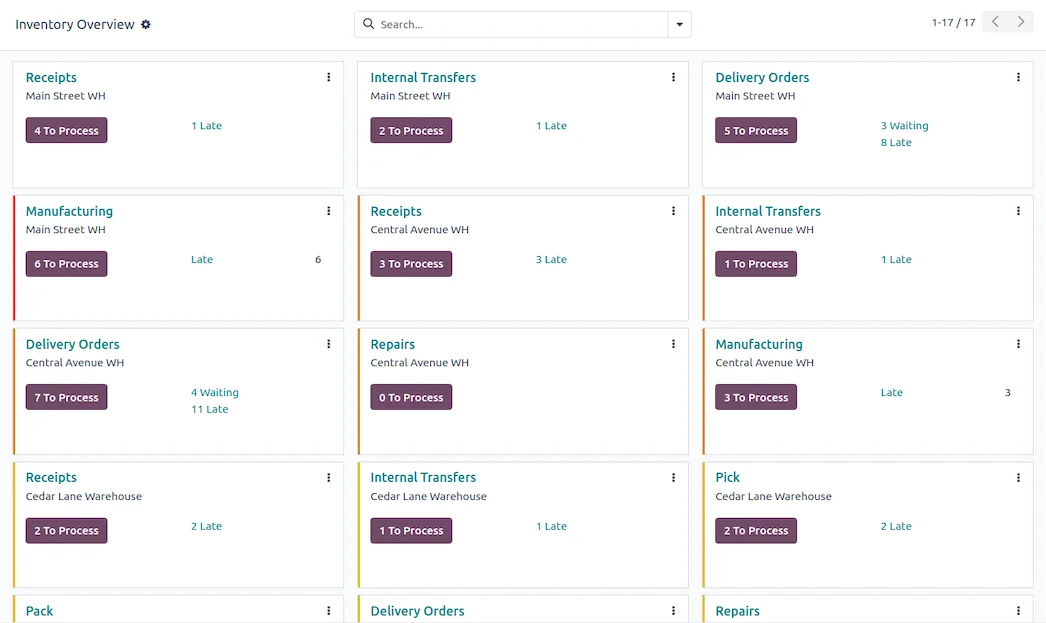
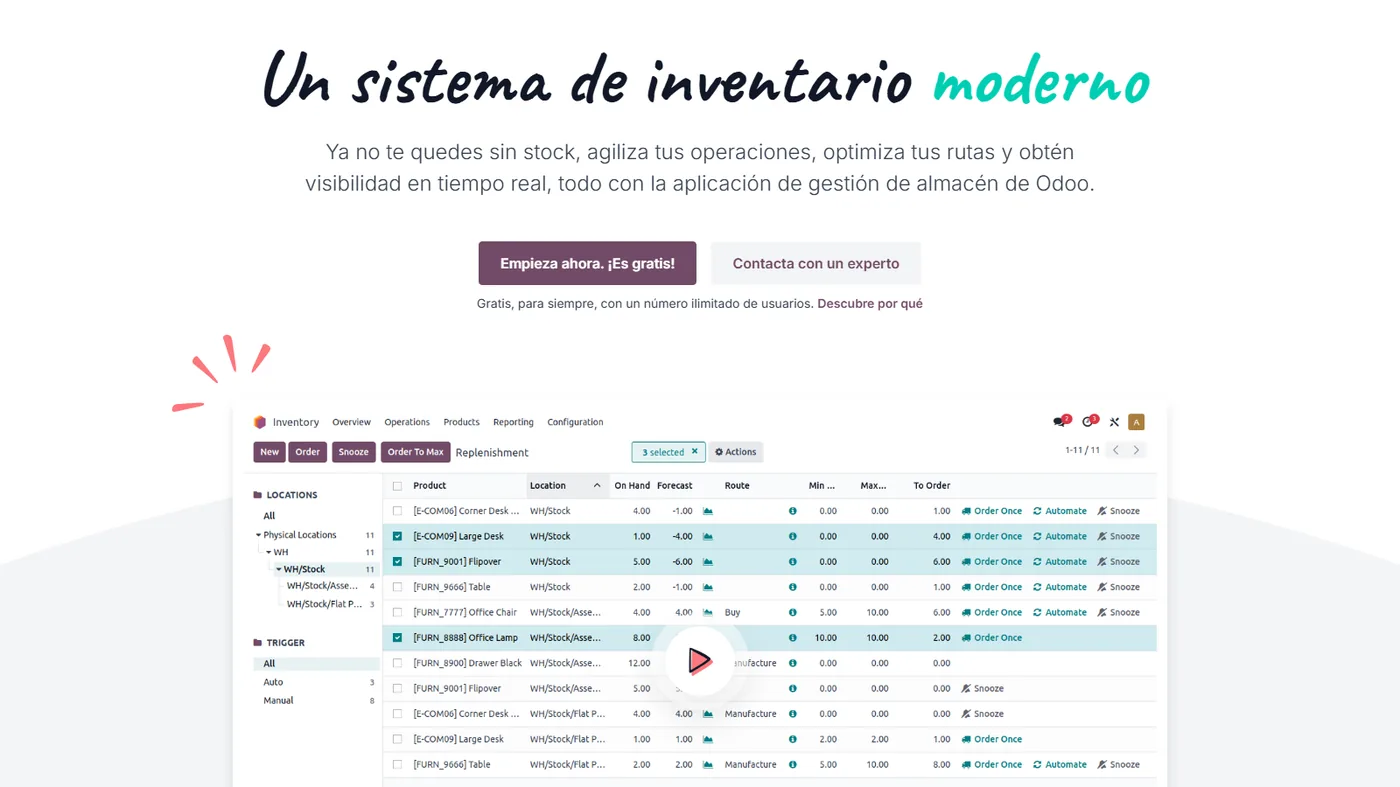
Real Odoo screenshot. This is what your team will see every day.
How businesses like yours use it
Real case
Warehouse with expiries
Food, pharmacy or cosmetics. Batches with expiry dates, notifications when they are approaching and automatic FIFO picking. Full traceability from inbound to outbound.
Real case
Multi-warehouse with transfers
Physical store + central warehouse + online store. Automatic transfer rules: if the store's stock drops below X, a transfer is initiated from the central warehouse. Without manual intervention.
Real case
WMS with operator tablet
Warehouses that need operational efficiency. App on a tablet with an integrated barcode reader, route optimised by location and quantity validation by scanning. Reduces human error.
What it includes
Multi-warehouse
Warehouses with nested locations (shelf · aisle · zone). Automatic transfer rules.
Batches and serial numbers
Full traceability from input to output. Useful for food, pharmacy, and electronics.
Expiry dates
Dates by batch, alerts and FIFO preparation. Report of stock nearing expiry.
Replenishment rules
Minimum/maximum per product, pull rule (on demand) and push (on receipt). Multisupplier.
Picking with tablet
App with integrated barcode reader, optimised route and quantity validation.
Exact cost
FIFO, LIFO, weighted average cost or standard cost. Real margin traceability.
Four phases. Zero surprises.
We understand your current operations, the systems you use, the teams involved and your priorities. Result: a written fixed scope and a milestone plan.
We configure the module in your Odoo: fields, views, automations and integrations with neighbouring modules. We iterate with you in one week.
If you come from another system, we migrate your data in a test environment. We validate balances, reconciliations, and records point by point before going live.
Your team learns in practical sessions with your real data. After going live, you move to monthly support with an SLA and hours for improvements.
Frequently Asked Questions about Odoo Inventory
Does it manage individual serial numbers?
Yes. Each unit with its unique serial number. Full traceability: which serial number you sold to which customer. Useful for warranties and returns.
Does it work with Bluetooth readers?
Yes, with the Odoo Barcodes app. Generic Zebra, Honeywell, and Datalogic readers. It also works with the mobile phone camera.
Does it support dropshipping?
Yes. Product marked as dropship: customer order → purchase order to supplier → direct delivery. Without passing through your warehouse.
How does it manage returns?
Return from the original sale with a single button. Traceability of the returned product, stock adjustment, and generation of a credit note to the customer.
Integrates with the rest of your Odoo
No duplicate data. No broken synchronisations.
Complementary modules
Swipe to see more → or click on any




Why control your inventory with Odoo
Odoo Inventory keeps the real stock of all your warehouses and shops in a single place. With barcodes, batches and locations, you know what you have, where it is and how much is left at any given moment.
By integrating with Sales, Purchases and the POS, every movement automatically updates the stock. No more discrepancies between the shop, the warehouse and the website.
For a business with multiple shops or with e-commerce, this unified control makes the difference between selling with confidence and running out of product. We configure it to suit your operations.
Related resources and links
Official information: Official Odoo documentation.
One Odoo, all modules connected
Each module fits with the rest. Explore the other parts of Odoo and the sectors where we implement them.