

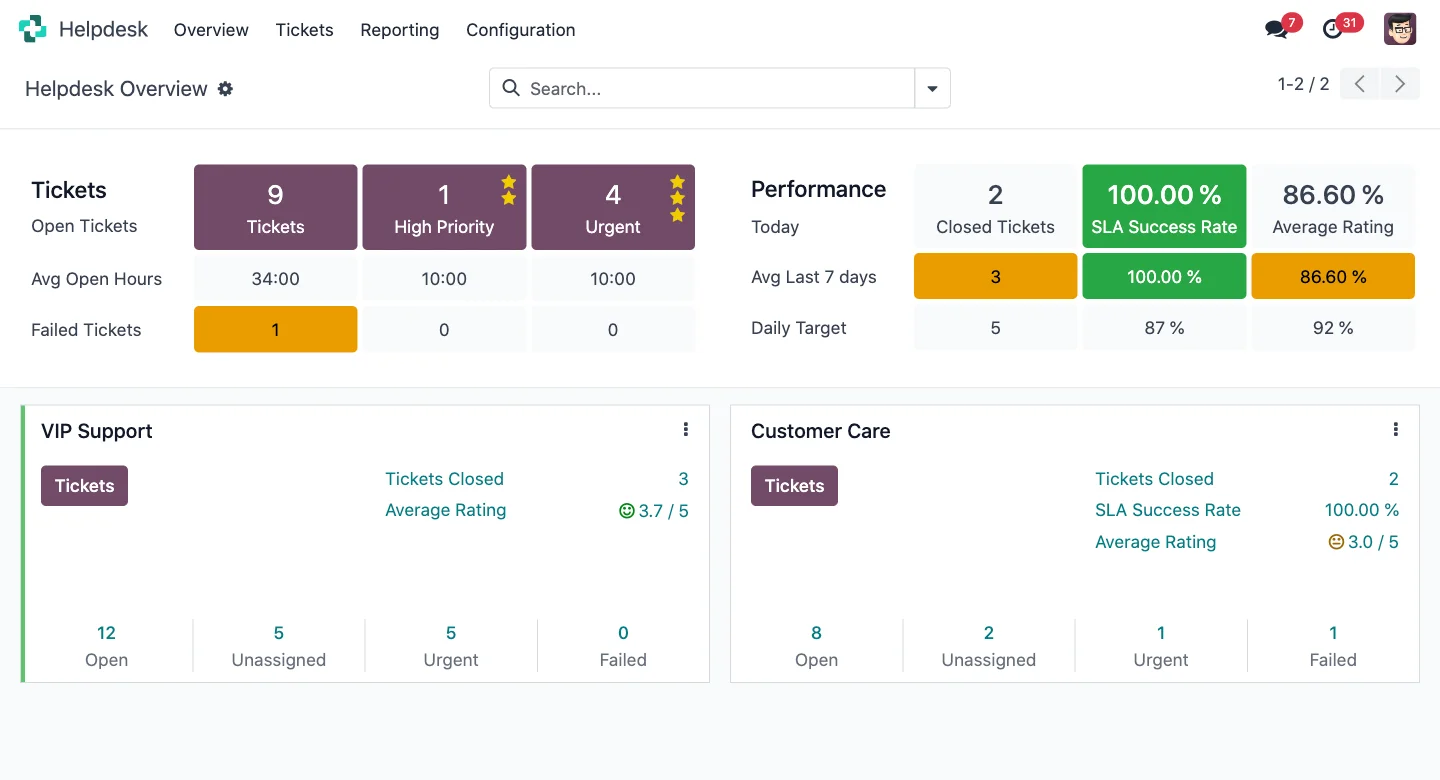
Support ticket dashboard in Odoo Helpdesk · Nextdoo, Official Odoo Partner
Three pains that disappear
The problem
Email support gets lost
How we solve it
An email alias automatically generates tickets. Full traceability.
The problem
SLAs promised but never measured
How we solve it
SLA by team, priority and customer. Alerts and compliance report.
The problem
The support team is overwhelmed
How we solve it
Integrated knowledge base. Customer self-service. Smart FAQ.
Real Odoo Helpdesk
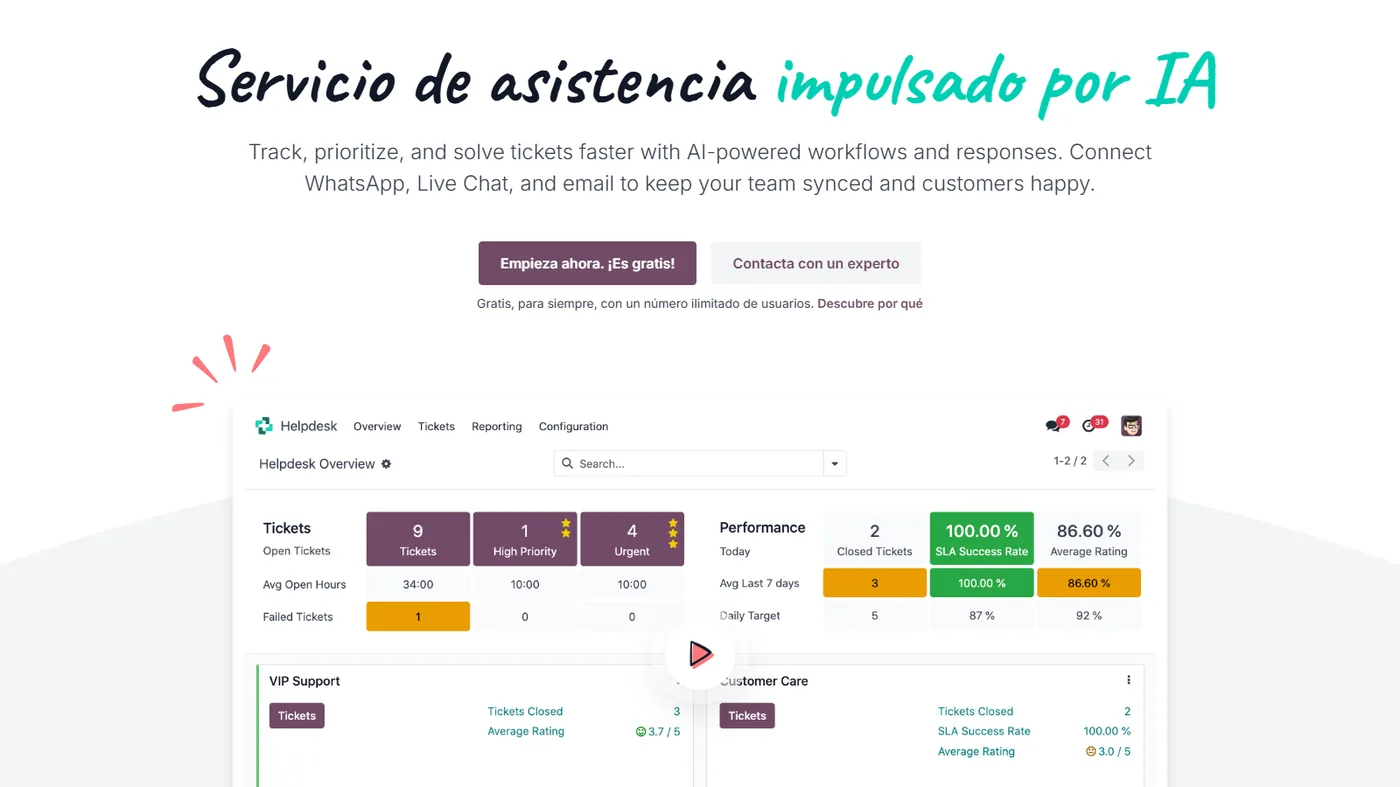
Real Odoo screenshot. This is what your team will see every day.
How businesses like yours use it
Real case
SaaS support with SLA by plan
Customers on basic, premium, and enterprise plans. A different SLA per plan: 24 h, 8 h, 2 h. Tickets are automatically prioritised. Compliance reports by team.
Real case
On-site service with work orders
A maintenance company that sends technicians. Ticket → service order → time logging + materials used. Detailed invoice automatically generated.
Real case
B2C customer service
An e-commerce business with returns, queries and complaints. Tickets from email, web and chat. The integrated knowledge base reduces volume by 30-40% thanks to self-service.
What includes
Multi-channel tickets
Email, web form, chat, customer portal. All in one unified inbox.
Automatic assignment
By skill, team, workload and priority. Configurable rules.
SLA with alerts
Response and resolution times by team and priority. Compliance report.
Knowledge base
Public and private articles. Automatic suggestions when creating a ticket. Optimised for SEO.
Customer portal
Customers view their tickets, comment on them and rate them. Self-service reduces volume by 30-40%.
Billable time
Connected with Odoo Projects. Billable customer support hours.
Four phases. Zero surprises.
We map your current operations, the systems you use, the teams involved and your priorities. Result: a scope agreed in writing and a milestone plan.
We configure the module in your Odoo: fields, views, automations and integrations with neighbouring modules. We iterate with you within a week.
If you are coming from another system, we migrate your data in a test environment. We validate balances, reconciliations, and records point by point before go-live.
Your team learns in practical sessions with your real data. After go-live, you move to monthly support with an SLA and hours for improvements.
Frequently asked questions questions about Odoo Helpdesk
How are tickets assigned automatically?
Configurable rules: by team, competence, workload, priority, and tag. Round-robin distribution available. Manual reassignment possible.
Does it integrate with email?
Yes. An email alias (support@…) automatically generates tickets. Ticket responses reach the customer. Unified thread.
Can I measure customer satisfaction?
Yes. An automatic survey when closing the ticket (CSAT 1-5). Reports by agent, team, and incident type.
Does it convert tickets into project tasks?
Yes. If a ticket needs development or follow-up, it is converted into a Project task with one click. Continuity is maintained.
Integrates with the rest of your Odoo
No duplicated data. No broken synchronisations.
Complementary modules
Swipe to see more → or click on any



Why provide support with Odoo Helpdesk
Odoo Helpdesk centralises customer incidents into tickets with priorities and response times. Nothing gets lost and the team knows what to address first.
By connecting with Sales and Projects, support has the customer's context and can convert an incident into a task or a sale when it makes sense.
For businesses and service companies, it improves the customer experience and provides real support metrics. We configure it with your categories and your SLA.
A better experience for your customers
A customer who writes and doesn't receive a timely response is a customer who leaves. With Odoo Helpdesk, each incident is registered, prioritised and assigned to a person in charge, so nothing gets lost. With the customer's context at hand, the team resolves issues faster and with a better tone. At Nextdoo, we define your categories, your response times and your alerts so that support is an advantage and not a problem.
Related resources and links
Official information: Official Odoo documentation.
A single Odoo, all modules connected
Each module fits with the rest. Explore the other parts of Odoo and the sectors where we implement them.