
Migrating from Sage to Odoo, step by step and without losing data
Switching from Sage to Odoo is less daunting than it seems when the process is well planned. In this guide we explain how we carry out an orderly Sage-to-Odoo migration: what information is moved, in what phases, what risks exist and how we avoid them so your business keeps running throughout the change.
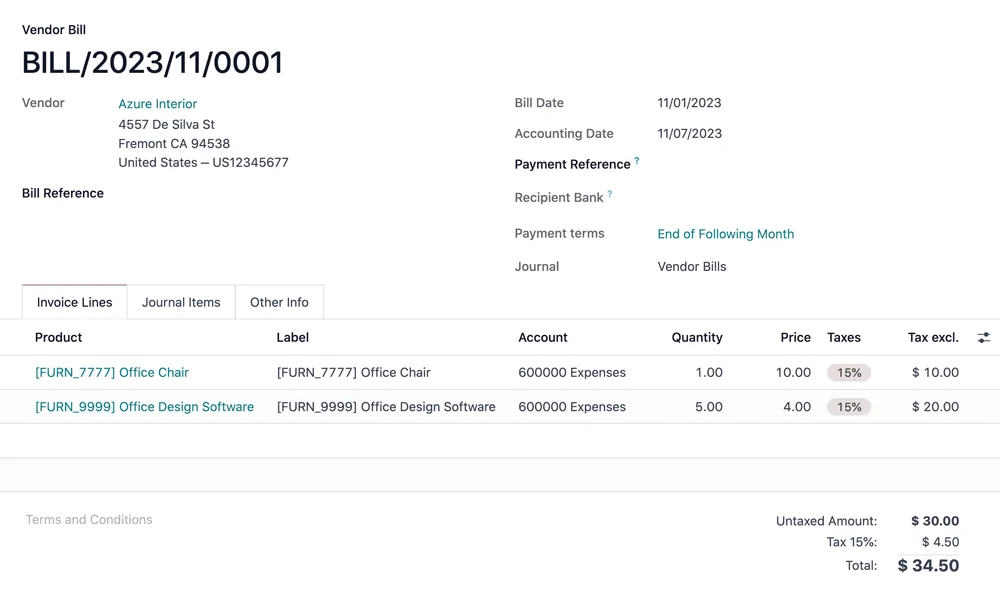
Vendor bill in Odoo Accounting · Nextdoo, Odoo Silver Partner
Why many SMEs consider the switch
Sage is a solid, widely used software in Spain, with years of track record in accounting and invoicing. It is not a bad product: it does its job well and many companies work happily with it for years. The problem arises when the business grows and needs to connect sales, warehouse, online store, purchasing and accounting all in one place.
That is where a Sage-to-Odoo migration makes sense. Odoo brings together in a single platform modules that in other environments run separately, which reduces the manual work of moving data from one program to another. If you want an honest comparison between the two, you will find it in our article on Odoo versus Sage, where we assess the real strengths of each one.
What data is migrated from Sage to Odoo
The most common concern is whether information gets lost along the way. The short answer is no: the goal of a well-executed migration is to move your work history with full integrity. In a typical project we move the complete customer and vendor records, the product catalogue and its references, the price lists and the stock levels per warehouse.
On the accounting side, we move the chart of accounts, the balances, the journal entries and the tax data needed to keep filing without surprises. We also review issued and received invoices to preserve traceability. Anything that adds no value (duplicates, obsolete records or empty fields) is cleaned up before moving anything, so that Odoo starts out tidy and does not carry over the accumulated clutter.
The project phases
We work in phases to stay in control at all times. First we carry out an analysis: we review how you use Sage today, which data is critical and which processes must be respected. Then we prepare and clean the information, and we configure Odoo to fit your needs. The third phase is the test migration, where we load the data into a test environment to check that everything adds up.
Once approved, we carry out the actual migration and go-live, usually during a period of low activity to cause as little disruption as possible. The last phase is the support: team training and assistance during the first few days, which is when questions come up. So you can see the detail point by point, you can follow our Odoo migration checklist.
Common risks and how we avoid them
The main risk is losing or duplicating data when transferring it. We avoid this with automatic validations that cross-check Sage totals against Odoo ones: number of customers, accounting balances, units in stock. If a figure does not match, it is detected before the project is considered closed, not once you are already working.
Another risk is business downtime. That is why we keep Sage available in read-only mode until Odoo is running normally, so you are never left without access to your information. We also keep complete backups at every step. With this approach, the Sage-to-Odoo migration stops being a leap into the unknown and becomes a reversible, controlled process.
How long it takes and what investment it involves
The timeframe depends on the volume of data and the modules you need. A small company with accounting and invoicing usually completes the migration in a few weeks; a business with a warehouse, an online store and several branches requires more configuration and testing time. We prefer to take our time on the analysis so we can speed up the go-live without errors.
As for the investment, every project is different and we do not give fixed figures without knowing your case. As a guideline, migration projects for SMEs usually fall within a range of several thousand euros depending on scope and customisation (reference estimate, not binding). The right approach is to analyse your situation and give you a tailored proposal, with no surprises.
The first step: talking it through calmly
You do not need to have everything decided to get started. The most useful thing is an initial conversation in which we understand your business, see how you work with Sage today and tell you honestly whether Odoo is a good fit and what specific improvement to expect. No commitment and in plain language.
As an Official Odoo Partner based in Valencia with service across Spain, at Nextdoo we support the project from start to finish. If you want to take the step, start with our Odoo Consulting and together we will assess whether migrating from Sage to Odoo is the right decision for your company.
Frequently asked questions
Will I lose data when migrating from Sage to Odoo?
That is not what to expect in a well-executed migration. We move customers, products, stock and accounting with validations that compare Sage and Odoo totals. In addition, we keep Sage available in read-only mode and full backups, so the process is reversible and controlled at every step.
How long does a Sage-to-Odoo migration take?
It depends on the volume of data and the modules involved. An SME with accounting and invoicing usually completes it in a few weeks. A business with a warehouse, an online store and several branches needs more configuration and testing time. We prefer to devote time to the analysis so that the go-live is fast and error-free.
Can I keep working during the migration?
Yes. The go-live is usually done during a period of low activity to cause as little disruption as possible, and we keep Sage accessible in read-only mode until Odoo is running normally. The goal is for your day-to-day work not to stop and for the team to have support during the first few days of use.
Is my accounting and tax history preserved?
Yes. We move the chart of accounts, the balances, the journal entries and the tax data needed to keep filing as usual, along with issued and received invoices to maintain traceability. Before moving anything, we review and clean up duplicates and obsolete records, so that Odoo starts out tidy.
How much does it cost to migrate from Sage to Odoo?
Every project is different and we do not give fixed figures without knowing your case. As a guideline, migrations for SMEs usually fall within a range of several thousand euros depending on scope and customisation (reference estimate, not binding). The right approach is to analyse your situation and give you a tailored proposal.
Related resources
Official information: Official Odoo documentation.