
From the moment a customer says «yes» until the sale ends in a paid invoice, there's a path full of places to waste time or make mistakes: re-drafted quotes, prices that don't tally, orders that get misplaced. Odoo Sales organises this path and links it to the rest of the business, so that everything flows smoothly from quote to invoice without re-keying. This guide explains what it is, how it works, and what your business gains.
En 30 segundos. Explore Odoo Sales: what it is and how it works. Manage quotes, orders, price lists & customer portal. Integrated with CRM, inventory & invoicing. Your guide.
What Odoo Sales is and what it's for
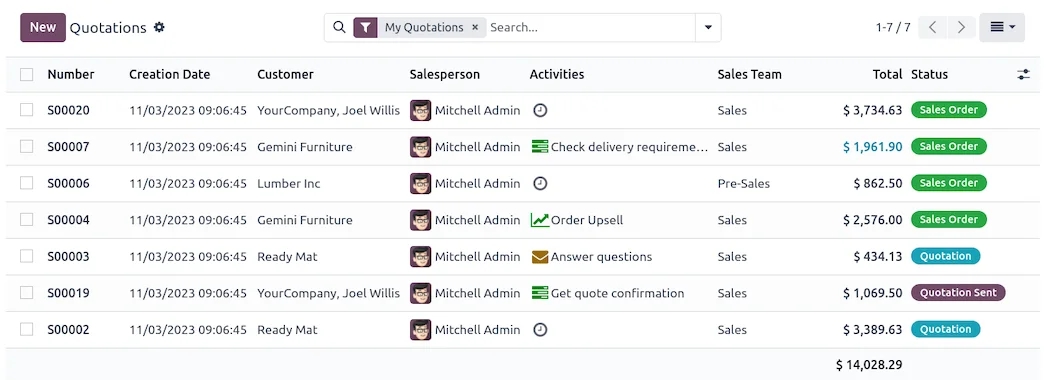
Odoo Sales is the tool with which you manage everything that happens from the moment there's a sales opportunity until it's delivered and invoiced. It helps to create quick and error-free quotes, convert them into orders, apply the correct prices to each customer, and keep the status of each sale under control. It's the point where a customer's interest turns into business. The complete overview is on the Odoo Sales.
What you can do with Odoo Sales
- Create professional quotes with your products, prices, and conditions.
- Convert them into orders with a click when the customer accepts.
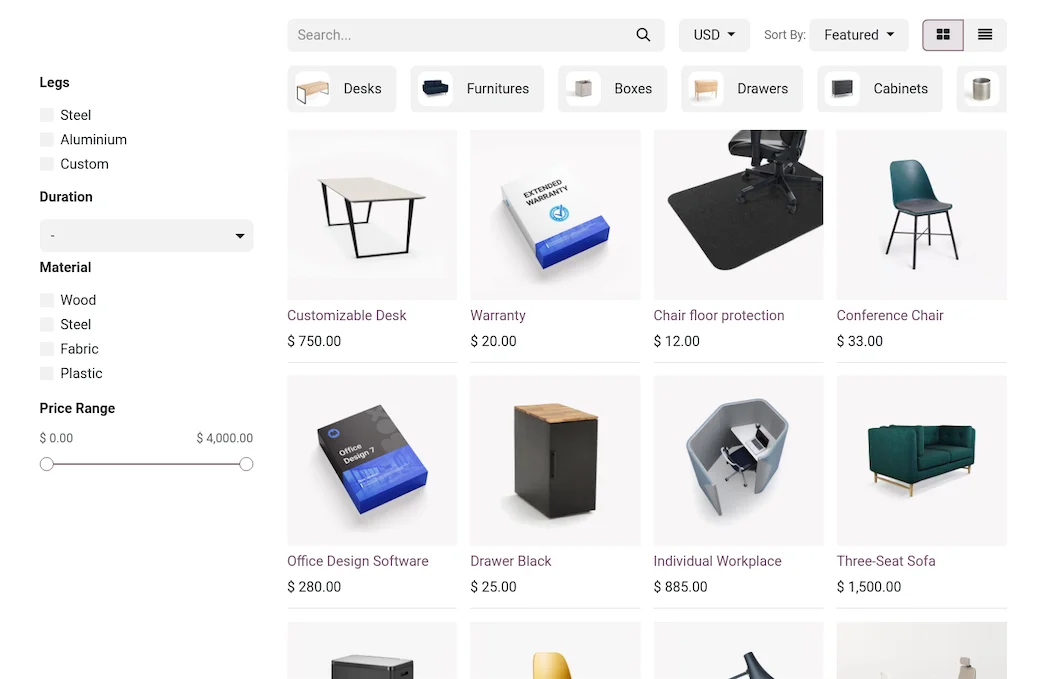
- Apply price lists and discounts by customer, volume, or conditions.
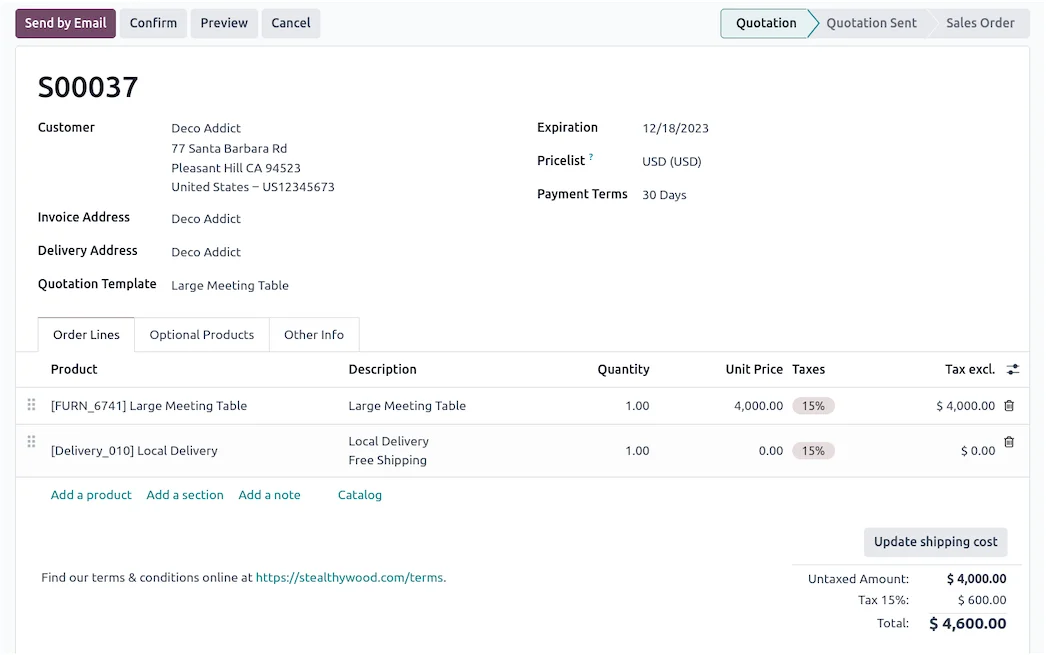
- Use templates for recurring quotes.
- Provide a customer portal where they can view, sign, and accept quotes.
- Link with CRM, inventory, and invoicing for everything to flow smoothly; see Odoo CRM.
How Odoo Sales works step by step
Step 1 · Create the quote
From an opportunity or from scratch, the quote is created with the correct products and prices, ready to send. Deliverable: professional quote.
Step 2 · Send it and have the customer accept it
The customer receives it and can accept or sign it from their portal, without back-and-forth emails. Deliverable: accepted quote.
Step 3 · Convert to order
Upon acceptance, the quote converts into a sales order, which triggers preparation and delivery. Deliverable: order underway.
Step 4 · Delivery and invoicing
The order deducts stock, delivery is prepared, and the compliant invoice is generated without re-keying; the invoicing part is in Odoo Invoicing. Deliverable: completed sale.
Step 5 · Tracking and repetition
The status of each sale is visible and, for recurring customers, the next order is expedited with templates and history. Deliverable: sales under control.
The big advantage: sales integrated with everything
The difference with Odoo, compared to managing sales in Word or an isolated programme, is the integration. The CRM opportunity converts into a quote, the quote into an order, the order deducts stock and generates the invoice, and the accounting entry is created automatically. There's no need to copy the order to invoicing or manually notify the warehouse: everything happens on the same data. This continuity is what allows the sales team to sell instead of wasting time on administrative tasks.
What your business gains with Odoo Sales
- Faster, error-free quotes, with your prices always correct.
- Fewer lost sales between the customer's «yes» and delivery.
- The correct price for each customer, without manual calculations.
- Less administrative work by linking sales with warehouse and invoicing.
Who Odoo Sales is for
It suits any SME that produces quotes and orders: B2B trade, services, distribution, manufacturing. It excels when there are customer-specific price lists, sales with tracking, or order volumes to control. If you only sell over the counter with direct receipts, your priority might be the POS rather than the sales module; in other cases, organising quotes and orders usually yields quick results.
An example: from quote to collection
Let's follow a B2B sale. A customer requests a price for several products; the salesperson opens a quote, adds the items, and Odoo automatically applies the agreed price list for that customer. It's sent, and the customer accepts it from their portal with a click. At that moment, the quote converts into an order: the warehouse receives the preparation order, stock is reserved, and, upon delivery, the invoice is generated in compliance with VeriFactu. The accounting entry is created automatically, and payment is tracked from invoicing. The salesperson hasn't had to copy anything to any other programme: they've created a quote and the system has chained everything else together. This frictionless process is what differentiates organised sales from a pile of loose documents.
Common mistakes in sales management
Common pitfalls when managing sales are: re-doing quotes from scratch every time instead of using templates and a catalogue; manually applying prices and making mistakes with each customer's price lists; managing orders on a separate spreadsheet that doesn't communicate with the warehouse or invoicing; and not tracking sales status, leading to orders being left unfinished without anyone knowing. All these are avoided with an integrated sales module, where pricing is automatic, the order links with warehouse and invoicing, and the status of each sale is visible. The key, as with all Odoo, is to set it up for your way of selling from the outset, with a partner who understands your specific needs; it's advisable to choose well.
How to get started with Odoo Sales
You can start with sales and expand to CRM, inventory, or invoicing in phases, or set it up as part of a full implementation. The framework is in Odoo implementation and the cost details are in how much Odoo costs.
B2B and B2C sales with the same system
A lesser-known advantage of Odoo Sales is that it doesn't force you to choose between selling to businesses or individuals: it can handle both with the same system. For business customers, you apply their agreed price list, provide them with a portal showing their history, and invoice them on credit; for private individuals, the process is more direct. And if you also sell in-store or online, everything shares the same catalogue, the same stock, and the same customer record. This avoids the common mistake of setting up different tools for each channel, which then don't tally with each other. For an SME that sells through multiple channels, having unified sales — with its prices and conditions by customer type — is what provides a real picture of the business instead of several partial snapshots that never quite fit together.
Frequently Asked Questions
What is Odoo Sales?
It's the Odoo module for managing quotes and orders: creating quotes, converting them into orders, applying price lists, and providing a customer portal, integrated with CRM, inventory, and invoicing.
Can I apply different prices per customer?
Yes. Odoo's price lists allow for prices by customer, by volume, or by conditions, so each quote comes out with the agreed price without manual calculations.
Can the customer accept the quote online?
Yes. With the portal, the customer can view, sign, and accept the quote without back-and-forth emails, which speeds up closure.
Does it link with inventory?
Yes. Upon order confirmation, stock is reserved and deducted from the same warehouse, preventing overselling.
And with invoicing?
Yes. The order generates the invoice in compliance with VeriFactu without re-keying data, and the accounting entry is created automatically.
Is it suitable for recurring sales?
Yes. With templates and history, repeating an order for a regular customer is a matter of seconds; for periodic subscriptions, it combines with recurring invoicing.
Can I use it without the CRM?
Yes. You can use Sales on its own, although combining it with the CRM gives the full picture from opportunity to collection.
Is it difficult to use?
No. Creating a quote and converting it into an order is straightforward, and a good part of the process — pricing, links with warehouse and invoicing — is automated.
How much does Odoo Sales cost?
It depends on the scope and whether you use it alone or with other modules. The details, without made-up figures, are in the guide on how much Odoo costs.
Do you want everything from quote to invoice to flow smoothly without errors?
At Nextdoo, an official Odoo partner, we configure Odoo Sales for your way of selling and link it to CRM, inventory, and invoicing. Start by Odoo Sales or request a diagnostic of your commercial process.
Source: Official Odoo documentation (Sales). Indicative and non-binding figures.
Sources
Official sources consulted: official Odoo documentation y electronic headquarters of the Tax Agency (VeriFactu). Cost and timeframe figures are indicative and non-binding, subject to variations depending on the project.