
Effective invoicing isn't just about issuing a document: it's about getting paid on time, complying with HMRC, and not wasting hours on repetitive tasks. Many SMEs invoice using Word, an isolated program, or a spreadsheet, and end up with mismatched numbering, forgotten payments, and nasty surprises with regulations. Odoo Invoicing solves all of this in a system that is also linked to sales and accounting. This guide explains what it is, how it works, and what your business stands to gain.
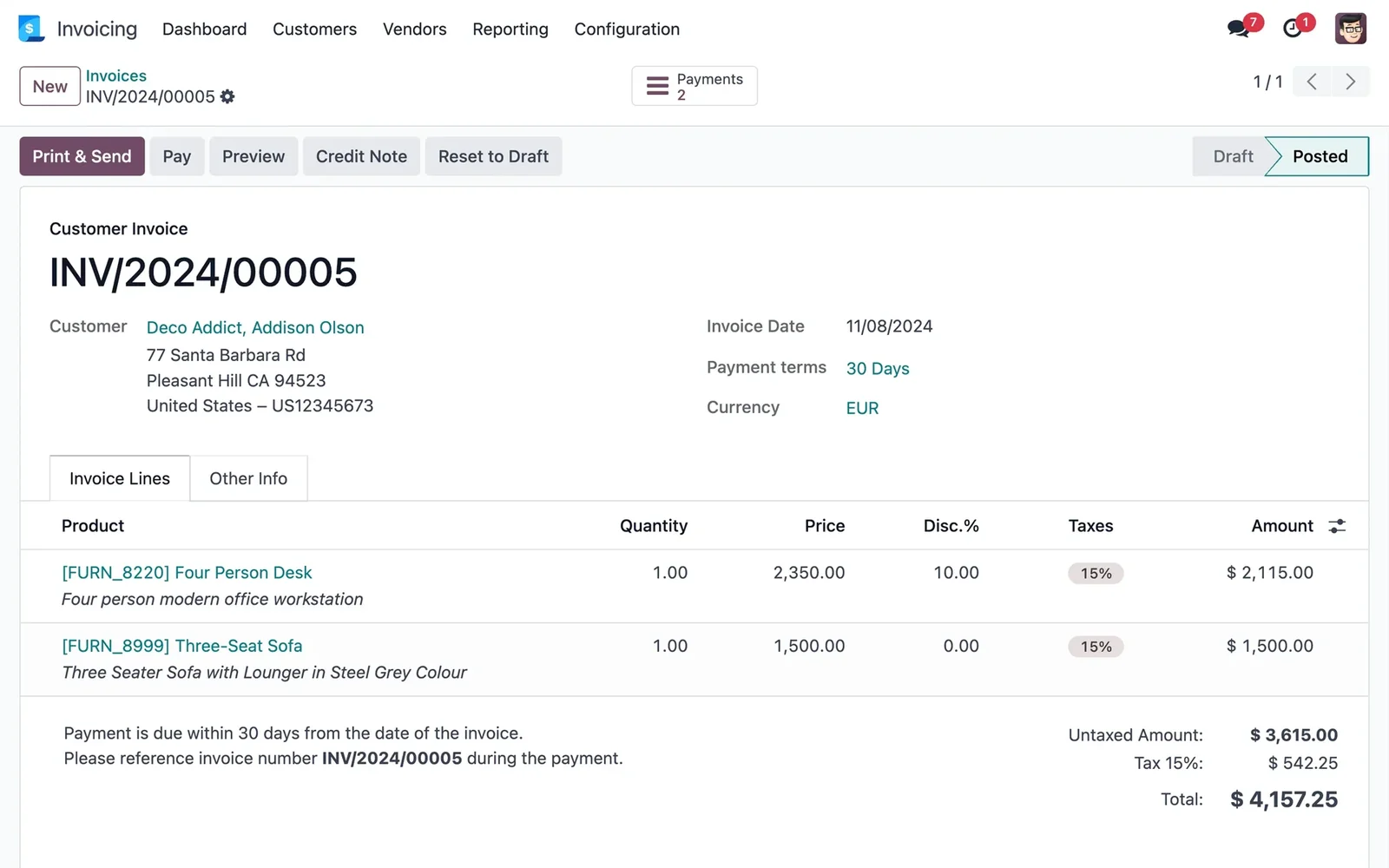
En 30 segundos. Discover Odoo Invoicing: purpose & function for SMEs. Manage invoices, VeriFactu, recurring, collections, integrated with sales & accounting. Full guide!
What Odoo Invoicing is and what it's for
Odoo Invoicing is the module with which you issue, send, and collect payments for your invoices in an organised way and compliant with Spanish regulations. It serves to keep your invoicing up to date without dedicating more time than necessary: correct numbering, sending to the client, payment tracking, and tax compliance. It's the point where business turns into money, so having it well set up matters. The full approach is detailed on the page for Odoo Invoicing.
What you can do with Odoo Invoicing
- Issue invoices compliant with VeriFactu, mandatory in 2026; see VeriFactu and Odoo.
- Automate recurring invoices (fees, subscriptions, periodic services).
- Control payments and see at a glance what is outstanding.
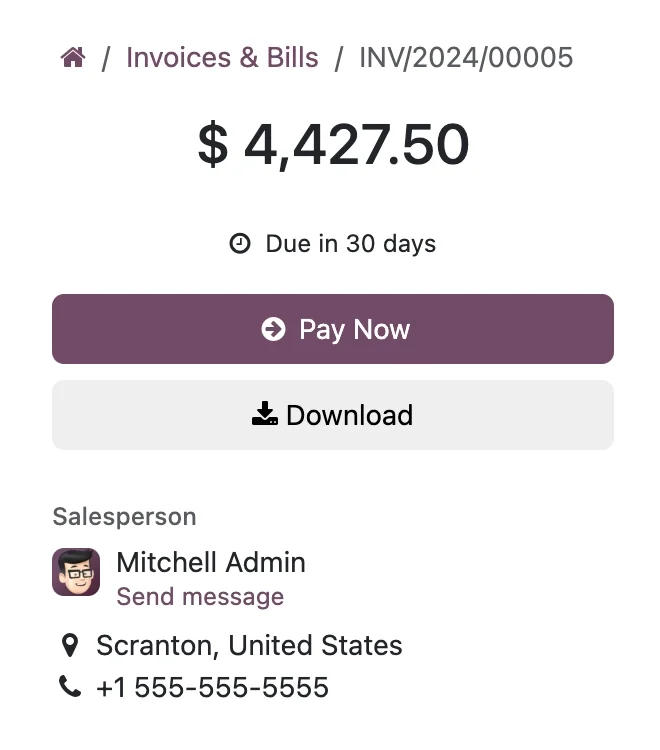
- Provide a customer portal for clients to consult and pay their invoices.
- Reconcile payments with the bank without manual reconciliation.
- Link with accounting so that each invoice generates its entry; see
How Odoo Invoicing works step-by-step
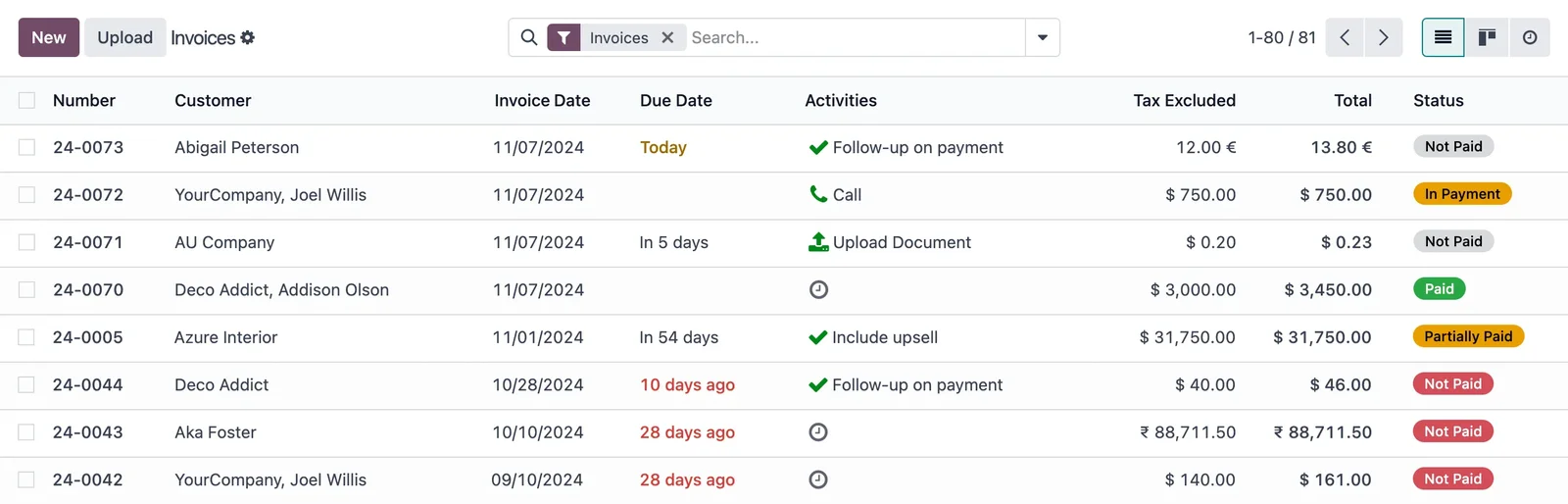
Step 1 · Create the invoice
The invoice is created from a sale or from scratch, with correct numbering and compliant with regulations. Deliverable: invoice issued.
Step 2 · Send it to the client
It is sent by email or published on the client portal, where the client can consult and pay it. Deliverable: invoice delivered.
Step 3 · Track payment
You see which invoices are paid, outstanding, or overdue, with reminders for those that are delayed. Deliverable: payments under control.
Step 4 · Reconcile the payment
When the money comes in, it is reconciled with the invoice, automatically or with assistance. Deliverable: treasury balanced.
Step 5 · Accounting entry
Each invoice generates its entry in accounting without re-entering data, keeping the books up to date. Deliverable: automatic accounting.
The key advantage: integrated and compliant invoicing
The difference between Odoo and an isolated invoicing program is two-fold. First, integration: a sale becomes an invoice, the invoice becomes an accounting entry, and the payment goes into treasury, without copying data between programs. Second, compliance: invoicing is VeriFactu-compliant out of the box, so you don't have to worry about regulations on your own. Invoicing stops being a separate task and becomes the natural outcome of selling.
What your business gains with Odoo Invoicing
- Get paid faster, with tracking and reminders for outstanding invoices.
- Effortlessly comply with VeriFactu and Spanish regulations.
- Save hours with automatic recurring invoices.
- Fewer errors by linking invoicing with sales and accounting.
Who Odoo Invoicing is for
It fits any company or sole trader that issues invoices, which is practically all of them. It particularly shines when there's recurring invoicing (fees, subscriptions, services), a high volume of invoices to control, or the need to comply with VeriFactu without complications. If you only issue invoices very occasionally, it might not be your priority; for the rest, having organised and compliant invoicing is usually one of the first things that pays off.
How to get started with Odoo Invoicing
You can start with invoicing and expand to full accounting, sales, or CRM in phases, or set it up as part of an implementation. The framework is in Odoo implementation and cost details in how much Odoo costs. A partner sets up compliant and linked invoicing from the start; it's advisable to choose well.
An example: from sale to payment collection without re-entering data
Let's follow an invoice from start to finish in Odoo. A sale is closed —from the CRM, POS, or online shop— and, with one click, the invoice is generated with the correct numbering and compliant with VeriFactu, without re-entering client data. The invoice is sent by email or published on the portal, where the client can consult and pay it. From that point on, you see at all times whether it is paid, outstanding, or overdue, and those that are delayed receive an automatic reminder. When the money comes in, it is reconciled with the invoice, and in parallel, that invoice has already generated its accounting entry, without anyone noting it separately.
The result is that invoicing stops being an isolated task: it is the natural end of a sale, linked to accounting and treasury. This journey without re-entering data is what saves hours and avoids the errors of copying data between programs.
Common invoicing errors
Poor invoicing costs time and worries. Common errors include: managing numbering manually and getting it out of sync, with the problems that entails with HMRC; invoicing with an isolated program that doesn't communicate with accounting, duplicating work; failing to track payments and discovering late that a client hasn't paid; and, in 2026, not having VeriFactu-compliant invoicing, exposing oneself to penalties. All of these are avoided with integrated and compliant invoicing from the outset. With Odoo, numbering is automatic, accounting entries are generated automatically, payments are tracked, and VeriFactu comes as standard, so these classic errors disappear. The key, as always, is to set it up properly from the beginning instead of patching up an invoicing system that has fallen short.
Recurring invoicing: the unseen savings
If your business has fees, subscriptions, or services that you invoice monthly or quarterly, Odoo's recurring invoicing is one of those features that pay for themselves. Instead of manually creating the same invoice for each client every period —with the risk of forgetting one or mistaking an amount—, it's set up once and the system automatically issues the invoices on the due date, sends them, and tracks payment. For an accountancy firm invoicing fees, a maintenance provider with monthly contracts, or any company with periodic income, that means hours recovered each month and zero forgotten invoices.
It's a perfect example of how invoicing stops being an administrative task and starts to work by itself: you set up the logic once, and the money comes in without anyone having to remember. This type of automation, unflashy but highly profitable, is where a good invoicing system makes a difference in day-to-day operations.
FAQs
What is Odoo Invoicing?
It's the Odoo module for issuing and collecting payments for invoices in an organised way and compliant with Spanish regulations, integrated with sales and accounting.
Does Odoo Invoicing comply with VeriFactu?
Yes. The Enterprise edition issues VeriFactu-compliant invoices, mandatory in 2026, without you having to worry about regulations on your own.
Can I automate recurring invoices?
Yes. Fees or periodic services are scheduled, and invoices are generated automatically each period, saving a lot of administrative work.
Can the client pay the invoice online?
Yes. With the customer portal, each company can view and pay their invoices, which speeds up payment collection and reduces emails.
Does it link with accounting?
Yes. Each invoice automatically generates its accounting entry, so the books are kept up to date without re-entering data. Details in Odoo Accounting.
Can I control what is owed to me?
Yes. You see at a glance which invoices are outstanding or overdue, with automatic reminders for those that are delayed.
Is it suitable for a sole trader?
Yes. A sole trader can manage their VeriFactu-compliant invoicing with Odoo, and expand to accounting or sales if the business grows.
Is it difficult to use?
No. Creating and sending an invoice is simple, and a good part of the process —recurring, reconciliation, entries— is automated.
How much does Odoo Invoicing cost?
It depends on the scope and whether you use it alone or with accounting and sales. The details, without invented figures, are in the guide on how much Odoo costs.
Want to invoice up to date, get paid faster, and comply with VeriFactu without hassle?
At Nextdoo, an official Odoo partner, we set up your compliant invoicing, linked to sales and accounting. Start by Odoo Invoicing or request a diagnosis of your situation.
Source: Odoo official documentation (Invoicing). Indicative and non-binding figures.
Sources
Official sources consulted: Odoo official documentation y e-office of the Tax Agency (VeriFactu). Cost and timeframe figures are indicative and non-binding, subject to variations depending on the project.