
An inventory that doesn't balance costs money both ways: lost sales when what's ordered is missing and capital tied up when there's excess stock that doesn't move. Many SMEs manage it in their heads or on a spreadsheet that's never up-to-date. Odoo Inventory provides real-time stock and links it to sales and purchases, so what you see is what you have. This guide explains what it is, how it works, and what your business gains.
En 30 segundos. What is Odoo Inventory? Learn how it works: locations, replenishment, batches, & traceability. Real-time, integrated with sales & purchases.
What Odoo Inventory is and what it's for
Odoo Inventory is Odoo's warehouse management system. It helps you know, at all times and without endless counts, what you have, where it is, and its condition. It controls inbound movements (purchases, returns), outbound movements (sales, dispatches) and internal movements, and keeps stock updated in real time. For an SME, this means no longer selling what isn't available and no longer accumulating slow-moving stock. The complete approach is on the page for Odoo Inventory.
What you can do with Odoo Inventory
- Organising the warehouse by locations (zones, aisles, shelves).
- Controlling stock in real time with every sale, purchase, and movement.
- Managing batches and serial numbers for traceability.
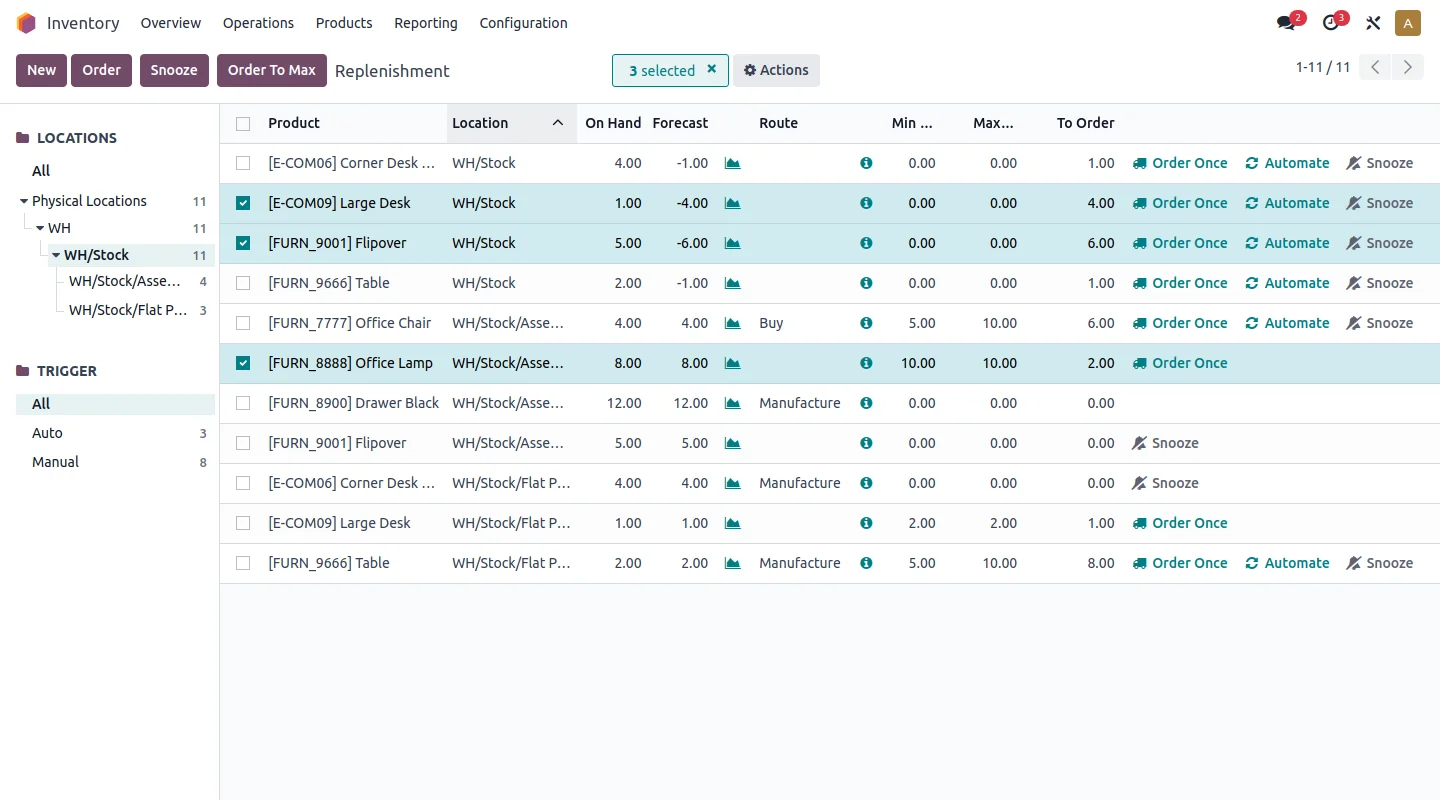
- Automatic replenishment with minimum stock rules.
- Working with multiple warehouses and transfers between them.
- Using barcodes to streamline goods receipt and order picking; see
How Odoo Inventory works step by step
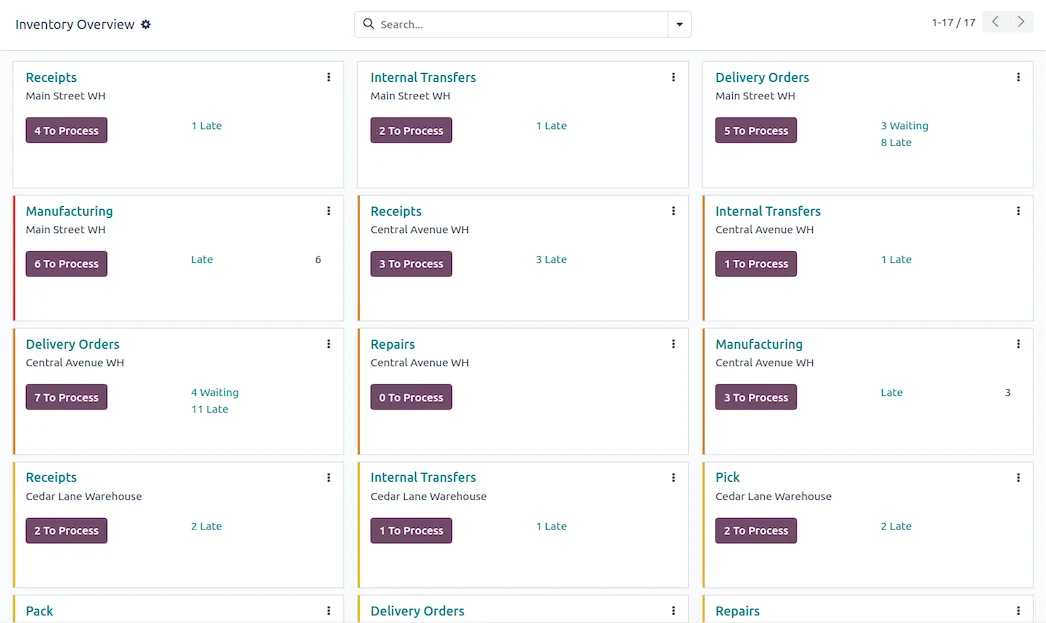
Step 1 · Goods Receipt
Goods arrive from a supplier and are recorded against their order; the system suggests their location and stock levels increase instantly. Deliverable: Controlled inbound.
Step 2 · Storage by Locations
Each item has its place, making it quick to find and count. Deliverable: Organised warehouse.
Step 3 · Picking and Outbound
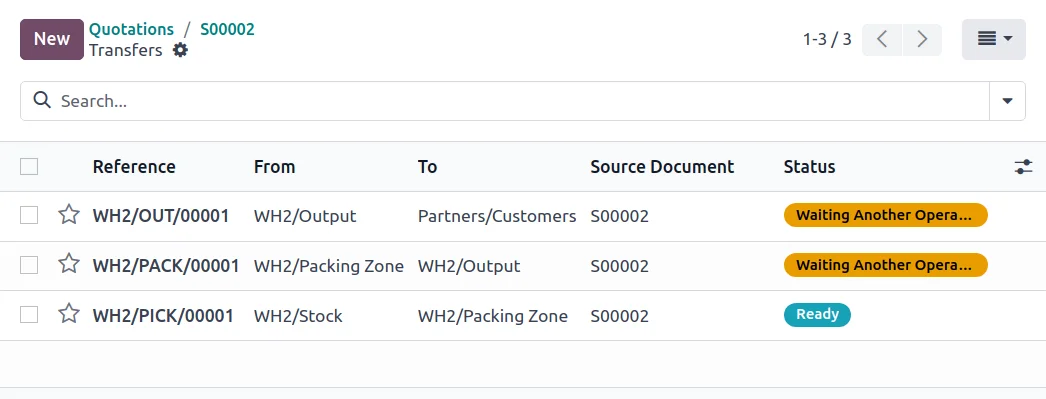
When an order comes in, picking is generated; items are picked using a barcode scanner if required, and the outbound movement deducts stock. Deliverable: Error-free outbound.
Step 4 · Automatic Replenishment
With minimum stock rules, Odoo alerts or generates a purchase order when an item drops below the threshold. Deliverable: Replenishment without stockouts.
Step 5 · Traceability and Counting
Each batch or serial number is tracked, and cyclic counts keep the inventory reliable without stopping the business. Deliverable: Reliable and traceable stock.
The big advantage: an inventory that communicates with the rest
The value of Odoo Inventory isn't just in controlling the warehouse, but in that control being linked to everything else. A sale – whether in-store, online, or from a salesperson – deducts from the same stock; a purchase adds to it; and the accounting reflects the inventory value without separate calculations. There isn't a stock Excel spreadsheet on one side and sales on the other: there's a single, always-updated number. That integration is what transforms inventory from a source of errors into a competitive advantage.
What your business gains with Odoo Inventory
- Not running out of your best-selling items, with automatic replenishment.
- Not tying up capital in stagnant stock that no one controls.
- Preparing orders without errors, and therefore fewer returns.
- Traceability when required by the product or regulations.
Who Odoo Inventory is for
It suits any SME that moves products: retail, distribution, manufacturing, e-commerce, or warehousing. The more volume and references, the more noticeable the benefits. If your business is purely service-based with no stock, it might not be your priority; in any company that buys, stores, and sells, reliable inventory is usually what provides the most peace of mind.
How to get started with Odoo Inventory
You can start with inventory and expand to sales, purchases, or manufacturing in phases, or implement it as part of a complete setup. The framework is in Odoo implementation and cost details in how much Odoo costs. An experienced partner helps you organise your warehouse and replenishment rules; it's advisable to choose wisely.
An example: from online order to dispatch without discrepancies
Let's look at Odoo Inventory in a typical scenario. A customer buys from your online shop: at that moment, the stock of that item decreases, the same stock that your physical shop sees, so you don't run the risk of selling something that's no longer available. The order automatically generates its picking order in the warehouse; the operator picks it guided by the locations and, if using a scanner, by scanning each item to avoid mistakes. Upon confirming dispatch, the outbound movement definitively deducts the stock and the carrier's label is generated. If that sale causes the item to drop below its minimum stock level, Odoo alerts or generates a purchase order to the supplier for replenishment.
The entire journey – sale, picking, dispatch, replenishment – happens based on a single, always-updated stock number. That's the value of an integrated inventory: that what you sell, what you pick, and what you replenish communicate with each other without manual reconciliation.
Common inventory errors
Inventory almost always fails for the same reasons. Firstly, starting without organising locations, meaning finding and counting goods remains chaotic. Secondly, not using replenishment rules and running out of fast-moving items precisely when they sell the most. Thirdly, not reconciling actual stock with the system's stock at the start, carrying forward discrepancies from day one. And fourthly, conducting annual inventories that stop the business instead of cyclic counts that keep it reliable without hindering activity. None of these are software problems: they are a matter of method. That's why setting up the warehouse and rules correctly from the start, with a partner who understands operations, is what makes inventory always balance instead of being a constant source of surprises.
Frequently asked questions
What is Odoo Inventory?
It's Odoo's warehouse management module: it controls stock in real time, organises the warehouse by locations, manages batches and serial numbers, and replenishes with minimum stock rules, integrated with sales and purchases.
Is stock updated in real time?
Yes. Every sale, purchase, or movement updates stock instantly, so what you see is what you have, without constant manual counts.
Can I manage multiple warehouses?
Yes. Odoo manages multi-warehouse operations with transfers between them and stock by location, useful if you operate from more than one site.
Does Odoo Inventory control batches and expiry dates?
Yes. It allows you to track batches and serial numbers and apply criteria such as First Expired, First Out (FEFO), crucial in food, chemical, or pharmaceutical industries.
Does it connect with physical and online shops?
Yes. Web, shop, and salespeople share the same stock, so a sale deducts from the same warehouse, no matter where you sell.
Can I use barcodes?
Yes. Odoo works with barcodes to streamline goods receipt and order picking and reduce errors.
How does it prevent stockouts?
With minimum stock rules: when an item drops below the threshold, Odoo alerts or automatically generates a purchase order, so you don't run out of your fast-moving items.
Do I need to stop the business to do an inventory count?
No. With cyclic counts, you count specific locations periodically instead of stopping everything for an annual inventory, keeping stock reliable without slowing down operations.
How much does Odoo Inventory cost?
It depends on the scope and whether you use it standalone or with other modules. The details, without made-up figures, are in the guide on how much Odoo costs.
Does Odoo Inventory value stock for accounting?
Yes. Odoo can value inventory and reflect its value in the accounting automatically, using different valuation methods, without separate calculations or spreadsheets.
Do you want an inventory that always balances and doesn't cost you money?
At Nextdoo, an official Odoo partner, we organise your warehouse and replenishment rules and link it to sales and purchases. Start by Odoo Inventory or request a warehouse diagnostic.
Source: Odoo official documentation (Inventory). Indicative and non-binding figures.
Sources
Official sources consulted: Odoo official documentation y Spanish Tax Agency e-office (VeriFactu). Indicative and non-binding cost and timeline figures, subject to variations depending on the project.