
For many SMEs, accounting is that part that's kept separate, at the end of the month, rushed, and with data that needs to be collected from here and there. Odoo Accounting changes that approach: accounting ceases to be a loose task and automatically reflects what's already happening in sales, purchases, and invoicing. This guide explains what it is, how it works, and what your business gains.
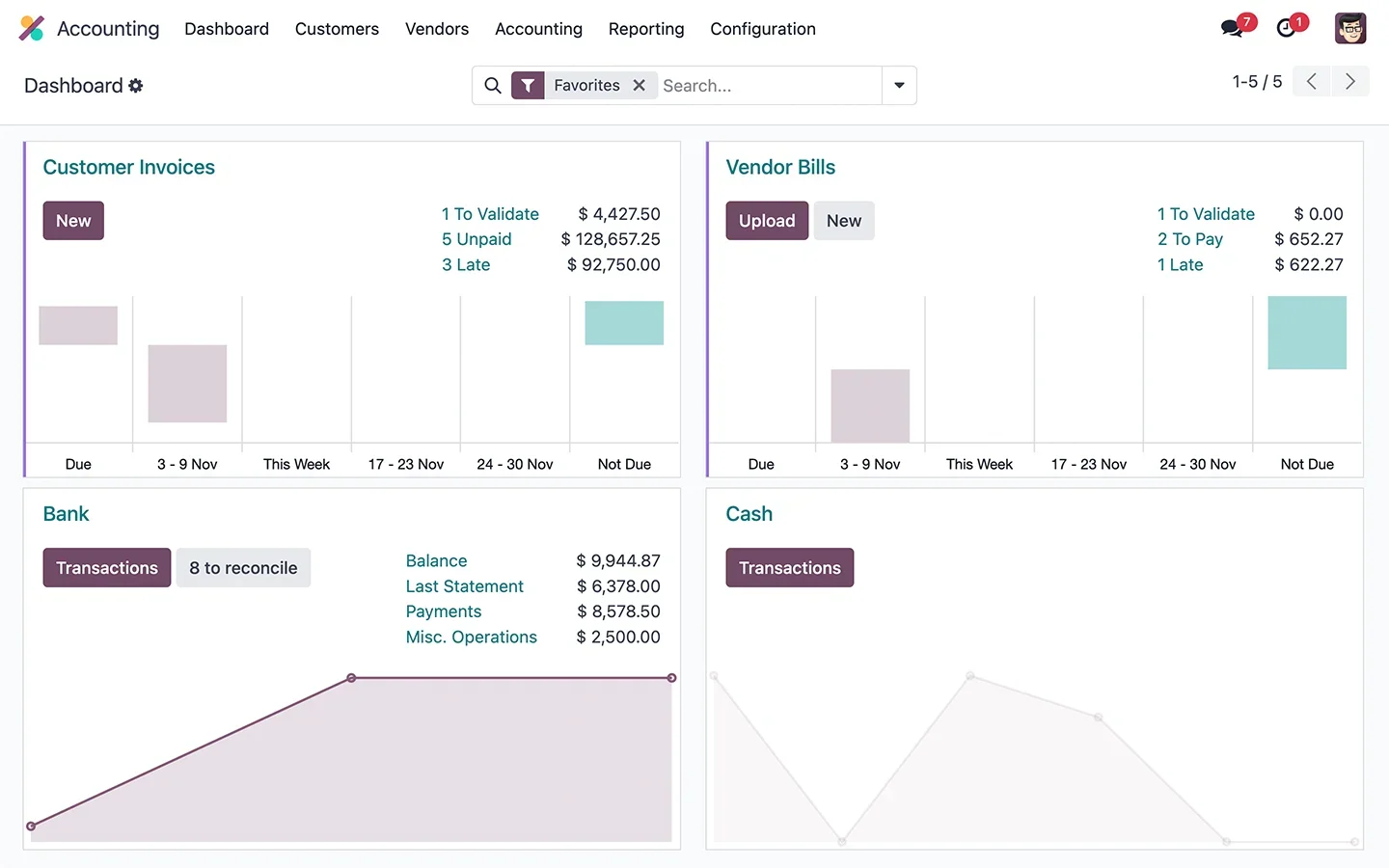
En 30 segundos. Master Odoo Accounting for your SME: learn its features, from automatic entries & bank reconciliation to taxes & VeriFactu. Fully integrated with sales.
What Odoo Accounting is and what it's for
Odoo Accounting is the system you use to manage your company's accounts in accordance with Spanish regulations, but without manually collecting data. It serves to keep your books up-to-date, control cash flow, prepare taxes, and close the financial year with information already organised. Its distinctive feature is that it doesn't function as an island: it feeds off sales, purchases, and invoicing. The full approach is on the Odoo Accounting.
What you can do with Odoo Accounting
- Automatic entries from every sales and purchase invoice.
- Streamlined bank reconciliation, matching bank movements with your invoices.
- Taxes and forms (VAT and others) generated from the data itself.
- Up-to-date financial reports: profit and loss, balance sheet, cash flow.
- Compliance with VeriFactu and Spanish localisation; see VeriFactu and Odoo.
- Year-end closing with information already organised.
How Odoo Accounting works step by step
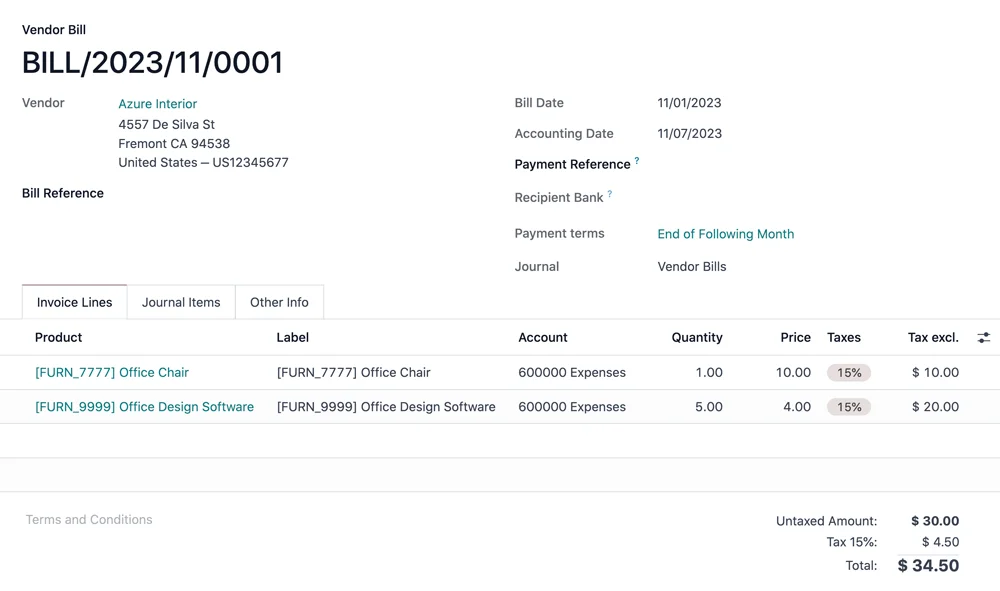
Step 1 · Entries are generated automatically
Each sales or purchase invoice automatically generates its accounting entry, without any manual input. Deliverable: up-to-date books with no manual work.
Step 2 · Bank reconciliation
Bank movements are imported, and Odoo matches them with your invoices for assisted reconciliation. Deliverable: balanced cash flow.
Step 3 · Taxes and forms
Information for VAT and other tax forms is derived from the accounting data itself, ready for review and submission. Deliverable: prepared taxes.
Step 4 · Up-to-date reports
At any time, you can consult the profit and loss, balance sheet, and cash flow, without waiting for the closing. Deliverable: real-time financial insight.
Step 5 · Year-end closing
With everything recorded throughout the year, closing ceases to be a titanic effort and becomes an organised review. Deliverable: smooth closing.
The big advantage: accounting that generates itself
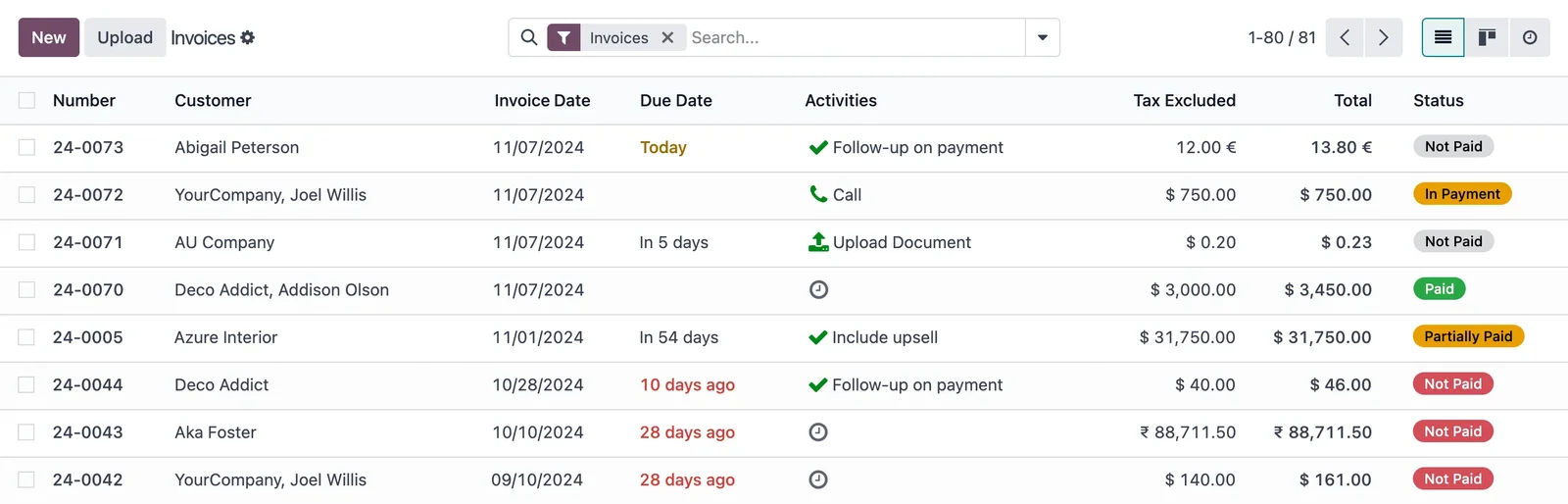
The difference between Odoo and an isolated accounting programme is that accounting isn't "done" separately: it's generated from what's already happening. You sell, and the entry appears automatically; you buy, and so does it; you receive payment, and the cash flow is updated. Instead of collecting data from various places at the end of the month, accounting runs by itself throughout the month. That means fewer hours, fewer transcription errors, and a reliable financial snapshot at any time, not just when your accountant closes the quarter.
What your business gains with Odoo Accounting
- Saving hours by not collecting or typing data manually.
- Seeing your numbers in real-time, not just at closing.
- Complying with VeriFactu and regulations without extra effort.
- Closing the financial year with the information already organised.
Who Odoo Accounting is for
It suits any company that wants to integrate its accounting with the rest of the business, and accounting firms that manage multiple clients' accounts. It's especially useful when accounting currently lives separately from sales and purchases, generating duplicated work. If you have an external accounting firm that handles everything, Odoo can coexist with it, giving you a real-time picture; the decision of who handles what is evaluated on a case-by-case basis.
An example: a month of almost automatic accounting
Let's look at a typical month with Odoo. During the month, every sale you make generates its invoice and its entry, and every purchase from a supplier generates its own, without anyone manually entering them. Receipts and payments enter via the bank and are assistedly reconciled with their invoices. When it's time for VAT, the information is already there: it comes directly from the entries, ready for review. And if in the middle of the month you want to know how the profit and loss is going or how much cash you have, you can check instantly, without waiting for someone to "balance" anything. At the end of the quarter, instead of a rush to collect and balance, there's an organised review of something that was already done. That's the difference between accounting that manages itself and accounting that's a struggle every closing.
Frequent accounting errors
Common pitfalls: managing accounts in a programme that doesn't communicate with invoicing or purchases, duplicating data entry; manual bank reconciliation, with the time and errors that entails; only finding out the numbers at closing, when there's no room to react; and not having invoicing compliant with VeriFactu, with the risk that poses in 2026. All of these are avoided with integrated accounting, where entries appear automatically and information is always up-to-date. The key is to set up the chart of accounts and links correctly from the start, with a partner who knows Spanish localisation; it's advisable to choose well.
How to get started with Odoo Accounting
You can start with invoicing and expand to full accounting, or set it up as part of an implementation. The framework is in the guide to Odoo implementation and the cost details are in the guide to how much Odoo costs. Invoicing, which feeds it, is in Odoo Invoicing.
Analytics: knowing what truly makes you money
Beyond complying with HM Revenue & Customs, Odoo's accounting can answer the question that really matters: which part of my business makes money and which doesn't? With analytical accounting, you can see the results by project, by business line, by store, or by customer, not just the company total. This turns your books into a decision-making tool, not just paperwork: you discover that a product you sell a lot barely makes a margin, that a line that seemed secondary is the most profitable, or which customer justifies the effort. For an SME, having that insight without manually compiling reports every month is a huge leap: you go from knowing how much you've invoiced to knowing how much you've earned and why. And since it comes from the same data you already record, it doesn't mean extra work.
Frequently Asked Questions
What is Odoo Accounting?
It's the Odoo module for managing accounts in accordance with Spanish regulations in an integrated manner: automatic entries, bank reconciliation, taxes and reports, fed by sales and purchases.
Are entries generated automatically?
Yes. Every sales or purchase invoice generates its entry without manual input, so your books are up-to-date with no manual work.
Does Odoo perform bank reconciliation?
Yes. It imports bank movements and matches them with your invoices for assisted reconciliation, saving a lot of time.
Does it prepare VAT forms?
The information for the forms comes from the accounting data itself, ready for review and submission. It's advisable to validate the details with your accountant.
Does it comply with VeriFactu?
Yes. The Enterprise edition includes Spanish localisation and VeriFactu, which becomes mandatory in 2026.
Can I see my numbers without waiting for the closing?
Yes. Profit and loss, balance sheet, and cash flow reports are up-to-date at any time, not just at the end of the quarter.
Is it suitable for an accounting firm?
Yes. Odoo manages multi-company accounts, so an accounting firm can manage several clients' accounts from the same cloud system.
Can it coexist with my external accountant?
Yes. Odoo can provide you with real-time accounting and share information with your accountant; the division of tasks is assessed on a case-by-case basis.
How much does Odoo Accounting cost?
It depends on the scope and whether you use it alone or with invoicing and sales. The details, without made-up figures, are in the guide on how much Odoo costs.
Do you want accounting that manages itself and is always up-to-date?
At Nextdoo, an official Odoo partner, we integrate your accounting with sales and purchases and ensure compliance with VeriFactu. Start by Odoo Accounting or request a diagnosis for your case.
Source: official Odoo documentation (Accounting). Indicative and non-binding figures.
Sources
Official sources consulted: official Odoo documentation y electronic headquarters of the Tax Agency (HM Revenue & Customs) (VeriFactu). Cost and timeline figures are indicative and non-binding, subject to variations depending on the project.