
In summary. Shopify POS Pro is reasonable if you already operate on Shopify and your physical store is a secondary channel. Odoo POS is the more comprehensive option if you want to unify POS, eCommerce, Spanish accounting, and VeriFactu into a single system without paying for each integration. There's also a hybrid approach: keeping Shopify as your shopfront and connecting it to Odoo for all internal operations.
If you have an online store and are considering making the leap to a physical point of sale, you've probably asked yourself this question at some point: do I expand with Shopify POS Pro or switch to Odoo?
What is each one and who is it aimed at?
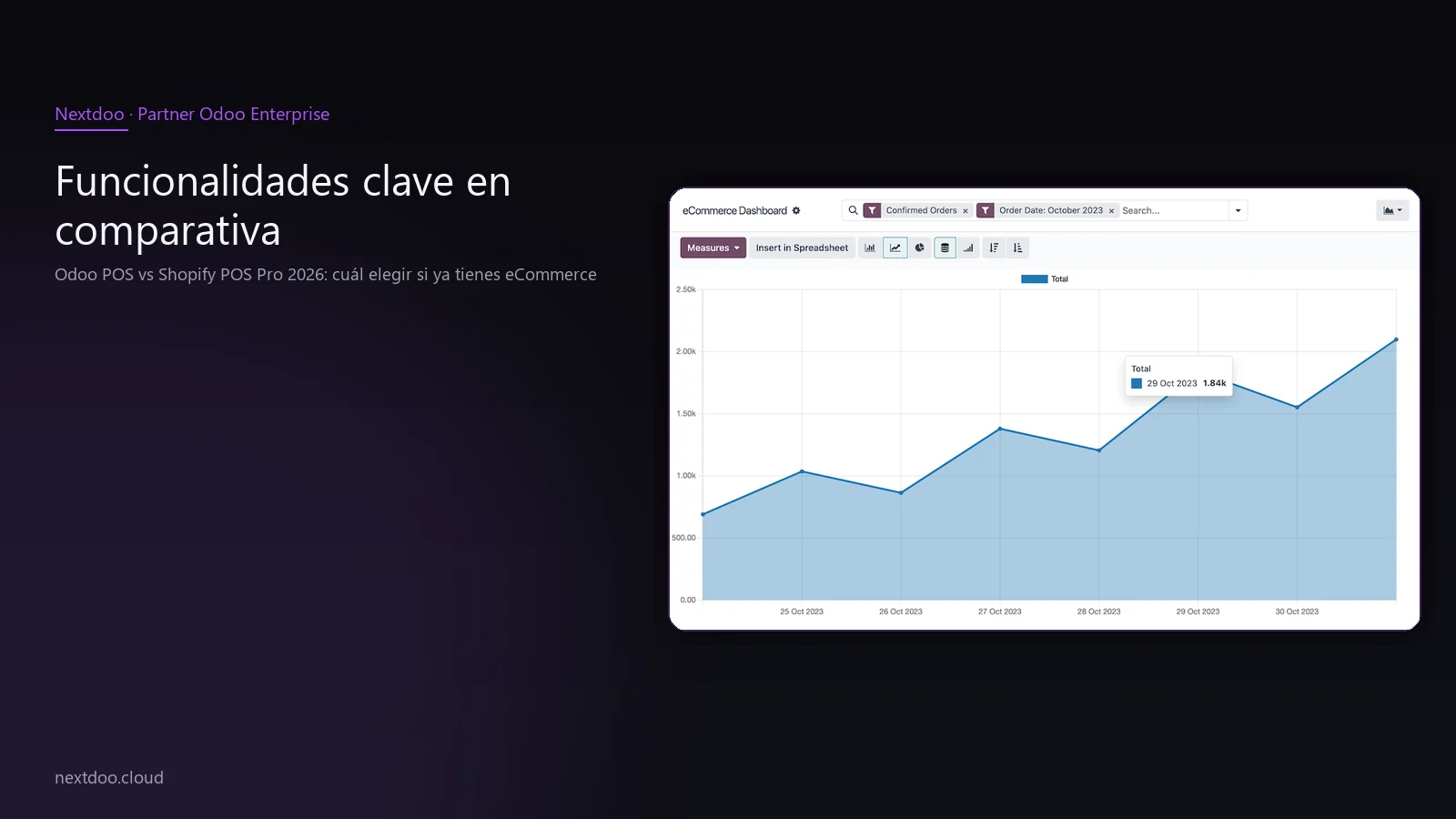
Shopify POS Pro is the point-of-sale layer that Shopify adds to its e-commerce platform. If you already have your shop on Shopify, activating POS Pro allows you to open physical tills with shared stock between the online and physical channels. It's a solution designed for digital retail to extend its presence into the physical world without changing platforms.
Odoo POS is the POS (Point of Sale) integrated within the Odoo ecosystem. It's not an add-on: it shares the same database as the rest of the business areas, from sales and purchasing to accounting, logistics, CRM, and human resources. When you close a till session in Odoo, the accounting entry is generated automatically and already complies with Spanish tax regulations.
The starting point of the comparison isn't technical: it's strategic. Do you want a tool that extends what you already have on Shopify, or do you want a platform that unifies the entire business from a single source of truth?
For a Spanish SME with growth ambitions, the answer often leans towards Odoo. Not because Shopify is bad, but because Odoo eliminates the need to connect external systems for accounting, Spanish tax compliance, or internal management.
How does each one's cost model work?
Shopify charges a monthly subscription for the base platform plus an additional surcharge for POS Pro for each physical location. On top of that, if you process payments outside Shopify Payments, a transaction fee applies. To calculate the real cost of Shopify, the visible monthly figure is just the starting point.
Odoo bills per user per month, with access to all the applications you need according to the contracted plan. There are no transaction fees or surcharges for opening a new physical shop. The cost increases with users, not with sales volume or the number of premises.
If your business has high turnover in-store and online, Odoo's commission-free model can be more predictable in the medium term. If you're a small retailer with few users and moderate transactions, Shopify might be a lighter option to manage.
That said, the cost of the platform isn't the only factor. You also have to consider the cost of external integrations that Shopify needs to operate in Spain: an accounting solution, a certified invoicing tool for VeriFactu, possibly an auxiliary ERP. Each connector has its price and maintenance.
To get an estimate tailored to your specific case, the most sensible thing is to request a personalised analysis. Indicative ranges vary greatly depending on the number of users, shops, and required functionalities.
Key features in comparison
Both platforms cover the fundamentals of a modern POS system: touchscreen sales, stock management, returns, discounts, and multiple payment methods. The difference lies in what's included as standard and what requires external integration.
What Shopify POS Pro does well:
- Immediate unification of online and physical stock if you already use Shopify
- Clean interface and easy to train the shop team
- Extensive app ecosystem in the Shopify App Store
- Works very well on iPad with compatible Shopify hardware
- Centralised catalogue and product variant management
What Odoo POS offers additionally:
- Native Spanish accounting without external connectors
- VeriFactu compliance from the same system
- CRM, purchasing, logistics, and HR on the same platform
- No transaction fees
- Open source: total transparency and possibility for custom development
- Multi-store without additional cost per location
The point where the balance clearly tips towards Odoo is Spanish taxation. For an SME operating in Spain, needing an external integration to comply with the AEAT is an operational risk and an added cost that Odoo eliminates from day one.
How does Spanish taxation in 2026 affect things: VeriFactu and the AEAT?
This is perhaps the most relevant factor for any retailer operating in Spain and planning their POS system for 2026.
Royal Decree 1007/2023, published in the BOE, establishes the obligation for invoicing IT systems to guarantee the integrity, preservation, and accessibility of invoicing records. VeriFactu is the voluntary submission system to the AEAT that certifies this compliance. TicketBAI applies in the Basque Country and Navarre with its own requirements.
Odoo has native Spanish tax localisation, maintained by Odoo SA. This means that VAT models, the obligations of Model 303, Model 390, list 347, and adaptation to VeriFactu are covered without the need to contract external services or install third-party connectors.
Shopify, as a platform of Anglo-Saxon origin, was not designed with Spanish taxation at its core. To comply with VeriFactu from Shopify, the usual approach is to resort to an integration with an approved Spanish accounting tool. That adds complexity, cost, and an additional point of failure in the invoicing workflow.
If your administrative agency or tax advisor has already discussed VeriFactu with you and you're looking for a system that solves it fundamentally, Odoo is the most direct option. Not because Shopify can't adapt, but because with Odoo, there's no need to adapt: it's already there.
The hybrid option: Shopify as the shopfront, Odoo as the engine
There's a scenario that deserves separate attention: you have a Shopify store that works well, with a customised theme you've invested in, good search engine rankings, and customers already familiar with the purchasing experience. Migrating that front end doesn't make immediate sense.
In that case, the hybrid option is a valid solution: keep Shopify as your online sales channel and connect it to Odoo to manage all internal operations. There are connectors available on the Odoo marketplace that allow you to synchronise:
- Product catalogue and variants
- Real-time stock between physical store and Shopify store
- Online orders that enter Odoo directly to be accounted for and invoiced
- Customer data that feeds Odoo's CRM
This solution has an implementation and connector maintenance cost, but it allows you to preserve the investment in the Shopify front end while professionalising the entire operational and accounting layer of the business.
It's a particularly useful approach for retailers who have grown quickly on Shopify but feel that the administrative, accounting, and logistics aspects are getting out of hand. Odoo brings order to the back end without touching what's already working on the front end.
In which cases does each option make more sense?
There's no single answer. There are different profiles with different needs.
Shopify POS Pro makes sense if:
- Your eCommerce is already running on Shopify and you're satisfied with it
- The physical store is a secondary or complementary channel
- Your shop team is small and values the interface's simplicity
- You don't have complex accounting needs or specific Spanish tax obligations in the short term
- You don't foresee opening multiple physical stores in the coming years
Odoo POS makes sense if:
- You want to unify everything that drives your business into a single system
- You need Spanish accounting and VeriFactu without relying on third parties
- You have or foresee having several physical stores
- You want to scale towards CRM, purchasing, logistics, or HR without changing platforms
- You value not paying transaction fees or location surcharges
- Your administrative agency or tax advisor has asked you for more control over invoicing records
The hybrid Shopify + Odoo option makes sense if:
- Your Shopify store has a consolidated design or SEO positioning that you don't want to lose
- You need to professionalise internal operations without touching the digital shopfront
- You have a technical team capable of maintaining the connector or a partner who can manage it for you
Why does Spanish retail opt for Odoo?
En At Nextdoo we work with Spanish retailers from different sectors: fashion, hardware, motorcycle dealerships, food distributors. The recurring pattern we see is the same: businesses start with an agile solution like Shopify or an independent POS, they grow, and then a point comes when the number of disconnected tools starts to generate errors, delays, and loss of control.
That's when Odoo comes in more strongly. Not as a solution for tech startups, but as an accessible ERP for Spanish SMEs that want to professionalise their operations without incurring the costs and complexity of an enterprise system.
The fact that Odoo is open source is also relevant for many of our clients. Knowing that the code is auditable, that you don't depend on a provider closing their API or changing their terms, and that you can develop custom functionalities without asking anyone's permission, has real value for a business that wants to grow autonomously.
Odoo's Spanish localisation, with native support for the chart of accounts, taxes, AEAT models, and now VeriFactu, seals the argument for most of the businesses we speak with.
Frequently asked questions
If I already have Shopify, is it worth migrating to Odoo?
It depends on how much it's costing you to maintain external integrations and whether you have needs that Shopify doesn't natively cover for the Spanish market. If your business works well with Shopify, the physical store is a minor complement, and you don't have immediate tax pressure, it doesn't necessarily need to be urgent. If, on the other hand, you need native Spanish accounting, VeriFactu, complex multi-store functionality, or want to grow in CRM and logistics without adding more tools, migrating to Odoo has a clear justification. The most useful thing is to analyse your business's real data before deciding.
Can I use Shopify and Odoo simultaneously without migrating everything?
Yes. The hybrid option is valid and quite common. You keep Shopify as your online sales channel and connect orders, stock, and customers to Odoo to manage accounting, logistics, and CRM from there. There are connectors available that automate that synchronisation. The additional cost is for the connector and its maintenance, but you can preserve the investment in your current Shopify store without having to redesign anything.
Does Shopify POS comply with VeriFactu in Spain?
Shopify was not designed with Spanish taxation at its core, so VeriFactu compliance depends on external integrations with approved invoicing tools. To confirm the current support status, it's advisable to consult directly with Shopify and your tax advisor. Odoo, however, has native support for VeriFactu within its Spanish localisation, maintained by Odoo SA and updated as Royal Decree 1007/2023 regulations evolve.
What happens to my Shopify theme if I migrate to Odoo eCommerce?
Your Shopify store's design doesn't automatically transfer to Odoo. Odoo eCommerce has its own visual builder with which you can create the store from scratch or adapt existing templates. In migrations, the usual approach is either to redesign the online store with Odoo's tools or to keep Shopify as the shopfront and use Odoo solely for internal management. If your Shopify theme is an important asset, the hybrid option involves the least risk in the short term.
Does Odoo POS work well in a physical store without an internet connection?
Odoo POS has an offline mode that allows you to continue operating in-store when the connection fails. Sessions synchronise with the server when the connection is restored. It's an important feature for any physical retailer where till continuity is critical. Shopify POS Pro also offers offline mode operation for basic tasks.
How long does it take to implement Odoo for a retailer with a physical and online store?
The timeframe depends on the business's complexity: number of product references, number of stores, whether historical data needs to be migrated, whether it integrates with any external channels. For a small or medium-sized retailer, a well-planned implementation can be reasonably agile. To get a realistic estimate of the scope and timeframe for your specific case, the most useful thing is to conduct a preliminary analysis session with the implementation team.
Conclusion: decide based on where your business is heading
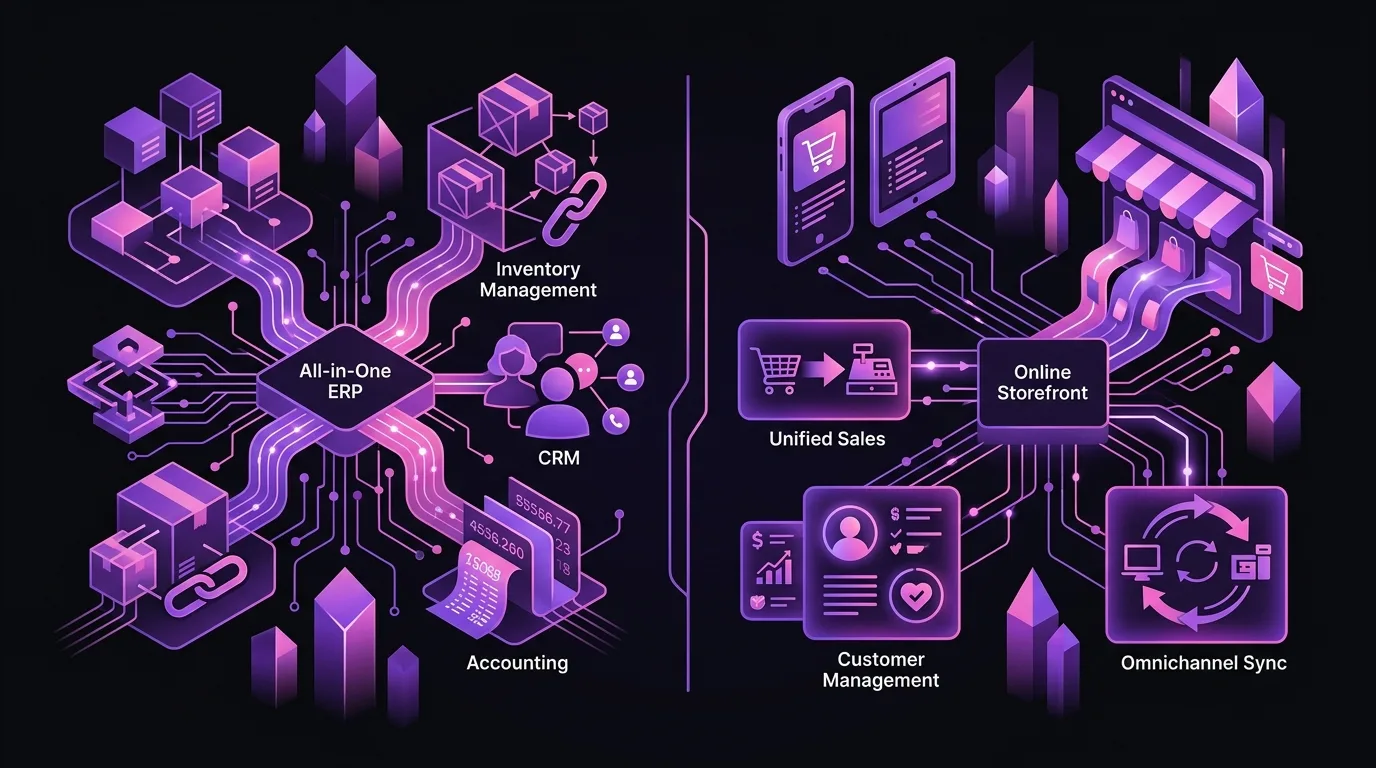
Shopify POS Pro and Odoo POS don't compete on the same ground. Shopify is an eCommerce platform that has added point-of-sale capabilities. Odoo is a complete ERP that includes a POS as another piece of a unified system.
If your business is already on Shopify, the physical store is a secondary channel and you don't have immediate tax pressure, Shopify POS Pro might be sufficient for now. If, however, you're looking for a platform that supports business growth, that handles Spanish accounting without relying on connectors, that natively complies with VeriFactu, and doesn't charge you for every transaction or for every new store you open, Odoo is the most robust bet for 2026 and beyond.
And if you want the best of both worlds while your business transitions, the hybrid option gives you room to do it without rush and without risk.
At Nextdoo, we are an official Odoo Enterprise partner in Spain and have been implementing solutions for retail, hospitality, and SMEs for years that need to grow with a reliable technological foundation. If you want to analyse whether Odoo makes sense for your specific business, the first step is a no-obligation chat.
Indicative information. Actual timelines, costs, and scopes are confirmed after a personalised analysis. JLM Business Solutions SL · B16842831.
Frequently asked questions
If I already have Shopify, is it worth migrating to Odoo?
It depends on how much it's costing you to maintain external integrations and if you have needs that Shopify doesn't natively cover for the Spanish market. If your business is working well with Shopify and you don't have immediate tax pressure, it's not urgent. If you need native Spanish accounting, VeriFactu, complex multi-store functionality, or want to grow in CRM and logistics without adding more tools, migrating to Odoo has a clear justification. The most useful thing is to conduct an analysis with your business's real data before deciding.
Can I use Shopify and Odoo simultaneously without migrating everything?
Yes. The hybrid option is valid and quite common. You keep Shopify as your online sales channel and connect orders, stock, and customers to Odoo to manage accounting, logistics, and CRM from there. There are connectors available that automate this synchronisation. The additional cost is for the connector and its maintenance, but you can preserve your investment in your current Shopify store without redesigning anything.
Does Shopify POS comply with VeriFactu in Spain?
Shopify was not designed with Spanish tax compliance at its core, so compliance with VeriFactu depends on external integrations with approved invoicing tools. To confirm the current status of support, it's advisable to consult directly with Shopify and your tax advisor. Odoo has native support for VeriFactu within its Spanish localisation, maintained by Odoo SA and updated as the regulations of Royal Decree 1007/2023 progress.
What happens to my Shopify theme if I migrate to Odoo eCommerce?
Your Shopify store's design doesn't automatically transfer to Odoo. Odoo eCommerce has its own visual builder to create the store from scratch or adapt templates. It's common in migrations to redesign the online store using Odoo's tools or to keep Shopify as the storefront and use Odoo for internal management. If your Shopify theme is an important asset, the hybrid option involves the least risk in the short term.
Does Odoo POS work well in a physical store without an internet connection?
Odoo POS has an offline mode that allows you to continue operating in-store when the connection fails. Sessions are synchronised with the server when the connection is restored, ensuring uninterrupted till operation in any circumstance. Shopify POS Pro also offers basic offline functionality. Both platforms cover this aspect, although the subsequent management of synchronisation varies depending on the configuration.
How long does it take to implement Odoo for a retailer with a physical and online store?
The timeline depends on the business's complexity: number of product references, number of stores, whether historical data needs to be migrated, and if it integrates with external channels. For a small or medium-sized business, a well-planned implementation can be reasonably agile. To get a realistic estimate of the scope and timelines for your specific case, the most useful thing is a preliminary analysis session with the Nextdoo implementation team.