
A CRM isn't just for a pretty contact list: it's for not letting sales slip away. In many SMEs, opportunities reside on each salesperson's mobile, in scattered emails, and in memory, resulting in potential customers cooling off just as they're about to buy. Odoo CRM brings all of that into one place, with the added benefit of being linked to the rest of the business. This guide explains what it is, what you can do with it, and how to get the most out of it.
En 30 segundos. What is Odoo CRM, what it's for, & how to use it: sales pipeline, leads, activities & reports. Integrated with other Odoo modules. Practical guide.
What Odoo CRM is and what it's for
Odoo CRM is the tool you use to organise and track your sales opportunities, from when an interested party enters until they close (or are lost). Its core is the pipeline: a view where you see all your opportunities by stage —contact, proposal, negotiation, won— and move them as they progress. That gives you something many SMEs lack: knowing, at a glance, what you have in hand and what needs to be done with each client. The complete sales approach is on the page for Odoo CRM.
What you can do with Odoo CRM
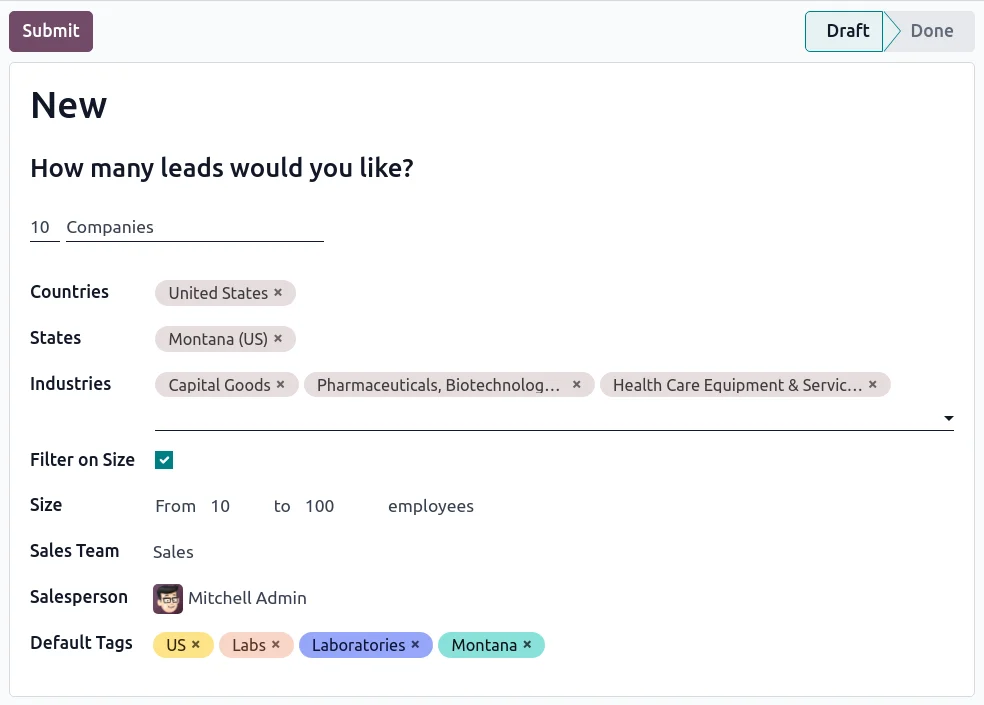
- Capture leads from your website, forms, email, or manually.
- Track each opportunity through a visual, drag-and-drop pipeline.
- Schedule activities (call, send proposal, visit) to ensure no follow-up is forgotten.
- Record everything that happens with each client: emails, notes, documents.
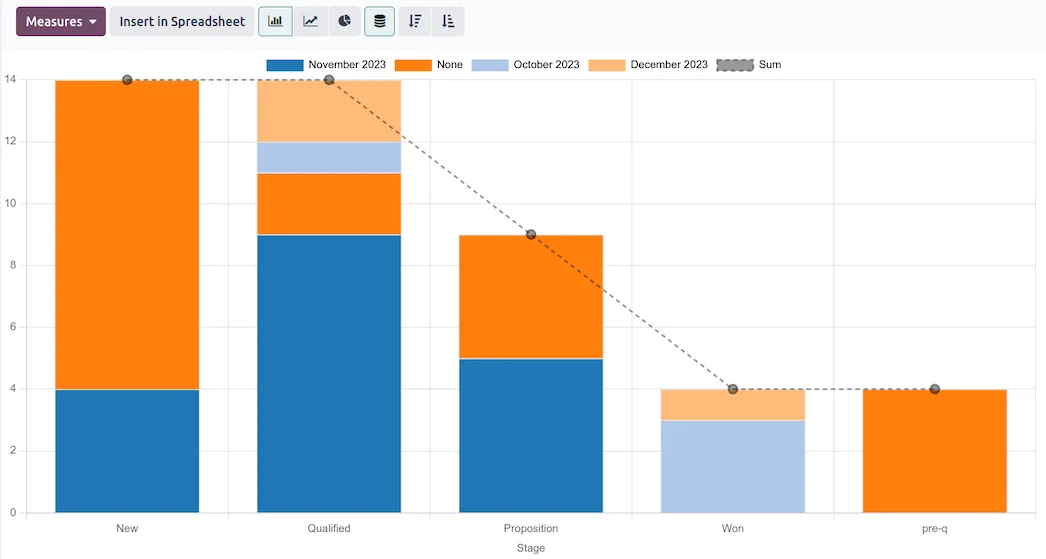
- Measure with reports which channels, sales reps, and products perform best.
- Convert an opportunity into a quote and order with one click.
How Odoo CRM works step-by-step
Step 1 · A lead enters
An interested party arrives via your website, a form, or a call, and lands in the CRM with its source. This way, you know which channel brings you opportunities. Deliverable: lead registered.
Step 2 · It becomes an opportunity
The lead is qualified and becomes an opportunity within the pipeline, with its estimated value and stage. Deliverable: opportunity in the pipeline.
Step 3 · Follow-up with activities
Activities are scheduled (call, send proposal) so that nothing depends on memory and no client cools off. Deliverable: assured follow-up.
Step 4 · Proposal and close
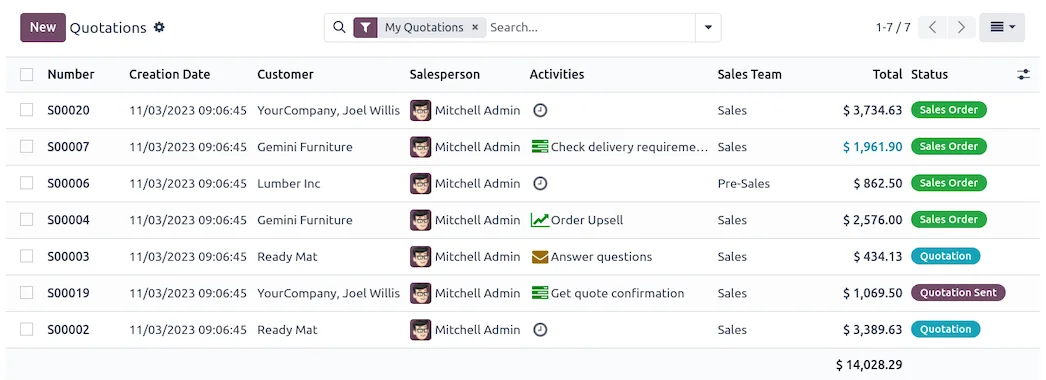
As it progresses, the opportunity becomes a quote and, if accepted, an order, without re-entering data. The sales part is in Odoo Sales. Deliverable: closed sale.
Step 5 · Measure and improve
With the reports, you see what works —channels, sales reps, timings— and make adjustments. Deliverable: data-driven decisions.
The big advantage: an integrated CRM, not an island
Here's the difference compared to a standalone CRM. In many businesses, the CRM runs separately from invoicing or inventory, so data has to be copied, and nothing quite aligns. In Odoo, the CRM is part of the same system: the opportunity becomes a quote, the quote an order, the order deducts stock and generates the invoice, and everything remains on the same client record. There are no isolated systems or copies, which is why the team dedicates their time to selling, not to moving data between programmes.
What your business gains with Odoo CRM
- No lost opportunities due to lack of follow-up.
- Clear vision of what you have in your pipeline and how much you can close.
- Data for decision-making: where to invest in channels, which sales rep performs, which product sells.
- Less administrative work by linking CRM with sales and invoicing.
Who Odoo CRM is for
Odoo CRM suits any SME that sells to others —products or services— and wants to stop managing opportunities by guesswork. It's especially useful when there are multiple sales reps, sales cycles with follow-up, or when the business depends on not losing a single contact. If your sales are purely over-the-counter with no follow-up, CRM might not be your priority; in other cases, it's usually one of the first things worth getting in order.
How to get started with Odoo CRM
You can start with just the CRM and expand to sales, invoicing, or inventory whenever you wish, or implement it as part of a full system rollout. The project framework is in Odoo implementation and cost details in how much Odoo costs. As with anything, a partner who knows your sector helps configure it for your sales process; it's advisable to choose wisely.
An example: from a web form to an order
To see Odoo CRM in action, let's follow an opportunity from start to finish. A visitor fills out your website's contact form requesting information: instantly, they enter the CRM as a lead, with their origin «web» already noted. The sales rep who receives it qualifies it —it fits what you sell— and converts it into an opportunity, with an estimated value and at the «first contact» stage. The system schedules an activity for them: «call within 24 hours». After the call, the opportunity advances to «proposal sent», and from there, with one click, the sales rep generates the quote without re-entering the client's data. If the client accepts, that quote becomes an order, which deducts stock and generates the invoice.
The entire journey —from the form to collection— is recorded on the same record, without anyone copying anything between programmes. That's the real value of CRM: not just a contact list, but a process that doesn't let sales slip away.
Common mistakes with CRM
Having a CRM doesn't guarantee more sales; using it well does. The most common pitfalls are: not logging leads that arrive by phone or in person, which leaves the pipeline incomplete; not scheduling the next activity, allowing opportunities to cool off due to lack of follow-up; filling the CRM with fields that no one completes, instead of the essentials; and using it as a dead file instead of a daily working tool. CRM works when the team opens it every day and moves their opportunities; that's why, more than many features, it's important that it's straightforward and that there's a habit of using it. A good start, with the CRM configured for your sales process and the team trained, is what separates a CRM that sells from one that merely accumulates contacts.
Frequently asked questions
What is Odoo CRM?
It's the Odoo module for managing your sales opportunities: capturing leads, tracking them through a visual pipeline, scheduling activities, and measuring results, all integrated with the rest of the system.
How does it differ from a standalone CRM?
It's integrated: the opportunity becomes a quote, order, and invoice without copying data, and everything remains on the same client record. A standalone CRM operates in isolation from the rest of the business.
Can I capture leads from my website with Odoo CRM?
Yes. Your website's forms and pages can feed the CRM directly, including the origin of each lead, to identify which channel is performing.
Is it suitable for a team of multiple sales reps?
Yes, and that's where it shines most: each sales rep sees their opportunities, management sees the overall picture, and commissions or objectives can be tracked with real data.
Does Odoo CRM notify about pending follow-ups?
Yes. With scheduled activities, the system reminds you who to call or to whom to send a proposal, ensuring no opportunity cools off due to oversight.
Can I start with just the CRM?
Yes. You can start solely with the CRM and expand to sales, invoicing, or inventory in phases, as the business requires.
Does Odoo CRM have sales reports?
Yes. It offers pipeline, conversion, and performance reports by sales rep and channel, to make data-driven decisions instead of relying on intuition.
Is it difficult to use?
No. The visual pipeline is intuitive, and the team usually adopts it with minimal training; that ease of use is key to ensuring it's truly utilised.
How much does Odoo CRM cost?
It depends on the scope and whether you use it standalone or with other modules. Full details, without made-up figures, are in the guide on how much Odoo costs.
Do you want to stop losing sales due to a lack of follow-up?
At Nextdoo, an official Odoo partner, we configure Odoo CRM for your sales process and integrate it with sales and invoicing. Start by Odoo CRM or request a diagnosis of your sales process.
Source: Official Odoo documentation (CRM). Indicative and non-binding figures.
Sources
Official sources consulted: official Odoo documentation y HMRC's electronic headquarters (VeriFactu). Indicative and non-binding cost and timeframe figures, subject to variations depending on the project.