
WooCommerce turns a WordPress into a shop, and that's fine to start with, but it carries the burden of WordPress: you depend on plugins that need updating, maintaining, and monitoring for security, performance suffers as the catalogue grows, and the shop still doesn't communicate with your stock or your accounting. Migrating from WooCommerce to Odoo unites the shop with the business in a stable system, without the plugin circus, and preserving SEO. This guide explains how to do it, step by step.
En 30 segundos. Migrate WooCommerce to Odoo, avoid losing SEO & orders. Learn what to move, steps, 301 redirects, and common errors. An official partner's guide.
Why migrate from WooCommerce to Odoo
WooCommerce's Achilles' heel is its dependence on WordPress and its plugins: to have a complete shop, you end up adding extensions that need to be kept updated, which sometimes conflict, and which are the gateway to most security and performance issues. And underneath, the shop remains isolated from stock, invoicing, and accounting. Odoo changes the approach: a stable system where the shop shares catalogue, stock, customers, and accounting, without plugins to maintain, and with Spanish tax compliance —VeriFactu included— up to date. It's going from administering a fragile website to having a connected business.
What can be migrated from WooCommerce to Odoo
- Product catalogue, with variants, categories, images, and prices.
- Customers and their data.
- Orders and sales history.
- Content (pages, blog posts) and URLs to preserve SEO.
- Coupons and price rules, where applicable.
WooCommerce plugins are re-evaluated: many of their functions come as standard in Odoo, so the migration is an opportunity to stop maintaining and updating extensions that conflicted with each other.
How to migrate from WooCommerce to Odoo step by step
Step 1 · Audit of the catalogue and SEO
The catalogue, categories, and positioned URLs are reviewed, to avoid losing traffic. Deliverable: product inventory and map of URLs to preserve.
Step 2 · Mapping to Odoo
It is defined how products, variants, categories, customers and orders are translated to Odoo. Deliverable: mapping.
Step 3 · Extraction and cleaning
WooCommerce data is exported and cleaned up (duplicates, broken images, obsolete products). Deliverable: clean catalogue.
Step 4 · Store setup in Odoo
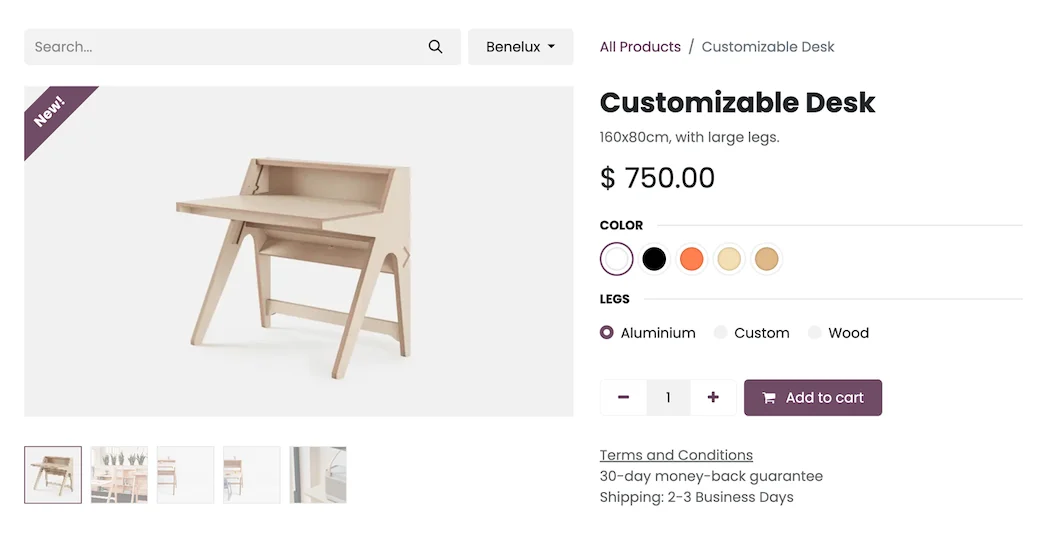
The catalogue is loaded and the store is set up in Odoo, with its design and product sheets. The focus is on Odoo ecommerce. Deliverable: store set up.
Step 5 · 301 Redirects and SEO
301 redirects are created from WooCommerce URLs to Odoo URLs, to preserve positioning. This is the step that prevents losing traffic. Deliverable: SEO protected.
Step 6 · Validation and launch
End-to-end purchasing is tested and launched, with the old store as backup until confirmed. Deliverable: store operating in Odoo.
Migrate without losing SEO or orders
As with any e-commerce migration, here lies the biggest risk. Losing SEO when changing stores means disappearing from Google for months. It is protected by preserving the URLs or creating 301 redirects for each ranked page, maintaining the content that attracts visits —WooCommerce often has a lot of WordPress content that should be preserved— and making the change in a low-traffic window with the old store available until validated. Well executed, you won't lose a single visit or order.
Common errors when migrating from WooCommerce to Odoo
- Changing without 301 redirects and losing the SEO gained on WordPress.
- Not preserving the blog content that attracted visits.
- Migrating the catalogue without cleaning up images and variants.
- Making the change in the middle of a sales campaign instead of at a quiet time.
You have the general framework in the Odoo migration checklist. If you sell to businesses, see Odoo ecommerce B2B.
How much does it cost and how long does it take?
| Scope | Indicative timeframe | Example |
|---|---|---|
| Basic | 4 – 8 weeks | Catalogue, store, payments and redirects |
| Medium | 2 – 3 months | Large catalogue, blog content and B2B |
| Advanced | 3 months or more | Multi-language, integrations and customisation |
Indicative and non-binding timeframes and costs; they depend on the catalogue and the state of your data. Details in how much Odoo costs and framework in Odoo implementation.
What you gain by leaving WordPress for Odoo
The fundamental change is stability: you stop depending on a stack of plugins that need to be updated, monitored and repaired when they conflict. The store starts sharing stock and accounting with the business, invoicing is compliant from the start and maintenance is simplified. Less fragility, fewer security surprises and a single picture of the business.
Less maintenance and fewer security scares
Part of the value of leaving WooCommerce is not in what you gain, but in what you stop suffering. A store built on WordPress and a stack of plugins demands constant attention: updates that must be applied without breaking anything, plugins that conflict with each other and, above all, security, because each extension is a potential entry point. When the store grows, that maintenance becomes a job in itself, and a lapse can end in a crashed or compromised website at the worst possible time.
Odoo changes that approach: it's an integrated system maintained as a single piece, without the fragility of dozens of plugins from different origins. Fewer updates to monitor, fewer conflicts and less attack surface. For many businesses, that peace of mind —knowing that the store won't crash due to an outdated plugin right in the middle of a campaign— is worth as much as any new feature. And the time previously spent maintaining the website is dedicated to selling.
Frequently asked questions
Will I lose SEO when migrating from WooCommerce to Odoo?
No, if it's done with a plan. URLs are preserved or 301 redirects are created for each ranked page, including WordPress blog content, so that ranking is maintained.
Is WordPress blog content also migrated?
Yes, content that brings traffic is migrated or preserved with its URLs, because in WooCommerce it's often an important source of visits that shouldn't be lost.
Are orders and customers migrated?
Yes. Customers, orders and sales history are migrated to preserve the relationship and business data.
Does Odoo replace WooCommerce plugins?
Largely, yes. Many functions that were plugins in WooCommerce come as standard in Odoo, which reduces maintenance and security issues.
Will the store share stock with my physical store?
Yes. Website and physical store share inventory, so a sale deducts from the same warehouse wherever you sell.
Does Odoo comply with VeriFactu in store invoicing?
The Enterprise edition covers Spanish invoicing obligations, including VeriFactu, mandatory in 2026, for both online and in-store sales.
Do I have to close the store during migration?
No. It is planned not to interrupt sales, with the old store as a backup until Odoo is validated, and the change is made during a low-traffic window.
How long does it take to migrate from WooCommerce to Odoo?
A store with a catalogue, payments and redirects is usually ready in a few weeks; with a large catalogue and a lot of blog content, 2 to 3 months.
Can I do it myself?
Exporting is accessible, but mapping the catalogue and 301 redirects to avoid losing SEO are delicate; with an official partner, you reduce the risk of losing traffic or orders.
Does Odoo need as many plugins as WooCommerce?
No. Many features that were third-party plugins in WooCommerce come as standard in Odoo, so you reduce maintenance and points of failure from day one, with fewer security surprises.
Do you want to leave WooCommerce plugins behind and have your store on Odoo, without losing SEO?
At Nextdoo, an official Odoo partner, we plan the migration with 301 redirects and a verified catalogue. Start by Odoo ecommerce or request a diagnosis of your store.
Source: official Odoo documentation (E-commerce). Indicative and non-binding figures.
Sources
Official sources consulted: official Odoo documentation and electronic headquarters of the Tax Agency (VeriFactu). Indicative and non-binding cost and timeframe figures, subject to variations depending on the project.