
In summary. A hardware store with between 20,000 and 50,000 references, mixed retail and professional sales, multiple suppliers, and a physical warehouse fits natively into Odoo. The key is to properly structure the catalogue, configure differentiated rates by customer type, and ensure 2026 tax compliance: VeriFactu, IRPF withholdings, and AEAT models. Nextdoo, official Odoo Enterprise partner in Spain, supports the project from initial analysis to launch.
A modern hardware store is not just any shop. It's a technical warehouse with tens of thousands of references, customers ranging from the neighbour looking for a screw to the construction company ordering on credit. Managing it with a spreadsheet or a basic invoicing programme is a direct path to chaos.
Odoo solves this natively. Without patches, without fragile integrations. Everything on a single platform: catalogue, POS, warehouse, purchases, B2B sales, and Spanish accounting.
Odoo manages catalogues of tens of thousands of references with differentiated rates for retail and professional customers, complying with Spanish tax regulations 2026.
How to organise a deep catalogue with 20,000 or more references?
The first challenge for any hardware store is the catalogue. It's not just about adding products to a list. It's about organising them so that any employee can find what they're looking for in seconds, from the counter.
Odoo structures the catalogue into categories and subcategories. A typical hardware store has categories such as fasteners, plumbing, electrical, hand tools, power tools, paint, gardening, and construction. Within each, subcategories refine: in fasteners, for example, self-tapping screws, wood screws, coach screws, nuts, washers, and ties are separated.
Product attributes allow creating variants without duplicating product records. An M6 x 20 screw in stainless steel and another in galvanised steel are not two distinct products: they are variants of the same. This greatly reduces the number of records to maintain and facilitates searching.
For catalogues exceeding 50,000 references, the category tree structure and search index configuration are critical. It's not something to be improvised: it must be planned before bulk import. Odoo's official documentation on product management is the starting point, but the actual criteria are set by each hardware store's operations.
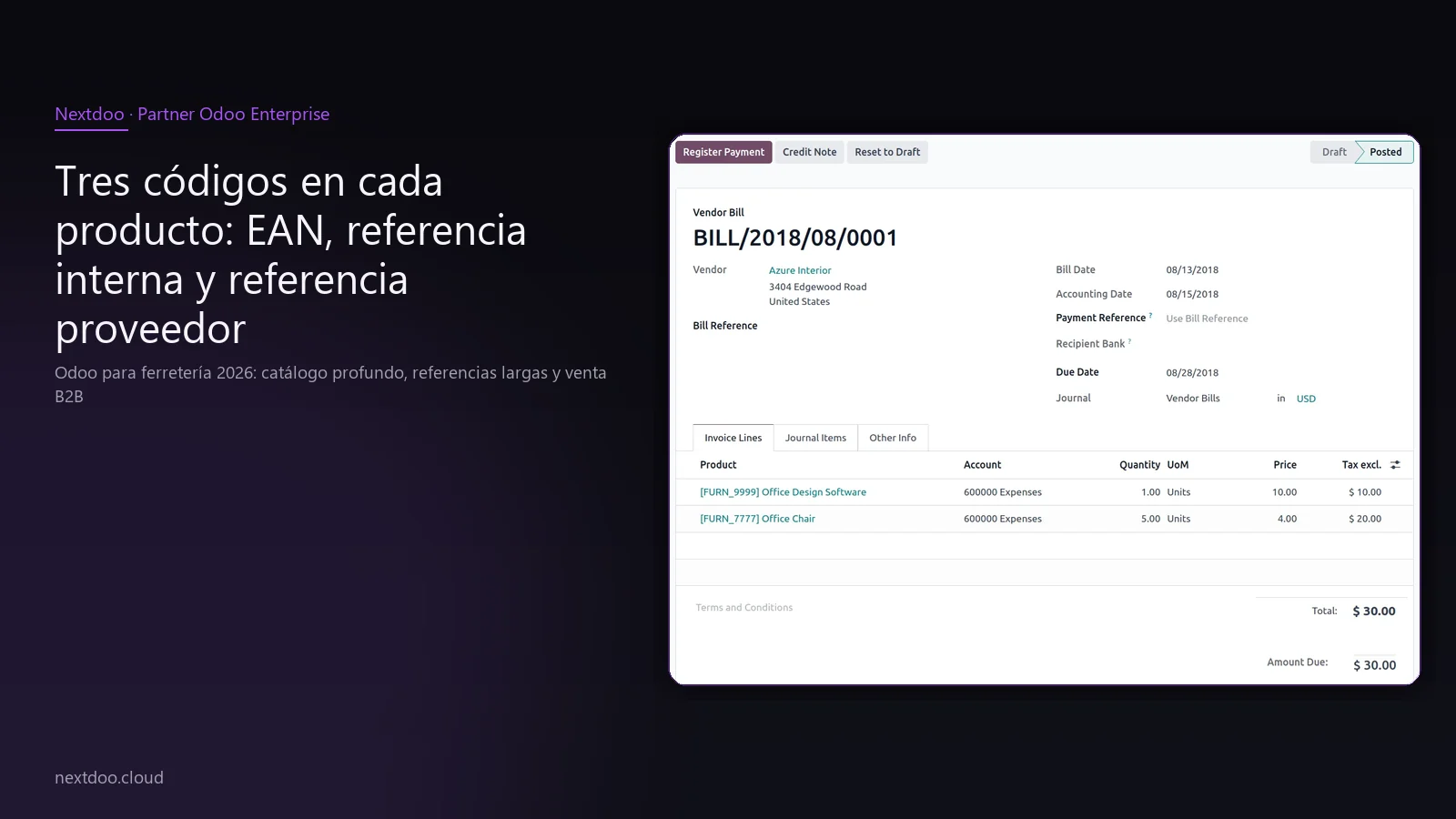
Three codes for each product: EAN, internal reference, and supplier reference
In hardware stores, several product identification systems coexist. The problem is that they don't always match. The manufacturer's EAN, the Würth catalogue code, and the internal code the hardware store has been using for years are three different things.
Odoo allows storing all three simultaneously in each product record:
- EAN-13: the barcode printed by the manufacturer. It is used for scanning at the till or in the warehouse.
- Internal reference: the hardware store's own code. Useful when selling in bulk (one metre of cable, half a litre of paint) and there is no physical EAN.
- Supplier reference: the code that appears in the distributor's catalogue. Essential for purchase orders to exactly match supplier documents.
When working with several suppliers for the same item, Odoo associates a different supplier reference for each. Thus, when generating an order for Cofac, the reference number that appears on the order is Cofac's; if the order goes to Würth, Würth's appears.
This multi-coding is one of the areas where the most time is saved day-to-day. It avoids errors in orders and speeds up goods receipt.
How to differentiate retail from professional in seconds with a POS at the counter?
A hardware store counter is a demanding environment. There are queues, there's a rush, there are customers who want an invoice and others who pay in cash. Odoo's POS is designed for this pace.
The key in hardware stores is to quickly identify whether the customer is retail or professional. This affects the price, payment terms, and whether an invoice with IRPF withholding needs to be issued. Odoo manages it like this:
- When opening a sale at the POS, the employee can search for the customer by name or NIF. If registered as a professional, the system automatically applies their rate and tax configuration.
- If the customer is not registered but wants a professional price, a manual discount can be applied directly from the POS screen, without needing to register the customer.
- For B2B customers who want an invoice, the POS generates the complete fiscal document with all data on the spot, without additional steps.
Additionally, Odoo's POS is compatible with barcode scanners, integrated card payment terminals, and standard cash drawers. No proprietary hardware is needed.
From 2026, with the mandatory VeriFactu for companies under the general regime, each ticket issued is registered and linked with the AEAT. Odoo's POS automatically manages this within the Spanish fiscal localisation.
How to efficiently manage a large warehouse with locations and a scanner?
A hardware store with a backroom warehouse has a classic problem: knowing where each reference is without relying on the memory of the most experienced employee. When there are 20,000 products, that cannot be implicit knowledge.
Odoo manages warehouse locations hierarchically. Each aisle, each shelf, and each rack can be defined as a location. Each product has its usual location assigned. When new goods arrive, the system indicates where to place them. When an order needs to be prepared, it indicates where to find it.
The handheld scanner (industry-standard Honeywell or Datalogic type terminals) connects to Odoo without special configuration. The workflow is simple:
- The location is scanned.
- The product is scanned.
- The quantity is confirmed.
This applies to receptions, inventories and internal transfers. The margin of error is significantly reduced compared to the manual process.
Cycle counting, which involves counting only a part of the catalogue in each cycle instead of stopping everything for a general count, is also supported. It is especially useful in hardware stores with extensive catalogues where a complete annual inventory means days of work.
B2B sales: professionals, trade, and construction companies
Selling to professionals is an essential part of the business for many hardware stores. The plumber, the electrician, the small construction company: these are recurring customers who generate volume and demand different conditions from private individuals.
Odoo allows you to segment the customer base and apply specific conditions to each group:
- Differentiated pricing: the general RRP for private individuals, a professional discounted rate for self-employed tradespeople, and special conditions for construction companies with volume agreements.
- Customer-specific payment terms: cash for private individuals, 30 or 60-day payment for companies with a history. Each customer has their conditions defined in their record.
- Customer portal: the professional can access their private area, view their order history, download invoices and consult agreed prices. This reduces calls to the counter to request duplicate invoices.
- Credit and risk limit: a credit limit can be defined per customer so that the system alerts if the accumulated debt exceeds the agreed threshold.
The clear separation between B2C and B2B in Odoo not only improves operations. It also facilitates analysis: you can easily see what percentage of invoicing comes from the professional channel and what the margin is per customer type.
Multi-supplier: Cofac, Würth, and local distributors
A hardware store rarely buys everything from a single supplier. It is common to work with a generalist distributor like Cofac, a specialist in professional tools like Würth, and several local or direct brand distributors for specific categories.
Odoo manages this scheme with clear logic:
- Each product can have a preferred supplier and alternative suppliers, each with its purchase price and usual delivery time.
- Replenishment rules define a minimum and maximum stock level per product. When stock falls below the minimum, the system automatically proposes a purchase order to the preferred supplier.
- Purchase orders are grouped by supplier, so that all items to be ordered from Würth appear on a single order. This simplifies management and avoids unnecessary fragmented orders.
Furthermore, when the supplier's invoice arrives, Odoo cross-references it with the order and receipt. If there are differences in price or quantity, the system flags them before accounting. This prevents errors that are later difficult to correct.
For hardware stores that work with electronic supplier catalogues in CSV or Excel format, periodic price import automatically updates purchase rates without the need to manually edit each record.
What changes in taxation in 2026 with IRPF, VeriFactu and AEAT models?
The taxation of a hardware store with B2B sales has some peculiarities that need to be well configured from day one.
The most relevant point is the IRPF withholding tax on invoices to professionals under objective assessment. When invoicing a self-employed plumber or electrician under the módulos system, the invoice must include the corresponding withholding tax according to the client's tax regime. Odoo automatically applies this withholding tax as soon as the client has their regime configured in their record.
From 2026, VeriFactu is mandatory for most companies subject to IRPF or Corporation Tax that are not in the SII system. Every invoice and every POS receipt must be registered with the AEAT with a fingerprint code. Odoo's Spanish fiscal localisation supports this requirement.
Other relevant models for a hardware store:
- Modelo 111 and 190: quarterly declaration and annual summary of withholding taxes applied to professionals.
- Modelo 303 and 390: quarterly VAT declaration and annual summary. With the volume of purchases from suppliers such as Cofac or Würth, input VAT can generate significant refunds that should be well managed.
- Modelo 347: annual declaration of operations with third parties for amounts exceeding the legal threshold. Any hardware store that regularly buys from a large distributor easily exceeds this threshold.
All of this is covered by Odoo's Spanish fiscal localisation, which updates the models as AEAT regulations change.
What to expect from the implementation process in a hardware store?
An implementation in a hardware store with the described characteristics is a multi-phase project. It is not a software installation: it is an operational go-live that affects all areas of the business.
The usual phases are:
- Discovery and analysis: the current operations, catalogue, suppliers, customer typology and fiscal requirements are mapped.
- Catalogue import: the catalogue is prepared, cleaned and loaded from the supplier's formats. This phase is usually the most laborious due to the volume and variable quality of the source data.
- POS and warehouse configuration: the hardware, warehouse locations and front-of-house and back-office workflows are configured.
- Fiscal and accounting configuration: the Spanish localisation, withholding taxes, VeriFactu and AEAT models are parametrised.
- Role-based training: cashier, warehouse, sales and management profiles receive specific training for their function. Not everyone is trained identically.
- Testing and go-live: a controlled testing period is conducted before the actual go-live. The go-live is planned to avoid periods of high operational load.
The timeframe and cost depend on the actual scope of each project. There is no universal figure valid for all hardware stores. What is true is that the catalogue size, the number of users and the complexity of B2B sales are the factors that most influence the implementation effort.
Nextdoo, as an official Odoo Enterprise partner in Spain, conducts a discovery call before any proposal to correctly size the project.
Frequently asked questions
Can Odoo manage 20,000 references without becoming slow?
Yes, with appropriate configuration. Odoo is designed for high-volume catalogues. Searching by name, internal code, barcode, or supplier reference is fast on a correctly sized instance. For hardware stores with between 20,000 and 50,000 references, the usual choice is Odoo Online or Odoo.sh's managed infrastructure with the plan corresponding to the volume of data and users. Correct sizing is part of the work prior to implementation.
How do I import my suppliers' catalogue (Cofac, Würth, others)?
Odoo has native import for CSV and Excel files. Most distributors in the sector offer their catalogues in one of these formats, with EAN, description, recommended price, and their own reference. The key is pre-cleaning the file: removing duplicates, standardising units, mapping categories. This preparation is manual work that should not be underestimated. A well-prepared initial upload is smooth; an upload with dirty data generates problems that are then very difficult to correct.
How does Odoo manage invoicing with IRPF withholding for professionals?
When a client is configured in Odoo as a professional under objective estimation, the system automatically applies the corresponding IRPF withholding to each invoice. The applicable percentage depends on the type of activity and the current AEAT regulations. The configuration is done on the client's record, once. From then on, each invoice includes the withholding without the user having to remember. This reduces errors and simplifies the reconciliation of forms 111 and 190.
Does it work with a handheld scanner for the warehouse?
Yes. Odoo is compatible with standard industry handheld terminals, such as Honeywell or Datalogic models. The scanner workflow covers goods receipts, internal transfers between locations, and inventories. No special hardware or additional third-party licences are needed for this functionality. The scanner connects as another peripheral, and the employee operates from a simplified interface designed for warehouse use, without the need for technical training.
Is it necessary to migrate the sales history from the previous system?
It depends on the intended use. The sales history from the last two or three years can be useful for seasonality analysis, margin comparisons, or B2B client management. Odoo allows importing this history if the source system exports the data in a treatable format. What is always migrated are the active master data: clients, suppliers, and products. The history is a decision made during discovery based on the cost-benefit of the migration.
Does VeriFactu also affect the counter POS?
Yes. Since the obligation came into force, every ticket issued from the POS must comply with the AEAT's registration requirements under the VeriFactu system. Odoo's Spanish fiscal localisation covers this requirement in an integrated way. No external system or specific adaptation is needed: compliance is part of the standard operation of a correctly configured POS.
Conclusion: what you need to get started
A well-managed hardware store with Odoo is not a utopia. It is a concrete project with defined phases, clear requirements, and a measurable outcome: fewer errors in the warehouse, less time lost at the counter, well-documented B2B sales, and smooth fiscal compliance.
The starting point is always the same: a discovery call to understand the real operations, the catalogue, and the requirements of each business. From there, Nextdoo sizes the project and proposes an adjusted scope.
If you own a hardware store and are considering taking the step, the first step is not to sign anything. It's a conversation.
Indicative information. The actual timelines, costs, and scopes are confirmed after a personalised analysis. JLM Business Solutions SL · B16842831.
Frequently asked questions
Can Odoo manage 20,000 references without becoming slow?
Yes, with appropriate configuration. Odoo is designed for high-volume catalogues. Searching by name, internal code, barcode, or supplier reference is fast on a correctly sized instance. For hardware stores with between 20,000 and 50,000 references, the usual choice is Odoo Online or Odoo.sh's managed infrastructure with the plan corresponding to the volume of data and users. Correct sizing is part of the work prior to implementation.
How do I import my suppliers' catalogue (Cofac, Würth, others)?
Odoo has native import for CSV and Excel files. Most distributors in the sector offer their catalogues in one of these formats, with EAN, description, recommended price, and their own reference. The key is pre-cleaning the file: removing duplicates, standardising units, mapping categories. This preparation is manual work that should not be underestimated. A well-prepared initial upload is smooth; an upload with dirty data generates problems that are then very difficult to correct.
How does Odoo manage invoicing with IRPF withholding for professionals?
When a client is configured in Odoo as a professional under objective estimation, the system automatically applies the corresponding IRPF withholding to each invoice. The applicable percentage depends on the type of activity and the current AEAT regulations. The configuration is done on the client's record, once. From then on, each invoice includes the withholding without the user having to remember. This simplifies the reconciliation of forms 111 and 190.
Does it work with a handheld scanner for the warehouse?
Yes. Odoo is compatible with standard industry handheld terminals, such as Honeywell or Datalogic models. The scanner workflow covers goods receipts, internal transfers between locations, and inventories. No special hardware or additional third-party licences are needed. The scanner connects as another peripheral, and the employee operates from a simplified interface designed for warehouse use, without the need for technical training.
Is it necessary to migrate the sales history from the previous system?
It depends on the intended use. The sales history from recent years can be useful for seasonality analysis, margin comparisons, or B2B client management. Odoo allows importing this history if the source system exports the data in a treatable format. What is always migrated are the active master data: clients, suppliers, and products. The history is a decision made during discovery based on the cost-benefit of the migration.
Does VeriFactu also affect the counter POS?
Yes. Since the obligation came into force, every ticket issued from the POS must comply with the AEAT's registration requirements under the VeriFactu system. Odoo's Spanish fiscal localisation covers this requirement in an integrated way. No external system or specific adaptation is needed: compliance is part of the standard operation of a correctly configured POS for the Spanish market.
Sigue leyendo: códigos de barras en Odoo · guía de Odoo para retail.