
In summary. Click and Collect allows the customer to buy from your online store and collect from the physical establishment of their choice. Odoo manages it natively with real-time inventory per store, configurable web purchase process and automatic customer notification when the order is ready. The result is more online conversion, more physical store traffic and lower logistics costs, all while complying with Spanish tax regulations for 2026.
Retail in Spain lives a paradox: the customer wants the convenience of buying online and the immediacy of having the product in their hands today. Click and Collect elegantly resolves this tension. And Odoo manages it natively, without external integrations or patches.
Click and Collect in Odoo 2026 integrates online sales with physical store collection, reducing logistics costs and increasing your e-commerce conversion.
Why Click and Collect is no longer optional for Spanish retail?
A few years ago, Click and Collect was a differentiator. Now it's an expectation. The customer buying clothes, electronics or sports items in Spain expects to be able to choose between home delivery or picking it up. If your eCommerce doesn't offer that option, a portion of your visits will go to another store.
Data from the INE and the CNMC show sustained growth in e-commerce in Spain. But half of online shoppers still prefer to collect in-store when home delivery time exceeds 24 hours. That's a lot of physical traffic you're letting slip away if you don't have the channel activated.
Moreover, Click and Collect is not only useful for satisfying the customer. It helps to increase the average ticket. When someone comes in to collect their order, they are more likely to buy something additional than when they receive a box at home. The physical store remains a point of contact with enormous upselling potential.
Finally, it saves real logistics costs. Each home delivery has a cost of transport, potential return and management. Click and Collect transfers this operation to the customer voluntarily, because they get something in return: speed and zero shipping cost.
What Odoo brings compared to patched solutions
Many Spanish retail SMEs come to Nextdoo with the same story: they have an eCommerce on one platform, inventory in another tool and the physical point of sale in a different system. None of them communicate with each other. Click and Collect is impossible in that scenario, or requires custom developments that cost a fortune and break with every update.
Odoo integrates the online store, warehouse inventory and physical point of sale into a single platform. That means the stock you see on the eCommerce is the real stock of each store, in real time. There are no manual synchronisations, no inventory discrepancies, no confirmed orders for products that no longer exist.
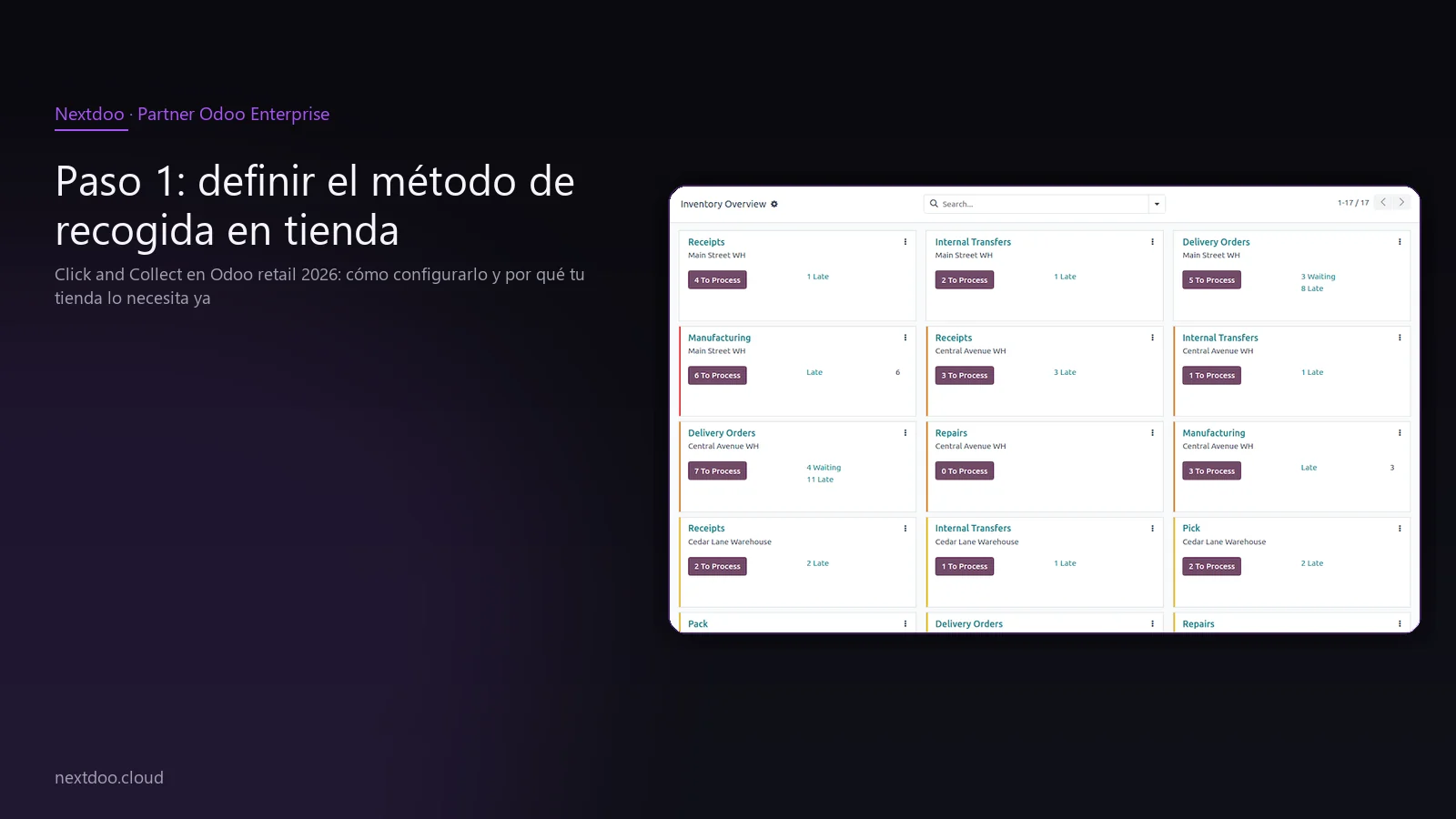
Step 1: define the in-store collection method
The first step is to create a specific shipping method for collection. Odoo distinguishes between home deliveries and collections from your own point. In-store collection is configured as a shipping method with zero cost, or with the symbolic cost you decide to apply.
This method can be associated with certain geographical areas, weight or value ranges, or applied universally to all orders. For most Spanish retailers, in-store collection is offered at no additional cost, precisely because the logistical savings more than compensate.
Once the method is created, you can configure the message the customer sees during the purchase process. This text is relevant: a clear message indicating "collect today from your nearest store" converts better than technical text. Pay attention to that detail.
How to name and present options to the customer
If you have several stores, the customer needs to see meaningful options. Don't use internal names like "Warehouse03-BCN". Name them as your customer knows them: "Barcelona City Centre Store", "Madrid Gran Vía Store", "Valencia Store". Add the address and opening hours to each option.
Odoo allows this information to be included in the record of each warehouse or store. When the customer chooses collection, the system automatically filters the stores that have stock available for the products in their cart. Options that cannot be fulfilled do not appear. This eliminates a common source of frustration in less integrated systems.
Step 2: configure each store as its own warehouse
The heart of multi-store Click and Collect in Odoo is warehouse management. Each physical establishment functions as an independent warehouse with its own inventory. This allows the system to know exactly what is in each point of the network.
The configuration is straightforward: you create a warehouse per store, assign its real address and define the supply rules. If the store runs out of stock of a product, the system can automatically generate a transfer from the central warehouse or from another store, according to the rules you establish.
This architecture is not only useful for Click and Collect. It also gives you total visibility of your network's inventory. You know at all times which store has excess stock of a product and which has a shortage. That information is valuable.
Reserved stock vs. available stock for Click and Collect
An important detail: not all physical stock in a store should be available for online orders. You might want to reserve a part for counter sales or for display. Odoo allows you to define what quantity of the stock in each warehouse is reservable for eCommerce and what part remains protected for physical sale.
This separation avoids the uncomfortable scenario of selling online a product that the store assistant has just put on display or that is damaged. With properly configured rules, the eCommerce only sells what is actually available and ready.
Step 3: the web purchase process and store selector
The moment of truth for the customer is the checkout. Here they decide whether to collect or if you send it home. The experience at this step has a direct impact on the conversion rate.
When the customer chooses "In-store Collection" as the shipping method, Odoo automatically shows them the list of stores with stock available for their complete cart. Not stores that only have one of the three products they've added: stores that have all three. If none of them have all of them, the system can show the nearest options with partial availability, or simply inform that the order is not eligible for that particular store.
In addition to the list of stores, the customer sees the estimated availability timeframe. You configure this data according to your actual operation: if you prepare orders in two hours, set it to that. If you need until the next day, then that too. Transparency on this point builds trust and reduces complaints.
Checkout customisation without losing simplicity
One of the common mistakes when setting up Click and Collect is adding too many steps or too many options. The customer doesn't want to choose between twelve stores with technical names and database-formatted schedules. They want to see three options near their postcode, with a readable schedule and a clear timeframe.
Odoo allows stores to be sorted by geographical proximity if the customer enters their postcode, or to be displayed in order of availability. Properly configuring this order is a task of a few hours and has a real impact on conversion. It's worth dedicating time to it during implementation.
Step 4: order preparation and automatic notification
Once the online order is confirmed, the in-store workflow is automatically activated. The chosen store receives a preparation task: the products to gather, the warehouse location, and the customer details.
The store employee works on their usual screen, without needing to consult another system. They collect the products, group them, and confirm preparation. At that moment, Odoo automatically sends the notification to the customer: an email with collection details, and optionally an SMS if you have it activated.
This workflow reduces preparation errors because the employee works with exact order information, not with a manual note or a screenshot. And it reduces customer service calls because the customer knows, in real-time, when they can come and collect.
Management of counter collection
When the customer arrives at the store, the handover is just as simple. The employee searches for the order in the system, confirms the customer's identity if necessary, and registers the handover. The order changes to «collected» status and the inventory is updated. Everything is traced.
If the customer does not appear within the agreed timeframe, the system can generate alerts for the store team to contact them or decide to release the reserved stock. This reservation expiry is configurable according to your commercial policy. Some retailers give 48 hours, others give a week. Odoo adapts to whatever you decide.
What you should know about Click and Collect and taxation in Spain?
Click and Collect has tax implications that many retailers overlook. When a customer buys online and collects in-store, the operation is registered with the VAT corresponding to the location of the store where the effective delivery takes place. In most cases, this does not generate complexity, but in the Canary Islands, Ceuta, or Melilla it can affect the applicable rate.
Odoo manages these tax rules natively. If you have stores in the peninsular territory and also in the Canary Islands, the system automatically applies the IGIC instead of VAT when the customer collects from a Canary Islands store. No manual configuration per order, no risk of error.
In 2026, with the progressive implementation of VeriFactu and the extension of TicketBAI in the Basque Country and Navarre, the traceability of each transaction is more important than ever. Each Click and Collect order generates a receipt or simplified invoice that must comply with the requirements of the AEAT. Odoo is prepared for these formats. It is a point that should be reviewed in detail during the implementation phase so that your operation is covered from day one.
Integration with Modelo 303 and VAT declaration
All Click and Collect orders, regardless of whether they are paid online or at the counter upon collection, must be correctly recorded in the accounting for their declaration in Modelo 303 and, where applicable, in Modelo 390. Odoo centralises these operations without you having to manually export data to your accounting firm.
This is especially relevant for SMEs that manage eCommerce on one platform and accounting on another. With Odoo, both worlds are integrated. The accounting firm receives clean information, without duplications or discrepancies between what is sold online and what is recorded in accounting.
What are the frequent mistakes when implementing Click and Collect in retail?
The theory is simple. Practice has its pitfalls. These are the most common failures we see in implementations:
- Not separating eCommerce stock from store stock. If the same product can be sold online and at the counter at the same time without control, you will end up selling stock that doesn't exist.
- Unrealistic preparation times. Promising collection in an hour when your team needs two or three generates complaints and distrust. Be conservative with the published timeframe and surprise by delivering earlier.
- Technical or confusing store names. The customer doesn't know what «ALM-BCN-02» is. Use clear geographical names.
- Not activating automatic notification. If the customer doesn't know their order is ready, they won't come. The notification is not an extra, it's part of the flow.
- Forgetting returns management. What happens if the customer wants to return the product upon collection because it's not what they expected? Define this process before launching the service.
- Not reviewing the tax configuration per store. Especially relevant if you have establishments in different tax regimes.
- Launching without training the store team. The tool may be perfect, but if the shop assistant doesn't know how to confirm preparation, the flow breaks down.
How Nextdoo implements Click and Collect for Spanish retailers
At Nextdoo, we work with retailers of all sizes: from independent stores with two or three establishments to chains with a presence in several autonomous communities. The implementation of Click and Collect is part of our specialisation in retail with Odoo.
The process always begins with an analysis of your current operations: how you manage stock, how many stores you have, which eCommerce platform you currently use, and how your store team is organised. From there, we define the warehouse architecture, shipping methods, and preparation workflow adapted to your reality.
We do not apply generic configurations. Each retailer has its peculiarities: high-volume products, items with serial numbers, multi-store promotions, customers with or without an account. Each of these cases has its specific treatment on the platform.
The result is a system that works from the first order, with a trained team and with tax processes correctly configured to comply with Spanish regulations for 2026.
Frequently Asked Questions
Does Click and Collect also work with Odoo's physical point of sale?
Yes. The physical point of sale and eCommerce share the same inventory in Odoo. When a Click and Collect order is registered, the stock is automatically reserved for that order, so the shop assistant cannot accidentally sell it at the counter. The integration is total and does not require any manual synchronisation.
Can I offer Click and Collect from a marketplace or from my Odoo store and not the other?
Odoo's native Click and Collect works on the platform's own eCommerce. If you also sell on external marketplaces, management depends on the integrations available for each channel. This is something we analyse on a case-by-case basis during the implementation process, because each operation is different.
What happens if the customer pays online and then doesn't collect?
Odoo allows you to configure reservation expiry policies. If the customer does not collect within the established timeframe, the system can alert the team and, if you decide so, automatically release the stock and manage the payment refund according to your commercial policy. Everything is recorded and traced for accounting.
Is it compatible with VeriFactu and TicketBAI in 2026?
Yes. Odoo in its current version for Spain is prepared for the verifiable invoicing requirements demanded by the AEAT within the framework of VeriFactu, as well as for the TicketBAI formats required in the Basque Country and Navarre. Each receipt or invoice generated in the collection process complies with these standards, provided that the initial configuration has been carried out correctly. This is a point we review in all our retail implementations.
Does it work with multiple languages if I sell in tourist areas?
Odoo is natively multi-language. The checkout process, notification emails, and order status messages can be configured in Castilian, Catalan, English, French, or any language you need. For retailers in high tourist traffic areas, such as the Mediterranean coast or the islands, this is a detail that makes a difference to the customer experience.
How long does it take for Click and Collect to be operational?
It depends on the complexity of your operation: number of shops, current inventory status, whether you already use Odoo or are coming from another platform. For a retailer already working with Odoo and with an organised inventory, activating Click and Collect can be a matter of days. For a migration from another system, the timeframe is longer because data needs to be cleaned up and the team trained. In any case, it is an implementation of reasonable complexity compared to the operational benefit it provides.
Conclusion: activate Click and Collect before your competition does
Click and Collect is not a future functionality. It is an expectation of today's Spanish customer. If your eCommerce doesn't offer it, you are losing conversions to competitors who do have it activated.
Odoo gives you all the tools to do it well: real-time inventory per shop, clear checkout process, automated preparation, customer notification and tax compliance for the Spanish regulations of 2026. No patches, no fragile integrations, no data duplications.
At Nextdoo we have implemented this flow for retailers in all types of sectors. The first step is always a conversation to understand your operation and define the real scope of the project. If you have physical shops and an online shop, and still don't offer in-store collection, that first step is worth taking today.
Indicative information. Actual timelines, costs and scopes are confirmed after a personalised analysis. JLM Business Solutions SL · B16842831.
Frequently Asked Questions
Does Click and Collect also work with Odoo's physical point of sale?
Yes. The physical point of sale and eCommerce share the same inventory in Odoo. When a Click and Collect order is registered, the stock is automatically reserved for that order, so the shop assistant cannot mistakenly sell it at the counter. The integration is complete and does not require any manual synchronisation between systems.
What happens if the customer pays online and then doesn't collect the order?
Odoo allows you to configure reservation expiry policies. If the customer does not collect within the period you establish, the system can alert the shop team and, if you decide so, release the stock and manage the payment refund according to your commercial policy. Everything is registered and traced for accounting, without manual management.
Is it compatible with VeriFactu and TicketBAI in 2026?
Yes. Odoo is prepared for the verifiable invoicing requirements of the AEAT within the framework of VeriFactu, as well as for the TicketBAI formats required in the Basque Country and Navarre. Every ticket or invoice generated during the collection process complies with these standards, provided that the initial configuration has been carried out correctly. This is a point we review in all retail implementations.
Can I limit what part of the shop's stock is available for online orders?
Yes. Odoo allows you to define what quantity of each shop's stock is reservable for eCommerce and what part is protected for counter sales or display. This separation prevents selling online a product that the shop team has already placed as a sample or that is damaged. With the rules correctly configured, eCommerce only sells what is genuinely and operationally available.
Does it work with multiple languages for tourist areas?
Odoo is natively multilingual. The purchase process, notification emails and order status messages can be configured in Spanish, Catalan, English, French or any necessary language. For retailers in high tourist traffic areas, such as the Mediterranean coast or the Canary and Balearic Islands, this detail has a real impact on customer experience.
How long does it take to set up Click and Collect with Odoo?
It depends on the complexity of the operation: number of shops, current inventory status and whether you already work with Odoo or are coming from another platform. For a retailer who already uses Odoo with an organised inventory, the timeframe is short. For a migration from another system, the process is somewhat longer because data needs to be cleaned up and the team trained. In any case, it is an implementation of reasonable complexity compared to the operational benefit it provides.