
In summary. Odoo unifies stock, prices, and reporting for your three physical shops on a single platform. The correct architecture involves a single instance with warehouses separated by shop and a centralised price list. This way, you avoid desynchronisations, reduce operational hours, and comply with VeriFactu in 2026. Nextdoo, an official Odoo Enterprise partner in Spain, implements this structure adapted to the reality of the Spanish SME.
Having three physical shops should be a sign that your business is doing well. However, when each point of sale operates with its own software, its own Excel files, and its own pricing logic, the operation becomes a problem that grows with each shop you add.
Odoo allows you to manage three physical points of sale from a single platform, synchronising stock, prices, and reports without duplicating data or operations.
In this article, I explain how that architecture works, what errors to avoid, what real impact it has on your daily operations, and how to prepare for the tax obligations in force in 2026.
Why Dispersed Software Kills Multi-Shop Retail Profitability?
When each shop has its own system, the problem isn't just technological. It's a problem of time, errors, and poorly made decisions due to a lack of reliable information.
The operations manager spends hours reconciling data from three different systems. The head of purchasing doesn't know for certain how many units they have in total because each warehouse reports differently. And the manager, when they want to see the consolidated margin for the week, waits until the following Monday.
That has a real cost: staff hours, order errors, stock shortages in one shop while another has an excess, and pricing decisions that aren't applied equally across all points of sale.
Odoo solves exactly this problem. It doesn't add an integration layer between existing systems: it replaces them with a single one, where all information resides in the same place and updates in real-time.
What is the Correct Architecture for Multi-Shop in Odoo?
Before installing anything, you need to decide carefully how the system is structured. This decision conditions everything else.
A Single Instance, Not One Per Shop
The most common error we see in poorly executed previous implementations is creating a separate Odoo instance per shop. It seems logical at first —each shop has its own space— but in practice, it's a maintenance nightmare and makes consolidated reporting impossible without costly custom developments.
The correct solution is a single instance with a single company, and within it, a differentiated warehouse for each point of sale. This way, each shop's stock is independent for operational purposes, but visible in a consolidated way from the same system.
Warehouses Separated by Shop
Each shop has its own warehouse in Odoo. This allows for:
- Knowing the exact stock of each location in real-time.
- Conducting inventories per shop independently.
- Managing transfers between shops with complete traceability.
- Assigning clear responsibilities: each shop manager sees and manages their own warehouse.
Transfers between shops are managed as internal movements. If the central shop needs stock reinforcement from the central warehouse or another shop, a documented operation is generated, without losing track of anything.
Independent Point of Sale Terminal Per Shop
Each shop operates with its own point of sale terminal configured in Odoo. Each has its associated receipt printer, card reader, and employees. Permissions are configured so that each worker only accesses what they need in their shop.
The receipt generated by each POS can include the logo, CIF, and legal texts of the company. And with VeriFactu already active as a requirement in 2026, all sales records are traced and certified from the system itself, without the need for external solutions.
How to Manage Prices and Promotions in Multiple Shops?
One of the most frequent problems in multi-shop retail is price desynchronisation. An item that should cost the same in all three shops appears with different prices because someone modified it in one system without remembering to update the other two.
Odoo solves this with a centralised master price list. When you change a price in that price list, the change is applied immediately across all terminals in all shops. Without additional manual intervention, without the risk of desynchronisation.
Can you have different prices per store?
Yes. Odoo allows you to configure specific rates per store or group of stores, in addition to the general rate. This is useful when:
- A store operates in an area with different purchasing power.
- You want to run a local promotion in a single store without affecting the others.
- You have an outlet or second-hand store with its own prices.
The pricing structure in Odoo is flexible: you can have a global base rate and exceptions per point of sale, without one interfering with the other.
Controlled Promotions and Discounts
Promotions are configured centrally and activated or deactivated per store. The manager of each point of sale does not need back-office access to apply a promotion that is already scheduled. It simply appears on the POS when applicable.
This eliminates the risk of someone applying an incorrect discount or an expired promotion remaining active due to oversight.
How to make decisions with real data in consolidated reporting?
Reporting is where most time is lost in multi-store retail without a centralised solution. And where Odoo adds the most value when properly implemented.
With the architecture I have described, you can obtain at any time:
- Daily sales per store and consolidated total.
- Gross margin per store, per product category and per salesperson.
- Stock turnover per reference in each warehouse.
- Performance comparison between stores in any period.
- Forecast of replenishment needs based on historical consumption.
This data does not require exporting to Excel or waiting for someone to prepare it. It is available in real-time, filtered as needed, and accessible from the central office computer or from a laptop in any store.
Integrated Tax Reporting
In 2026, the AEAT requires compliance with VeriFactu for billing systems. Odoo, in its correctly implemented Enterprise version, automatically generates the required records. This also affects point-of-sale receipts, which must comply with the traceability requirements of Royal Decree 1007/2023.
Having a unified system greatly facilitates the preparation of Modelo 303, 390, and the summary of operations for 347, because all data from all stores is in the same place and in the same format.
How do transfers between stores and inventory control work?
In a retail business with three points of sale, it is common for stock not to be perfectly distributed. One store runs out of sizes, another has an excess of a product that doesn't sell well in that area. The ability to agilely redistribute stock between stores is key to profitability.
With Odoo, a transfer between stores is a documented and traceable operation. The manager of the origin store validates the outgoing, the destination one validates the incoming. The system updates the stock of both warehouses in real-time. There is no room for a unit to «disappear» between one store and another.
Inventories per store, automatically consolidated
Each store can carry out its inventory independently, at the most convenient time for them. There's no need to stop all stores at once. When each one records its count, the total inventory for the group is automatically updated.
This also makes it easier to detect discrepancies in a specific store without affecting the operations of the others.
Case Study: From 4 Systems to 1, in Valencian Retail
A retail chain in Valencia with three physical stores and an online store operated with four different systems: POS software in each store (two of them different from each other) and an ecommerce platform disconnected from everything.
Inventory reconciliation was done once a quarter because doing it more frequently was unfeasible. The operations manager dedicated about eight hours a week to consolidating sales data from the four systems. Transfers between stores were managed with paper delivery notes and an Excel control sheet.
Following the implementation of Odoo unified with Nextdoo, the situation changed notably:
- Inventory is reconciled daily automatically.
- Consolidated reporting from the four sources (three stores and ecommerce) is available in real-time.
- Transfers between stores have complete traceability and are managed within the system itself.
- Weekly operational management time was significantly reduced.
We do not publish exact savings figures because they depend on each business, but the pattern is consistent: fewer operational hours, fewer errors, better decisions.
What are the common mistakes when setting up multi-store in Odoo?
We have seen enough failed implementations to know where mistakes are made. These are the most frequent:
- Creating a separate instance per store. It seems organised, but it makes consolidated reporting practically impossible without expensive developments.
- Not configuring warehouses correctly. If the warehouse structure is not well defined from the start, stock appears duplicated or ghost and traceability breaks.
- Letting each store create its own product categories. In a short time, you have the same item with three different names, and reports are not reliable.
- Not defining a master price list from the outset. Each shop starts adjusting prices independently, leading to inconsistencies within weeks.
- Not training shop staff from the outset. The system might be perfectly configured, but if employees don't know how to use it correctly, the data entered is rubbish, and so is the output.
- Ignoring tax requirements. In 2026, with VeriFactu in force, a POS system that does not comply with RD 1007/2023 can lead to problems with the AEAT.
What is the implementation process like with Nextdoo?
Nextdoo is an official Odoo Enterprise partner in Spain, specialising in retail and Spanish SMEs. The multi-store implementation process always starts with an initial diagnosis where we analyse your current situation: what systems you have, how your product catalogue is structured, how you currently manage stock, and what you need to work differently.
From there, we define the correct architecture for your specific case, configure the system, migrate existing data (products, customers, stock history), and train your team at each point of sale.
The implementation timeline depends on the complexity of each project. A standard multi-store implementation has a reasonable timeframe for an SME, without implying months of paralysis. The budget is adjusted to the size and needs of each business.
If you already have Odoo but with a configuration that isn't working well, we also perform reviews and corrections of previous implementations.
Frequently Asked Questions
Do I need an Odoo licence for each shop? No. With a single Odoo Enterprise licence, you can manage multiple points of sale within the same company. Odoo licences are associated with users, not shops or terminals. Nextdoo helps you correctly size the number of users you need according to your staff structure.
How does VeriFactu affect my POS with Odoo? VeriFactu, regulated by Royal Decree 1007/2023, mandates that invoicing systems generate transaction records with guarantees of integrity and immutability. Odoo Enterprise, correctly implemented with the Spanish adapter, complies with these requirements. All tickets issued from the POS are recorded in a traceable manner. If you have a POS system that does not comply with this, you are assuming a significant tax risk with the AEAT.
Can I integrate my online shop with the three physical shops in Odoo? Yes. Odoo unifies the physical channel (POS in shops) and the online channel (ecommerce) on the same platform. Stock is managed from a single point; online shop orders affect the same inventory as physical sales, and reporting consolidates all channels. It is one of the most valued advantages for retailers with a mixed presence.
What happens if a shop loses internet connection? Odoo's POS has an offline mode that allows operations to continue in case of connection loss. Sales are recorded locally and synchronised when connectivity is restored. For a retail business where sales continuity is critical, this is an important point to consider in the configuration.
Can I manage employees and schedules for the three shops from Odoo? Yes. Odoo includes staff management functionalities that allow you to register employees by shop, control clock-ins, and manage shifts. This is especially useful when you have staff who rotate between shops, because the system keeps records in a single place.
Can I migrate from Sage, Holded, or another system I already use? Yes. The migration process from other systems is common in Nextdoo's implementations. The starting point can be a generic ERP, sectoral POS software, or even spreadsheets. What varies is the effort required for data cleaning and transformation, which we analyse in the initial diagnosis.
Conclusion: Centralising is the Only Way to Scale
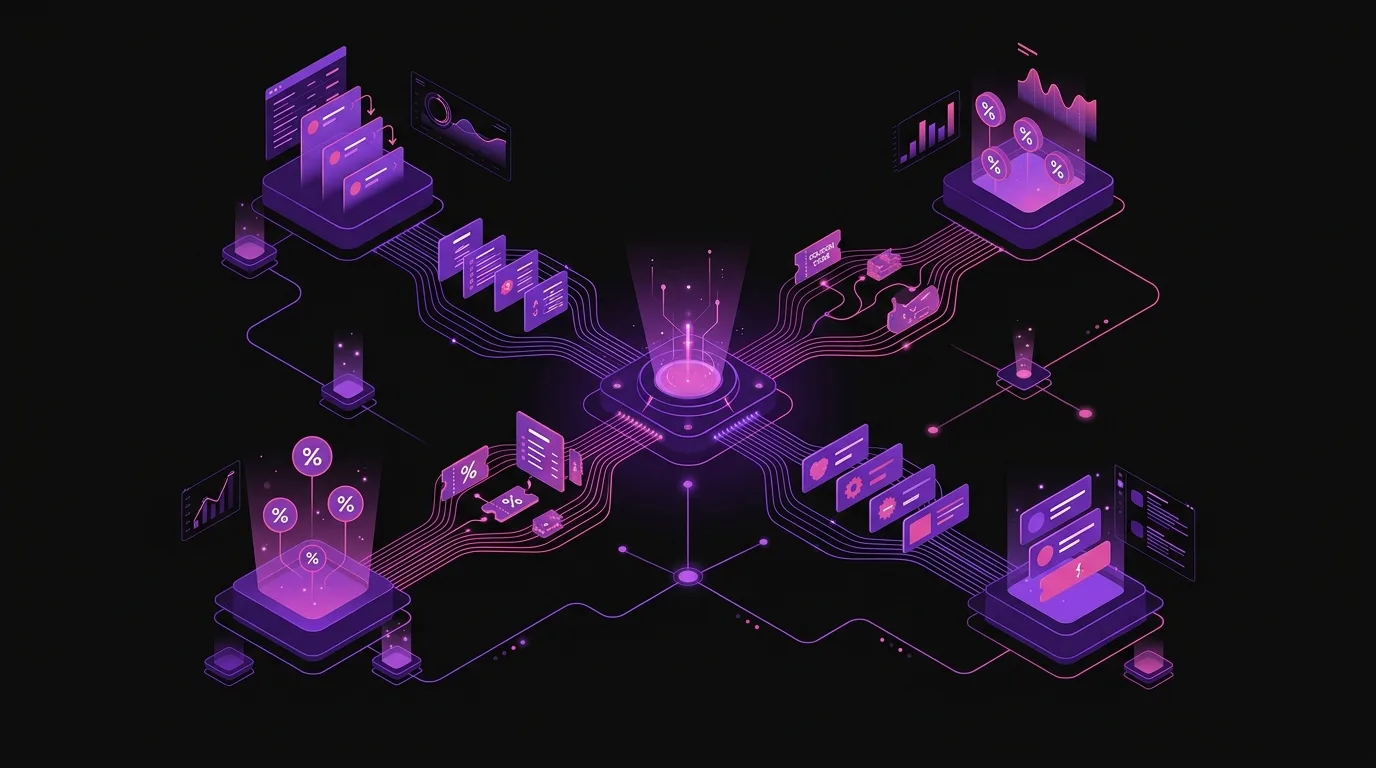
If you have two or three shops and still operate with separate systems, it's not that you lack technology: it's that you have too much poorly connected technology. The problem is not solved by adding another tool, but by replacing scattered elements with something unified.
Odoo with the correct architecture does exactly that. And the impact is not just technological: it's operational, commercial, and fiscal. Less time managing data, more time making decisions. Fewer pricing and stock errors, more confidence in the information in front of you.
If you want to know how Odoo would be structured for your specific case, the first step is a no-obligation diagnosis. Nextdoo provides this personalised service before discussing budgets or timelines.
Indicative information. Actual timelines, costs, and scopes are confirmed after a personalised analysis. JLM Business Solutions SL · B16842831.
Frequently Asked Questions
Do I need an Odoo licence for each shop?
No. With a single Odoo Enterprise licence, you manage multiple points of sale within the same company. Licences are associated with users, not shops or terminals. Nextdoo helps you size the number of users you need according to your staff structure and the number of shops you operate.
How does VeriFactu affect my POS system with Odoo?
VeriFactu, regulated by Royal Decree 1007/2023, requires invoicing systems to generate records with guarantees of integrity and immutability. Odoo Enterprise with the Spanish tax adapter complies with these requirements. All POS tickets are recorded in a traceable manner and are compliant with AEAT requirements. If your current system does not comply with this, you assume a significant tax risk.
Can I integrate the online shop with the three physical shops in Odoo?
Yes. Odoo unifies the physical channel and ecommerce on the same platform. Stock is managed from a single point: an online sale consumes the same inventory as an in-store sale. Reporting consolidates all channels. It is one of the most valued functionalities for retailers with a mixed physical-digital presence.
What happens if a shop loses internet connection?
Odoo's POS has an offline mode that allows sales to continue even if the connection is lost. Operations are recorded locally and automatically synchronised when connectivity is restored. For a retail business where stopping sales has a direct cost, this point is important to consider in the initial configuration.
Can I migrate from Sage, Holded, or another system already in use?
Yes. Migration from other systems is a common part of Nextdoo's work. The starting point can be a generic ERP, sectoral POS software, or even spreadsheets. What varies is the effort required for data cleaning and transformation, which is analysed in the initial diagnosis before discussing timelines or budgets.
Can I manage staff and shifts for the three shops from Odoo?
Yes. Odoo includes staff management functionalities that allow you to register employees by shop, control clock-ins, and manage shifts. It is especially useful when some staff rotate between shops, because all information remains in a single system and there is no need to reconcile independent control sheets per location.
Frequently Asked Questions
Can I manage several shops with Odoo without having to buy separate licences for each one?
Yes, Odoo operates with a single centralised instance where all shops share the same platform. Each shop is configured as a separate warehouse within the same system, which significantly reduces licence and maintenance costs.
How do I prevent store prices from getting out of sync with those of other stores?
Odoo allows you to establish a centralised pricing policy that is automatically applied to all points of sale. This way, any price change is instantly reflected in all stores without the need for manual updates.
What happens with inventory if I have stock in several stores? How do I control it?
Odoo maintains a unified inventory where each warehouse (store) has its own real-time visible stock. The system allows transfers between stores and prevents overselling because it always knows exactly how many units there are at each point of sale.
Do I need to comply with VeriFactu if I have several stores? Does Odoo help me?
Yes, VeriFactu is mandatory from 2026 for all SMEs. Odoo centralises the sales data from all your stores into a single reporting system, which facilitates regulatory compliance and the generation of the reports required by the administration.
How long does it take to implement Odoo multi-store in my business?
The time depends on your current complexity, but the correct architecture (an instance with separate warehouses) is designed to be implemented agilely. A specialised partner like Nextdoo adapts the process to the reality of your Spanish SME to minimise disruptions.
Sigue leyendo: TPV de Odoo para tienda · guía de Odoo para retail.