
Many SMEs that once opted for SAP Business One end up considering the change for the same reason: expensive licences and maintenance, rigidity in adapting the system to how they work, and dependence on a partner for any adjustment. Migrating from SAP Business One to Odoo is a perfectly manageable project if done methodically, without losing any data or stopping the business. This guide explains how to do it, step by step and without technical jargon.
En 30 segundos. Migrate SAP Business One to Odoo without data loss. Discover migration steps, what to retain (history, numbering) & common errors to avoid. Your expert guide.
Why migrate from SAP Business One to Odoo
The most common reason is cost: SAP Business One involves licences, maintenance and, almost always, a partner for every change. Added to that is the rigidity —adapting the system to an in-house process is often expensive and slow— and a user experience that has not aged well. Odoo offers a more flexible and economical, modular model, with a modern interface and up-to-date Spanish tax localisation, including VeriFactu. It is not «worse or better» in the abstract: for many SMEs, it is more system than they need at a cost that doesn't pay off, and there the change makes sense.
What can be migrated from SAP Business One to Odoo
Practically everything you need to keep operating:
- Customers and suppliers, with their tax and contact details.
- Product catalogue, with references, prices and variants.
- Inventory and stock by warehouse.
- Invoices and delivery notes, with their history.
- Accounting balances and the chart of accounts.
- Open orders and ongoing quotes.
What is not always migrated as is are SAP's customisations and bespoke developments: they are replicated in Odoo only if they add value, taking advantage of the change to simplify what no longer makes sense.
How to migrate from SAP Business One to Odoo step by step
Step 1 · Data audit
What data you have in SAP is reviewed, in what state, and which are worth migrating. Not everything old needs to be carried over. Deliverable: inventory of data to migrate.
Step 2 · Mapping to Odoo
It is defined how each piece of SAP data is translated to its Odoo equivalent (fields, accounts, categories). This mapping is what prevents surprises later. Deliverable: mapping of correspondences.
Step 3 · Extraction and cleaning
SAP data is extracted and cleaned: duplicates, obsolete records, errors. Cleaning before importing saves months of problems. Deliverable: refined and ready data.
Step 4 · Import into Odoo
Data is loaded into Odoo in the correct order (first master data, then movements) and the system is configured for your operations. Deliverable: data within Odoo.
Step 5 · Validation against SAP
It is checked that the migrated data matches SAP: same balances, same stock, same customers. Nothing starts without this match. Deliverable: verified data.
Step 6 · Go-live and support
Odoo is launched, with support during the first few days and SAP available as a backup until everything is confirmed. Deliverable: business operating in Odoo.
What you shouldn't lose in the migration
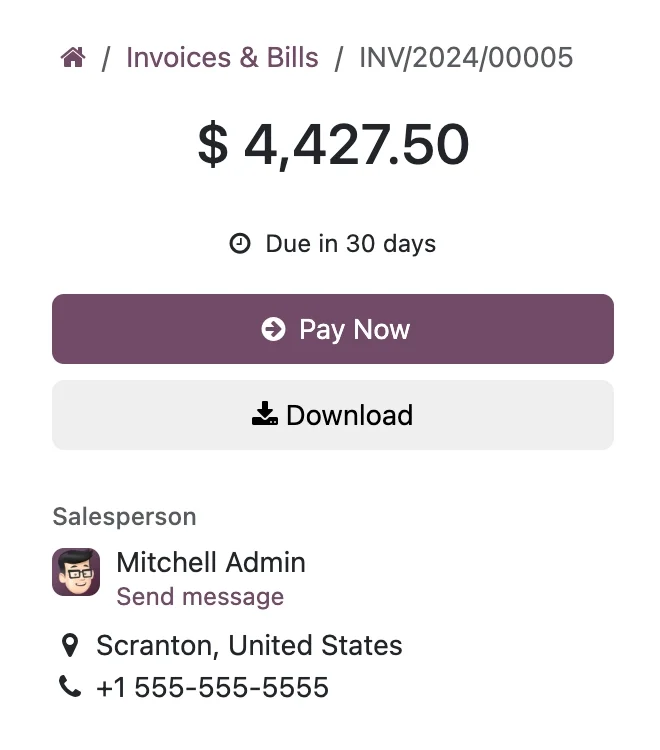
There are three things that a good project always protects. The history of invoices and movements, which you need for legal obligation and for consultation. The fiscal numbering, which must continue correctly so as not to break the sequence with the Tax Agency. And the accounting and stock balances, which must match SAP to the cent on the cut-off day. If a migration neglects any of the three, the savings from the change will be consumed by the problem it generates.
Parallel migration or clean cut
There are two ways to make the change. The clean cut-over —one day SAP is closed, and the next day work begins in Odoo— is simpler and faster, ideal for SMEs with limited operations. Parallel migration —working in both for a few days to compare— provides more security in complex businesses, in exchange for more effort. An experienced partner will recommend the approach based on your case; for most SMEs, a well-prepared clean cut-over is sufficient.
Frequent errors when migrating from SAP Business One to Odoo
- Migrating dirty data 'to clean it internally': they are not cleaned, they are dragged along.
- Replicating every SAP customisation in Odoo without asking if it is still needed.
- Not validating balances and stock against SAP before going live.
- Neglecting fiscal numbering and breaking the invoice sequence.
- Training the team on the day of go-live.
You have a general guide in the Odoo migration checklist, and if you come from a different accounting ERP, the approach is similar to that of migrating from Sage to Odoo.
How much does it cost and how long does it take?
| Scope | Indicative timeframe | Example |
|---|---|---|
| Basic | 4 – 8 weeks | Master data, balances and go-live |
| Medium | 2 – 4 months | Extensive history, several areas and adjustments |
| Advanced | 4 months or more | Multi-company, integrations and developments |
Indicative and non-binding timeframes and costs; they depend on the volume and status of your data. The cost breakdown, without made-up figures, in how much Odoo costs and the project framework in Odoo implementation.
What is gained by making the change well
Beyond saving on licences, migrating well is an opportunity to tidy up what was convoluted in SAP: simplify processes, ensure invoicing complies with VeriFactu from the outset —it covers VeriFactu and Odoo— and gain a tool your team can adapt without relying on a third party for every change. The change isn't just about switching software; it's about keeping what works and letting go of what was superfluous.
Frequently asked questions
Can all SAP Business One data be migrated to Odoo?
Yes: customers, suppliers, products, inventory, invoices, balances, and open orders. SAP's customisations are only replicated if they add value, taking the opportunity to simplify.
Will I lose my invoice history?
No, if the project is done well. The history is migrated to comply with legal obligations and to allow consultation. Preserving it is one of the points a good partner always protects.
Will invoice numbering remain correct?
Yes. Part of the project is to ensure that fiscal numbering continues correctly to avoid breaking the sequence with the Tax Authority.
Does Odoo comply with Spanish tax regulations like SAP?
Yes. The Enterprise edition includes Spanish localisation and VeriFactu, mandatory in 2026, so invoicing is compliant from the outset.
Do I have to halt business operations to migrate?
No. It is planned to minimise the impact, with SAP available as a backup until Odoo is validated. The go-live usually takes place during a period of lower activity.
Is Odoo as powerful as SAP Business One?
For most SMEs, Odoo more than covers what they need, with more flexibility and lower cost. SAP makes sense in very specific cases; for the rest, it is usually more system than it's worth.
How long does it take to migrate from SAP to Odoo?
A migration of master data and balances is usually ready in a few weeks; with extensive history and several areas, 2 to 4 months. This is determined by the volume and state of your data.
Can I do the migration myself?
The extraction and reconciliation of fiscal data are sensitive; doing it with an official partner reduces the risk of costly errors later. Typically, the partner leads, and your team validates.
What happens to the custom developments I have in SAP?
They are reviewed one by one: those that add value are replicated in Odoo, and those no longer used are left behind. Migrating is an opportunity to let go of inherited customisations that only added complexity and cost.
Does Odoo scale if my company grows?
Yes. Being modular, areas —manufacturing, projects, e-commerce— are added when the business demands it, without changing systems or redoing previous work. You pay for what you use, and it is expanded in phases.
Do you want to leave SAP Business One for Odoo without losing data or time?
At Nextdoo, an official Odoo partner, we plan the migration with verified data and your history intact. Start by the Odoo migration checklist or request a diagnosis of your case.
Source: Odoo official documentation (Accounting). Indicative and non-binding figures.
Sources
Official sources consulted: Odoo official documentation and electronic headquarters of the Tax Agency (VeriFactu). Indicative and non-binding cost and deadline figures, subject to variations depending on the project.