
A consultancy doesn't sell products: it sells time and judgment. Its challenge is to manage many client companies simultaneously, each with its accounting, taxes, and deadlines, without missing a single tax form or invoice. Implementing Odoo in a consultancy or advisory firm organises this multi-client work into a single system, including professional fees invoicing and client relationship management. This guide explains how to set it up, step by step and without jargon.
En 30 segundos. Learn to implement Odoo for multi-client consultancies: accounting, fee invoicing, client portal, and VeriFactu integration. Boost efficiency.
Why a consultancy needs its own approach
The difference with a consultancy is the volume of files and the demanding deadlines: many clients, each with their own closing, tax forms, and due dates. An imbalance or an oversight is not an internal problem; it's a client's problem with the Tax Agency. That's why the system must provide an overview of the entire practice at a glance and ensure nothing is missed. And with VeriFactu becoming mandatory in 2026, keeping invoicing up to date is no longer optional; it's covered by our guide on VeriFactu and Odoo.
How to implement Odoo in a consultancy step by step
Step 1 · Multi-client structure
It is decided how to organise the portfolio: one company in Odoo per client, or an analytical structure that separates each account within the practice. This decision defines how the work is viewed for the rest of the project. Deliverable: defined client structure.
Step 2 · Accounting and tax forms
Accounting is configured with the Spanish localisation and the tax forms submitted by the practice, so that entries and declarations are generated directly from the system without duplicating work. Deliverable: operational accounting.
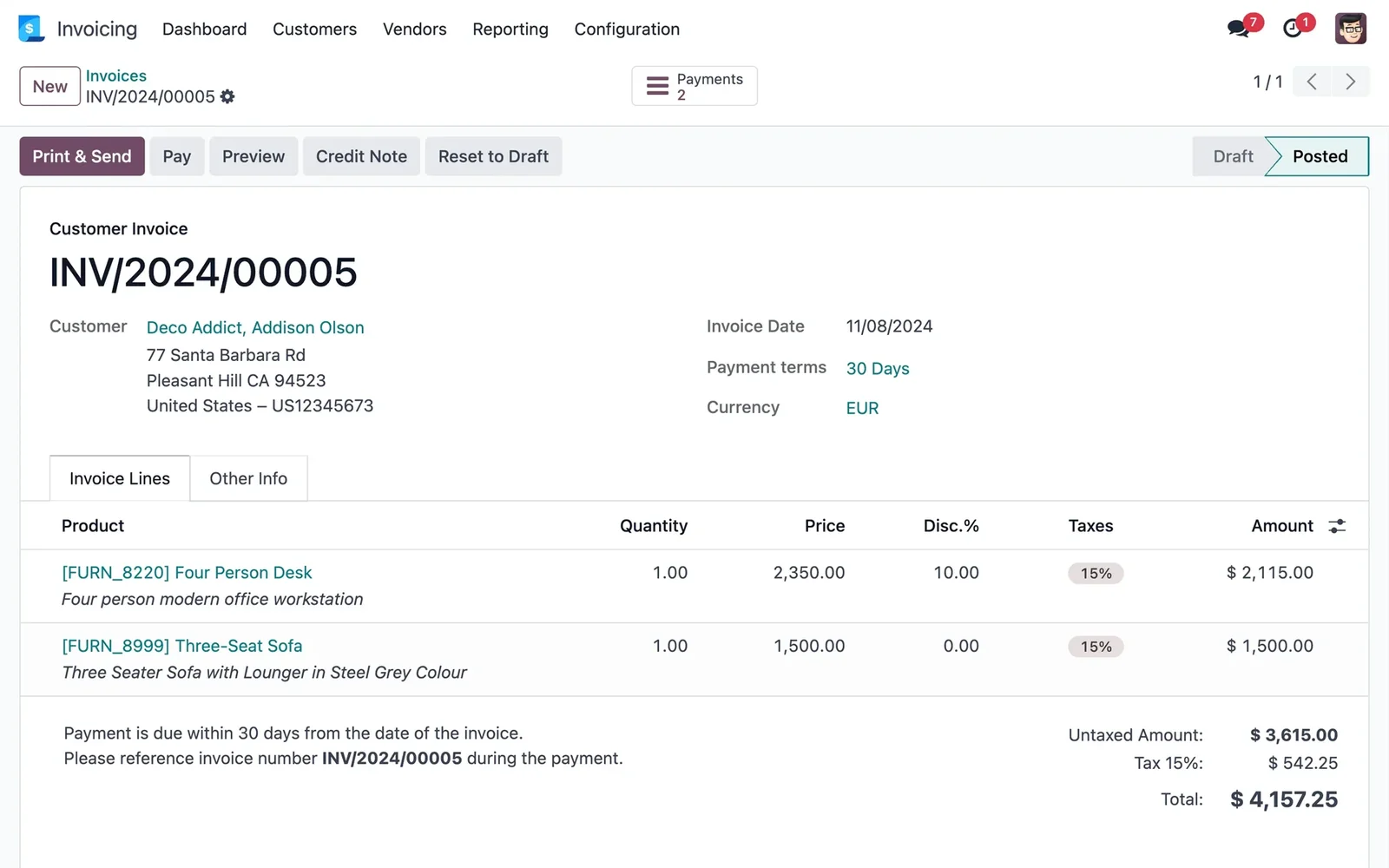
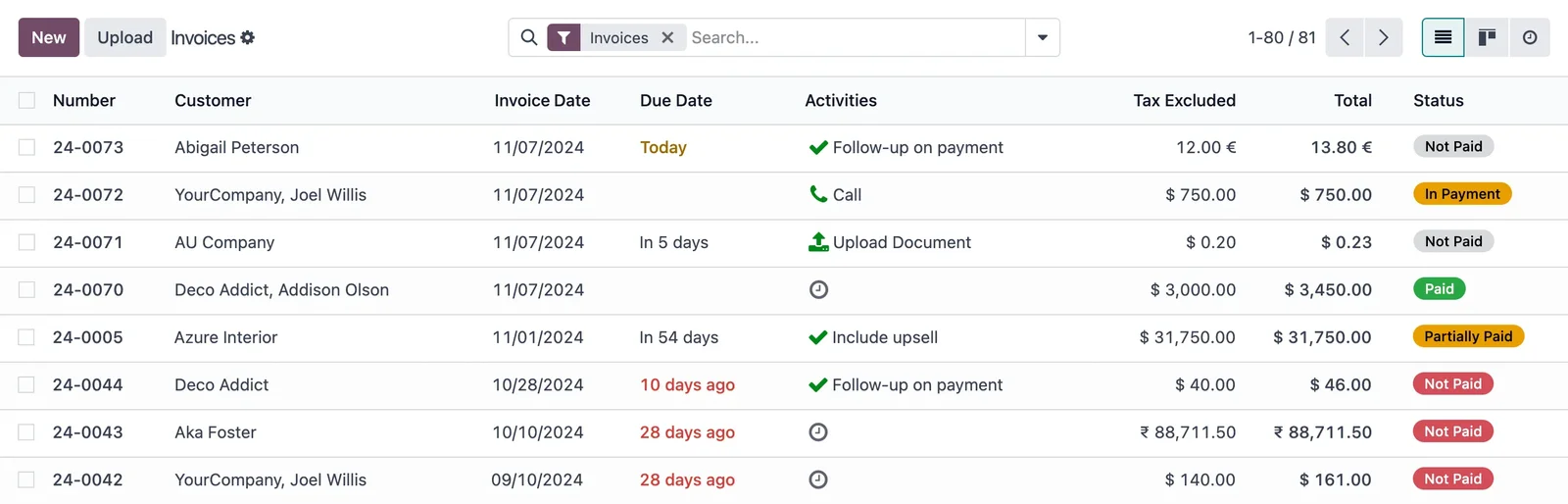
Step 3 · Recurring professional fees invoicing
Invoicing for each client's monthly or quarterly fees is automated, so they are generated automatically and collecting them no longer consumes hours. Here, truly billable time is recovered. Deliverable: automatically invoiced professional fees.
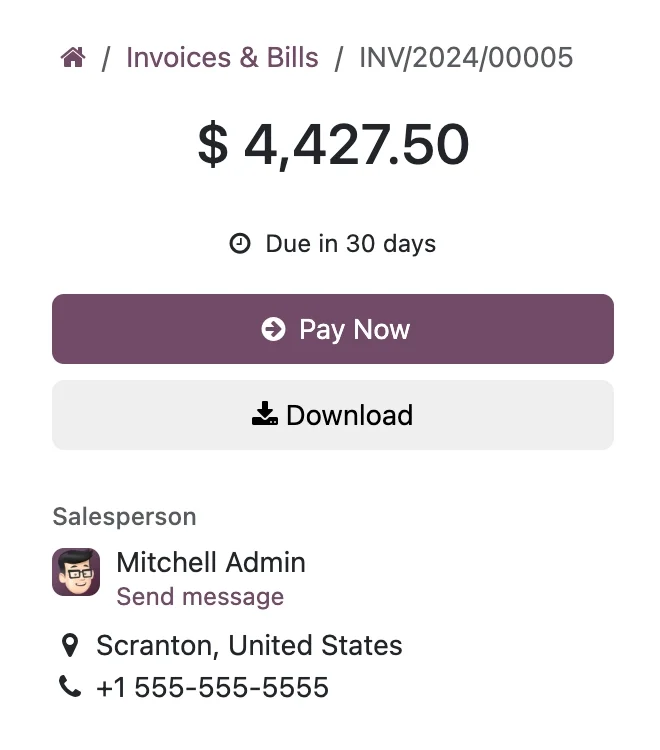
Step 4 · Client portal
A portal is activated where each client accesses their invoices, documents and statuses, reducing emails and calls of «send me this again». The portal approach is the same as in Odoo ecommerce B2B. Deliverable: client portal up and running.
Step 5 · VeriFactu, closing and control of the practice
Invoicing is set up in accordance with VeriFactu and dashboards are built to provide visibility of the workload, due dates and profitability per client. Deliverable: practice under control and compliant with regulations.
What a consultancy gains with Odoo
- Visibility of the entire practice in one place, without loose sheets.
- Fewer oversights of models and due dates, with alerts.
- Fees collected on time thanks to recurring invoicing.
- Clear client profitability: which accounts pay off and which don't.
What you need before you start
It helps to have the client portfolio organised with their tax data, the chart of accounts and the models the practice works with, and the fee quotas for each client. It is also advisable to decide on the multi-client structure before configuring, and to have an internal manager to validate criteria. Nothing has to be perfect: part of the partner's initial job is to help organise it.
Common mistakes when implementing Odoo in a consultancy
- Setting up client by client without first deciding on the general structure.
- Continuing to manually invoice fees when they can be automated.
- Not providing a client portal and continuing to be buried in emails.
- Leaving VeriFactu until the end of the project.
With a partner experienced in practices, these points are anticipated; that's why it's advisable to choose wisely who you implement with. You have the general framework in Odoo implementation and the cost in how much Odoo costs.
How much does it cost and how long does it take?
| Scope | Indicative timeframe | Example |
|---|---|---|
| Basic | 4 – 8 weeks | Accounting + fee invoicing |
| Medium | 2 – 4 months | Multi-client, portal and dashboards |
| Advanced | 4 months or more | Large practice, automations and complete models |
Indicative and non-binding timeframes and costs; they depend on the number of clients and the state of your data. The cost details, without made-up figures, in how much Odoo costs.
What can be automated in a consultancy
A good part of a practice's work is repetitive and deadline-driven, and that's where Odoo returns billable hours. Fee invoicing is programmed once and goes out automatically every month or quarter, with client dispatch included. Due date reminders —models, closings, deadlines— become automatic alerts, so that nothing depends on someone remembering it. The request for documentation from the client can be launched recurrently through the portal, instead of chasing each one by email. And collections are reconciled without manually balancing each statement.
The result is not just convenience: it's about the team dedicating their time to advice, which is what the client pays for, and not to administrative tasks that a machine does better. As with the entire project, these automations are activated in phases, once the accounting and invoicing foundation is already functional, not on the first day.
A practice that works with data, not memory
When your entire client portfolio resides in a single system, you stop managing by intuition. At a glance, you know which clients have outstanding items, which deadlines are approaching and —what is almost never measured— which accounts are profitable and which consume your hours without compensation. That picture changes decisions: it allows you to renegotiate fees with data, better distribute the workload among the team, or decide which client profile is best to grow with. A firm that sees its numbers in real time not only works more calmly; it also makes better decisions for its own business, which is often precisely what it has the least time to review.
Frequently asked questions
Is Odoo suitable for a small consultancy?
Yes. You can start with just accounting and fee invoicing, and add the client portal or dashboards when you need them. Starting small is what makes it cost-effective.
Can I manage the accounting for several clients in the same Odoo instance?
Yes. Odoo manages multi-company, so you can manage each client separately with their accounting and invoicing, but with a consolidated view of the firm.
Does Odoo comply with VeriFactu for firm invoicing?
The Enterprise edition covers Spanish invoicing obligations, including VeriFactu, mandatory in 2026. It is advisable to set it up from the start.
Can I automate each client's fee invoice?
Yes. Recurring fees are scheduled, and Odoo automatically issues invoices each period, which saves many hours of administrative work.
Can the client view their documents without calling me?
Yes. With the client portal, each company accesses its invoices and documents whenever they want, which reduces repetitive emails and calls.
How long does it take to implement Odoo in a consultancy?
A start-up with accounting and fees is usually ready in a few weeks. The timeframe depends on the number of clients and whether you include the portal and dashboards from the start.
Can I obtain tax form data from Odoo?
Yes. Odoo handles accounting with Spanish localisation, so the information for the forms comes directly from the system, already reconciled, instead of being manually collected each quarter. This reduces errors and, above all, the time spent preparing each submission for your clients.
Is it difficult to switch from the current advisory programme to Odoo?
It is done in phases and with a migration plan: first, the essentials are transferred —clients, accounting and fee quotas— and it is expanded afterwards. This way, the firm continues to work normally while it is being implemented, without a 'big cut-off day' that stops activity.
Is Odoo equally suitable for a labour, tax or accounting advisory firm?
The base is the same; what modules and workflows you activate changes according to the firm's services. It is configured for the real work of your advisory firm, not the other way around, and expands as services grow.
Do you want your advisory firm running on Odoo, with the entire firm controlled?
At Nextdoo, an official Odoo partner, we implement it in phases, starting with accounting and fees, with verified data. Start with the Odoo implementation or request a diagnosis of your firm.
Source: official Odoo documentation (Accounting). Indicative and non-binding figures.
Sources
Official sources consulted: official Odoo documentation and electronic headquarters of the Tax Agency (VeriFactu). Indicative and non-binding cost and timeframe figures, subject to variations depending on the project.