
The big advantage of selling online with Odoo is not having a pretty website: it's that this website shares catalogue, stock, customers, and accounting with the rest of your business. When an order comes in, the system deducts stock, generates the invoice, and prepares the shipment without anyone copying data from one place to another. Implementing Odoo in e-commerce well done avoids the classic chaos of a standalone online shop. This guide explains how to set it up.
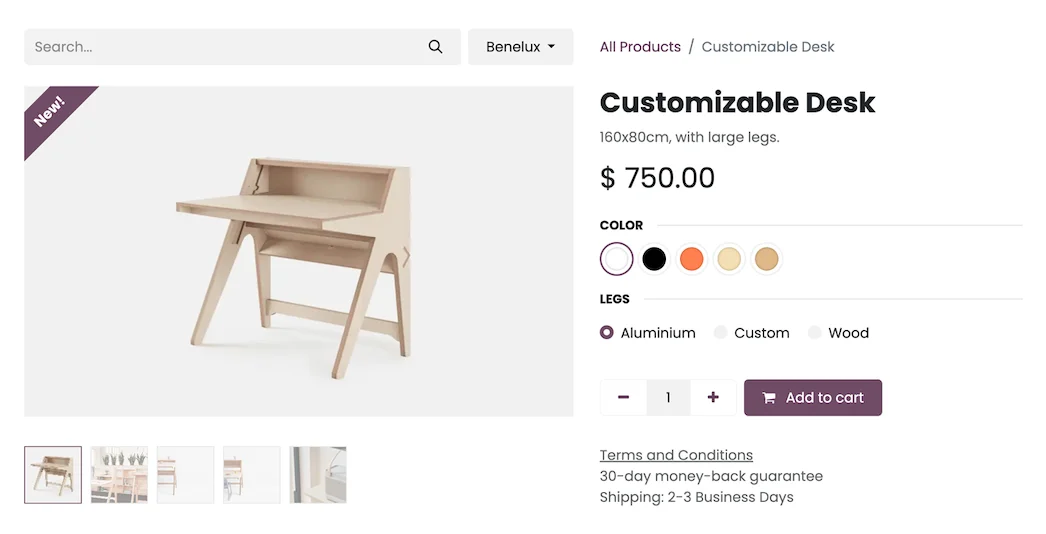
En 30 segundos. Implement Odoo in eCommerce: sync catalogue, payments, shipping, & stock across physical and online stores. Get a step-by-step guide from an official Odoo partner.
The key: a single source of truth
The biggest problem with many online shops is not the website, it's that it lives separately from the rest: stock doesn't tally, orders are manually entered, and prices are out of sync. With Odoo, the online shop and the rest of the business share the same data. If you also have a physical shop, look at the approach of Odoo omnichannel retail: a sale deducts from the same warehouse, no matter where you make it.
How to implement Odoo in e-commerce step by step
Step 1 · Catalogue with variants and prices
The catalogue is prepared: products, variants (size, colour, format), prices and photos. A clean and well-structured catalogue is 80% of an online shop's success. Deliverable: catalogue ready for publishing.
Step 2 · The shop website
The Odoo online shop is set up: categories, product sheets, search engine, and content pages. Being within Odoo, you don't need to connect two different systems. Deliverable: navigable shop.
Step 3 · Payments and shipments
The payment gateway (card, Bizum, etc.) and carriers are connected, so that the customer pays securely and the shipment is generated automatically with its label. Deliverable: operational checkout and shipments.
Step 4 · Synchronised stock
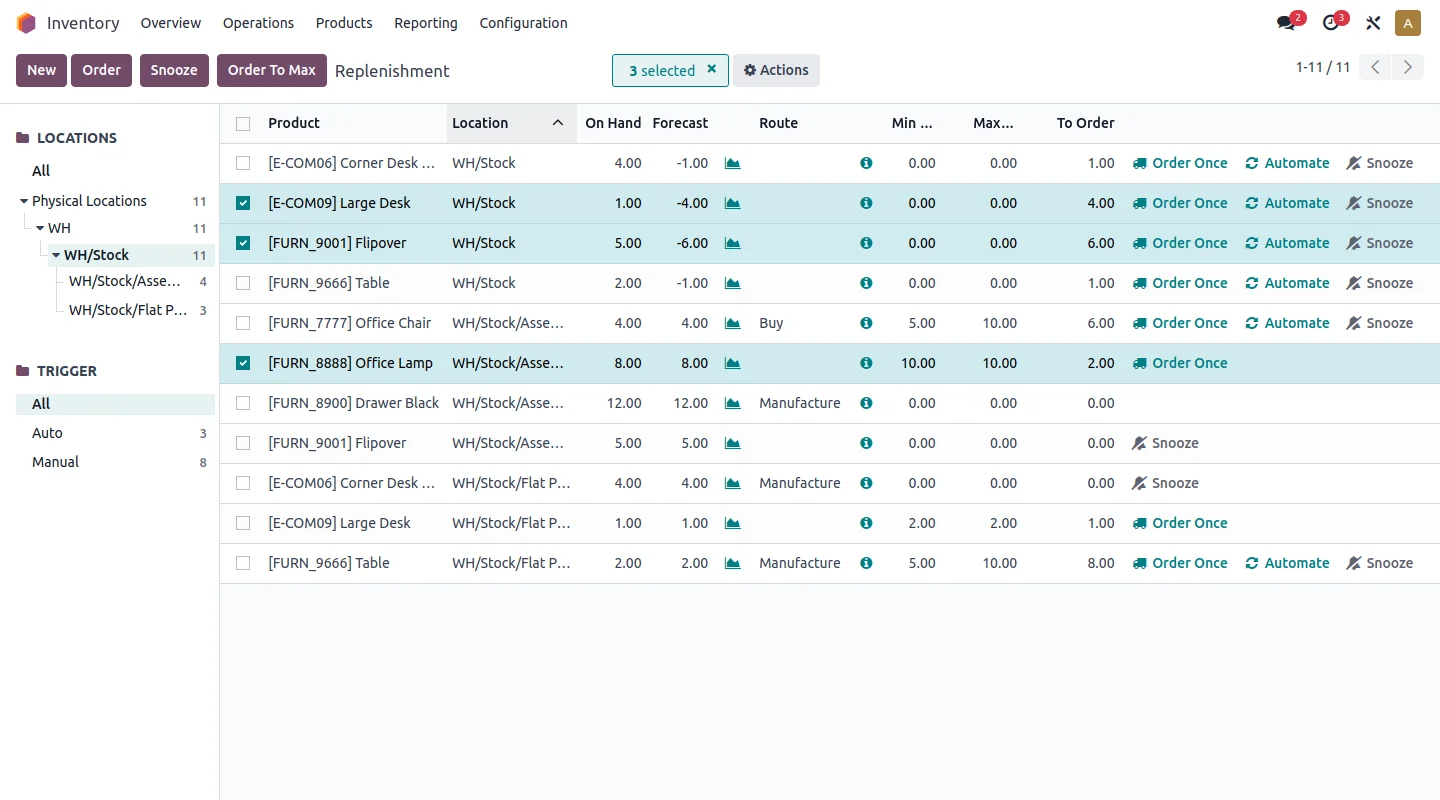
The website's stock is linked with the warehouse's (and with the physical shop, if any), to avoid selling what you don't have or having to manually reconcile inventory. Deliverable: single and real-time stock.
Step 5 · Invoicing and regulations
Invoicing is configured in accordance with VeriFactu, mandatory in Spain in 2026, and the correct taxes by product type and country of sale. Deliverable: compliant invoicing.
Step 6 · Launch and growth
It is published, the complete purchase process is tested, and it is launched. Afterwards, email campaigns, coupons, abandoned carts, or B2B sales are added depending on the business.
If you sell to other businesses (B2B)
B2B e-commerce has its own rules: prices by customer, recurring orders, portal with its history, and credit payment. Odoo covers this with its customer portal; the approach is in Odoo B2B e-commerce.
How much does it cost and how long does it take?
As a guiding and non-binding reference, a shop that starts with catalogue, payment, and shipments is usually operational in a few weeks; the cost depends on the size of the catalogue, payment and transport integrations, and whether you migrate from another platform. Details in how much Odoo costs.
Frequent errors when implementing Odoo in e-commerce
- Publishing with an unrefined catalogue (photos, variants, prices).
- Not synchronising stock and ending up selling what's not there.
- Forgetting country-specific taxes if you sell outside Spain.
- Migrating from Prestashop, Shopify, or WooCommerce without a plan and losing SEO or orders.
Migrating your shop to Odoo without losing SEO or orders
If you already sell on Prestashop, Shopify, or WooCommerce, the logical fear is losing ranking or leaving orders behind. With a plan, this doesn't have to happen. The key lies in three precautions: preserving the URLs or preparing 301 redirects to not lose the SEO gained, migrating products, customers, and orders with their histories, and making the change in a low-traffic window with the old shop as a backup until the new one is validated. Done this way, the customer won't even notice, and you gain by having the shop within the same system as your warehouse and accounting.
Selling to businesses and individuals with the same shop
A little-known advantage of Odoo is that you can serve B2C and B2B without setting up two websites. The same catalogue can show different prices according to customer type, hide products from those who shouldn't see them, and offer businesses their portal with recurring orders and credit payment, while individuals buy normally. For many SMEs that start by selling to the public and end up receiving orders from other businesses, this avoids rebuilding the shop later.
Payments and carriers: what to integrate in Spain
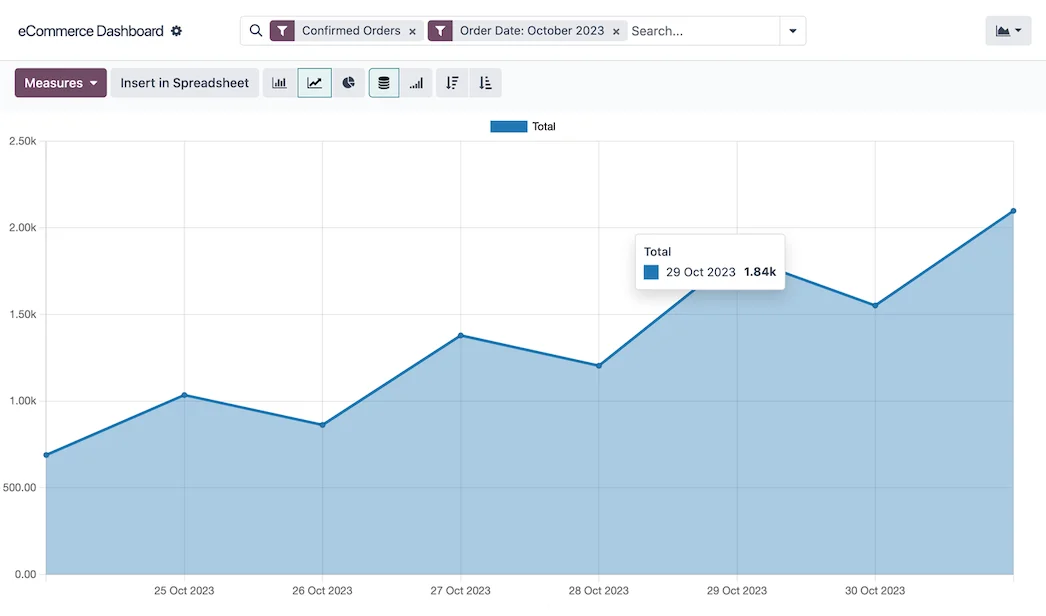
An online shop doesn't sell if the customer can't pay comfortably and receive quickly, so these two integrations deserve attention from the start.
For payments, it is common in Spain to offer card and Bizum through a gateway, and to consider deferred payment if your average ticket is high. Odoo connects with the most commonly used gateways, so payment is secure and the sale is instantly recorded, without manual reconciliations. The golden rule: the fewer steps the checkout has, the fewer abandoned carts.
For shipments, it's advisable to connect with the carriers you already work with so that the label and tracking are generated automatically with each order. This way, the warehouse doesn't waste time copying addresses, and the customer automatically receives their tracking number. If you sell products with special needs—cold, large volume—this is a point to finalise before launching. And since the stock is unified, each shipment deducts from the same inventory as the physical shop, avoiding selling what you don't have. This shared inventory approach is the same as explained by the omnichannel selling in retail.
Your shop's SEO is not optional
An online shop that doesn't appear on Google sells little, however well-set-up it may be. The good news is that Odoo's e-commerce comes with what's necessary to work on positioning: you can edit the title and description of each page, define the URLs, add alternative text for images, and publish content—a blog, product guides—that attracts visitors. You don't need a separate tool for the basics.
The important thing is not to leave it until last. Product sheets with original descriptions (not copied from the manufacturer), well-thought-out categories, and light images that load quickly are what make a shop start to attract traffic on its own, without relying solely on advertising. And if you migrate from another platform, preserving the URLs or preparing redirects is precisely what prevents losing the ranking you already had. Working on this from the start is cheaper than trying to recover it when the shop has been invisible for months.
Frequently asked questions
Can Odoo be used to create an online shop?
Yes. Odoo includes its own e-commerce integrated with the catalogue, stock, and accounting, so you don't need to connect an external website with your ERP.
Can I have the physical and online shops with the same stock?
Yes. It's one of the biggest advantages: both share a warehouse, so a sale deducts from the same stock whether you make it at the till or on the website.
Can I migrate my shop from Prestashop or Shopify to Odoo?
Yes, with a plan that preserves products, customers, orders, and, above all, SEO. Doing it without a method is the most costly mistake.
Does Odoo e-commerce comply with VeriFactu?
The Enterprise edition covers Spanish invoicing obligations, including VeriFactu, mandatory in 2026. It's advisable to configure it from the start.
Do you want an online shop that communicates with your business, not one that operates independently?
At Nextdoo, an official Odoo partner, we implement your e-commerce with synchronised stock and compliant invoicing from day one. Start with Odoo e-commerce.
Source: Odoo official documentation (E-commerce). Guiding and non-binding figures.
Sources
Official sources consulted: Odoo official documentation and electronic headquarters of the Tax Agency (VeriFactu). Guiding and non-binding cost and timeframe figures, subject to variations depending on the project.