
In summary. Odoo POS is compatible with ESC/POS thermal printers (Epson TM, Star Micronics), HID USB scanners (Honeywell, Zebra, Datalogic), scales via IoT Box (Dibal, Epelsa, Bizerba) and payment terminals from Adyen, Stripe or Ingenico. If the hardware follows the open standards for each category, it usually works even if it's not on the official list. Before purchasing in quantity, validate with your partner and bear in mind the VeriFactu regulations in force in Spain from 2026.
Setting up a point of sale that works seamlessly from day one is not a matter of luck. It's a matter of choosing the right hardware from the outset. If you use Odoo POS in your shop, bar or hospitality business, this guide explains which equipment works, why some fail, and how to avoid unpleasant surprises during peak hours.
Spanish businesses using Odoo POS must validate the compatibility of their POS hardware with approved printers, scanners, and payment terminals before investing in quantity.
Why choosing the right hardware for Odoo POS matters?
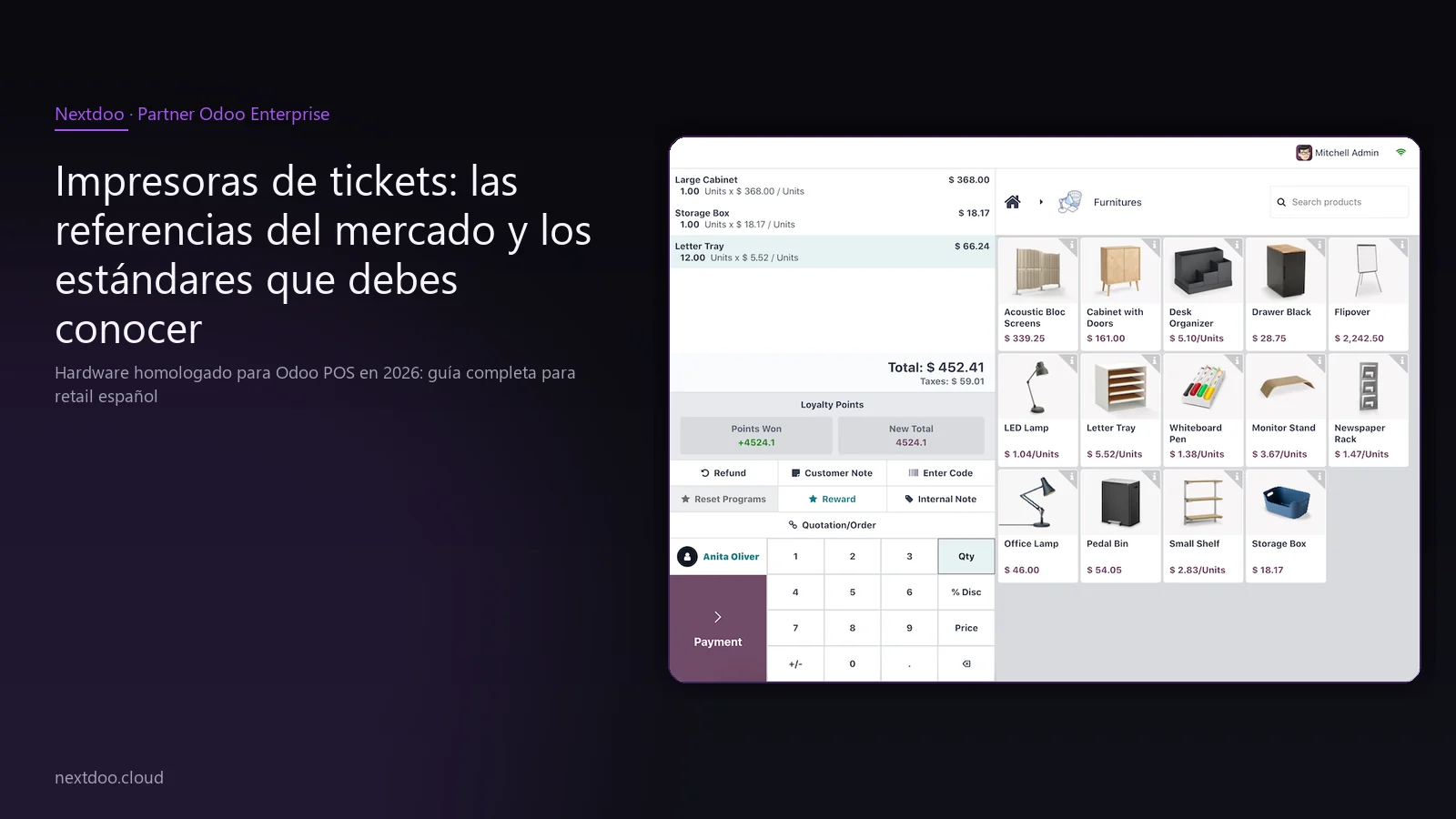
Odoo POS is a browser-based solution, which gives it a huge advantage: it doesn't rely on a specific operating system or proprietary drivers. A computer, a tablet, or even a laptop can become your till. But this flexibility has an important nuance.
Not all hardware on the market speaks the same language. Thermal printers use different protocols, scanners can be configured in various ways, and payment terminals have specific integrations. Choosing incorrectly can cost you support time, tills that don't open automatically, or receipts that don't print at the most critical moments.
In Spain, retail and hospitality also have their own specific requirements. The VeriFactu and TicketBAI regulations require till systems to register and certify operations integrally. Your hardware must be compatible with a software solution that meets these requirements, and Odoo Enterprise covers them. It's not enough to have a cheap printer if your point-of-sale system isn't approved for the Spanish market.
Finally, scalability matters. An SME that currently has one premises might open another in six months. If from the outset you choose standard and well-documented hardware, expansion is much simpler.
What are the most recommended receipt printers and the standards you need to know?
The receipt printer is the most critical peripheral in any point of sale. The customer sees it, the checkout process depends on it, and if it fails, the workflow stops. Odoo POS works with thermal printers that follow the ESC/POS protocol, an open standard that virtually all modern receipt printers adhere to.
The most common references in Odoo installations in Spain are from the Epson TM family. The TM-T20III is the most widespread entry-level option: USB and Ethernet connectivity, reliable, with accessible consumables. The TM-T88VII covers higher volume installations where print speed is a factor. The TM-m30 stands out for its compact format, ideal for bar counters or tills with limited space.
Star Micronics is the other reference brand. Its TSP100, TSP700, and TSP800 series have proven compatibility and a significant installation base in European hospitality.
What about printers without a recognised brand?
If a printer advertises ESC/POS compatibility, in most cases it will work with Odoo POS. The protocol is sufficiently standardised. The difference between a brand officially approved by Odoo SA and one that isn't, is primarily that for the former, official support documentation exists. For critical installations or chain rollouts, the recommendation is to stick to documented brands. For a single pilot installation, it's worth testing before buying in quantity.
Ethernet connection is preferable to USB if the till computer isn't right next to the counter or if you want to print from multiple terminals to the same printer. Bluetooth can be useful in very specific environments, but it introduces a layer of potential interference that should be considered.
Barcode scanners: USB is king
Barcode scanners are, of all peripherals, the easiest to integrate with Odoo POS. The reason is simple: most operate in HID Keyboard mode, meaning the computer recognises them as if they were a keyboard typing characters very quickly. No specific drivers or special configuration are needed.
The most widespread families in retail installations in Spain include:
- Honeywell Voyager 1450g: 1D USB reader, very robust, good performance on damaged or low-contrast barcodes.
- Honeywell Voyager 1602g: wireless Bluetooth version of the previous one, useful in the warehouse or when the operator needs mobility.
- Honeywell Voyager XP 1472g: reads both 1D and 2D and QR codes. Especially useful if you manage tickets, vouchers, or products with QR labels.
- Datalogic QuickScan QM2500: solid mid-range option with a good scanning angle.
- Zebra DS2208: recognised in high-volume environments for its durability.
Wireless scanners: advantages and disadvantages
The freedom of movement provided by a wireless scanner is real, but it introduces complexity. The battery needs to be charged, Bluetooth connectivity can be affected by other devices, and initial setup requires an additional step. For shops with a fixed counter, USB is more robust and self-contained. For warehouses or large areas, wireless offers clear value.
A relevant detail for the Spanish market: if you sell food products with variable weight or items that require in-store price checking, a 2D scanner facilitates reading labels generated by modern scales that include QR or DataMatrix on the label.
When do you need the IoT Box for scales and when do you not?
Scales are the peripheral that generates the most questions in retail implementations for food, butcheries, greengrocers, or convenience stores. Unlike printers and scanners, scales do not follow a single universal standard. Communication between the scale and the point-of-sale system requires an intermediary: Odoo's IoT Box.
The IoT Box is a small device that connects to the local network and acts as a bridge between peripherals that speak industrial protocols and the browser where Odoo POS runs. It is not mandatory for all setups, but it is for scales.
The most common references in the Spanish market are:
- Dibal SX series: a Spanish manufacturer with a strong presence in supermarkets and food shops.
- Epelsa: another Spanish brand widely established in butchers and fishmongers.
- Bizerba: a high-end European reference, frequently found in medium-sized stores.
What if your scale is not on the official list?
Compatibility depends on the protocol the scale uses. Before discarding it, consult your partner about the specific communication protocol used by the model. In many cases, scales from other brands that follow standard protocols also work. It's one of those points where testing before mass purchase is essential.
Cash drawers and customer displays: the details that make the difference
The cash drawer is a simple but critical element. In Odoo POS, it opens automatically upon completing a cash payment, via an electrical pulse sent by the ticket printer itself. The drawer connects to the printer using an RJ-11 cable, not directly to the computer. This means that any standard cash drawer on the market (APG, Mustek and many other brands) is compatible, provided the printer supports it, which all those mentioned above do.
The customer display is another element that significantly improves the in-store experience. Odoo POS allows displaying on a second screen a real-time breakdown of the purchase, the total amount, and welcome messages or promotions. A conventional HDMI monitor connected to the till computer or a specific customer display can be used. In hospitality, this feature reduces customer queries to the waiter about the amount and speeds up payment.
For businesses that want to project a polished image, dedicated customer displays from brands like Elo Touch or Epson's own have an aesthetic factor that a generic monitor does not. For a start-up SME, a repurposed second monitor works perfectly.
How does the integration of payment terminals and card readers with Odoo work?
Card payment is today the dominant method in Spanish retail. According to data from the Bank of Spain, the number of card operations consistently exceeds cash in practically all sectors. Having your payment terminal communicate directly with Odoo POS eliminates one of the main sources of error at the till: manual amount entry.
Odoo POS has native integration with the main payment terminal providers operating in Spain:
- Adyen: solid coverage in Spain, widely used in medium-to-high volume retail and hospitality.
- Stripe Terminal: a common option for businesses with an omnichannel presence (physical and online store).
- Ingenico: a classic reference in the Spanish financial sector, with an extensive support network.
- Worldline: the result of the merger of several entities, present in many banking facilities.
- Mollie: common in businesses with a digital profile that want to unify online and in-person payments.
- SIX Payment Services: very present in hotel and high-end restaurant environments.
What you should check with your bank or payment provider
Having an approved payment terminal is not enough. You need your contract with the bank or payment provider to allow direct integration with the point-of-sale software. Some banks offer terminals locked into their own systems. Before committing to a provider, verify that the terminal model they offer you is the same one that supports integration with Odoo, not simply the same brand.
In Spain, the VeriFactu and TicketBAI regulations (in the Basque Country and Navarre) require the system to register and preserve each operation in an integral and tamper-proof manner. Odoo Enterprise complies with these requirements, but the payment terminal must be correctly integrated so that the data flow is consistent from start to finish.
When do you need the IoT Box and when don't you?
Odoo's IoT Box is a network device that acts as a concentrator for peripherals that cannot communicate directly with the browser. Its use is not mandatory for all setups, but it is recommended in certain scenarios.
You need an IoT Box if:
- You have scales at the point of sale.
- You want to centralise several peripherals (printer, till, customer display) from a single management point.
- You use specific fiscal terminals that require direct communication.
- Your setup has multiple sales terminals that share the same network printer.
You don't need an IoT Box if:
- You only have an Ethernet or USB printer connected directly to the till computer.
- Your scanners are standard USB.
- You don't have scales or industrial peripherals.
The IoT Box simplifies remote support: from the Odoo console, you can see the status of each connected peripheral without having to be physically in the shop. For chains with multiple premises, this has real operational value.
How to plan hardware purchases to avoid wasting your budget?
The most common mistake in retail implementations is buying hardware before validating the system configuration. The result is usually tills that have to be returned, models that need to be changed, or peripherals that remain unused because the actual setup didn't match what was planned.
Some practical guidelines:
- Test before scaling. If you're opening five premises, start with one, validate all hardware under real-world conditions, and then replicate.
- Ask for samples or test units. Most hardware distributors offer demonstration units or return periods. Use them.
- Consult your partner before purchase. A partner with experience in Spanish retail knows which equipment causes problems and which doesn't, beyond what the official documentation states.
- Don't skimp on the printer or scanner. They are the two most used peripherals, and a failure has an immediate impact on operations.
- Unify brands and models. If you have several premises, working with the same models simplifies spares stock and support.
- Validate compatibility with VeriFactu if your business is obliged. From 2026, Spanish regulations require unalterable registration systems. Your hardware must fit into a workflow that complies with this obligation.
Frequently asked questions about hardware for Odoo POS
What happens if my receipt printer is not on the official Odoo list?
If your printer follows the ESC/POS protocol, in most cases it will work with Odoo POS even if it is not listed in Odoo SA's official documentation. The official list is a reference of certified compatibility, not an exhaustive inventory of everything that can work. If you have doubts about a specific model, the best option is to test it before purchasing several units or consult with your partner.
Do I need the IoT Box for any Odoo POS installation?
No. The IoT Box is only necessary when connecting peripherals that cannot communicate directly with the browser, mainly scales and certain fiscal terminals. A basic installation with an Ethernet printer and USB scanner works perfectly without it. In more complex installations or with multiple peripherals, the IoT Box simplifies management and remote support.
What hardware is not compatible with Odoo POS?
The most frequent incompatibilities are: very old thermal printers that do not follow standard ESC/POS, proprietary Spanish fiscal terminals from certain banks that do not allow integration with external software, and scanners configured in serial mode without HID emulation. If you have legacy equipment, it is worth reviewing case by case before assuming it does not work.
How does VeriFactu affect hardware selection?
VeriFactu is an AEAT regulation that requires invoicing systems to record each operation in its entirety, with a digital signature and without the possibility of subsequent modification. The hardware itself does not require specific certification, but it must fit into a software workflow that does have it. Odoo Enterprise includes adaptation to VeriFactu. The important thing is that the integration between card terminal, printer and software is complete so that the record is coherent.
Can I use a tablet or an iPad as a point-of-sale terminal with Odoo POS?
Yes. Odoo POS runs in the browser, so it is compatible with Android and iOS tablets. The limitation is with peripherals: connecting a printer or scanner to a tablet requires adaptors or using wireless options, which adds complexity. For fixed installations, a computer with Windows or Linux is usually more robust. For mobility in the room, a tablet with a Bluetooth scanner and card payment is a common solution in hospitality.
Which card terminal is the most common in Spanish retail with Odoo?
Adyen is the most common option in Odoo retail implementations in Spain, especially in businesses with medium-to-high volume and omnichannel presence. Stripe Terminal has a strong presence in businesses with an active online shop that want to unify payment management. For installations where the bank already offers a terminal, Ingenico and Worldline are common references. The choice also depends on the commercial conditions each company negotiates with its payment provider.
Conclusion: good hardware is part of your implementation's success
The point of sale is where your business collects payments. Ensuring it works without friction is not a luxury; it's a basic condition for operating well. Choosing hardware compatible with Odoo POS, following documented standards and validating before scaling, is one of the most profitable decisions you can make in the implementation phase.
At Nextdoo we support Spanish retail and hospitality SMEs throughout the entire process: from hardware selection to point-of-sale implementation and adaptation to Spanish tax regulations. If you are planning an implementation or want to review whether your current equipment is compatible, the next step is to speak with our team.
Indicative information. Actual timelines, costs, and scope are confirmed after a personalised analysis. JLM Business Solutions SL · B16842831.
Frequently Asked Questions
What happens if my receipt printer is not on the official Odoo list?
If your printer follows the ESC/POS protocol, in most cases it will work with Odoo POS even if it is not listed in the official documentation. The official list is a reference of certified compatibility, not an exhaustive inventory. If you have doubts about a specific model, test it before purchasing several units or consult with your Odoo partner.
Do I need the IoT Box for any Odoo POS installation?
No. The IoT Box is only necessary when connecting peripherals that cannot communicate directly with the browser, mainly scales and certain fiscal terminals. A basic installation with an Ethernet printer and USB scanner works perfectly without it. In more complex installations, the IoT Box simplifies management and remote support.
How does VeriFactu affect the choice of hardware for Odoo POS?
VeriFactu requires invoicing systems to record each operation integrally and immutably, as established by the AEAT. The hardware does not need its own certification, but it must be integrated into a software workflow that complies with the regulations. Odoo Enterprise includes adaptation to VeriFactu. It is fundamental that the card terminal, printer, and software work consistently for the record to be correct.
What hardware is incompatible with Odoo POS?
The most frequent incompatibilities are old thermal printers without standard ESC/POS, blocked bank payment terminals that do not allow integration with external software, and scanners configured in serial mode without HID emulation. If you have legacy equipment, review case by case before assuming it will not work.
Can I use a tablet as a point-of-sale terminal with Odoo POS?
Yes. Odoo POS runs in the browser and is compatible with Android and iOS tablets. The main limitation is with peripherals: connecting printers or scanners to a tablet requires adaptors or wireless versions, which adds complexity. For fixed installations, a computer is more robust. For mobility in the room, a tablet with a Bluetooth scanner is a common solution in hospitality.
Which card terminal is the most common in Spanish retail with Odoo?
Adyen is the most widespread option in Odoo retail implementations in Spain, especially in businesses with medium-to-high volume and omnichannel presence. Stripe Terminal has a strong presence in shops with an active online shop. Ingenico and Worldline are common when the bank already offers its own terminal. The final choice depends on the conditions each company negotiates with its payment provider.